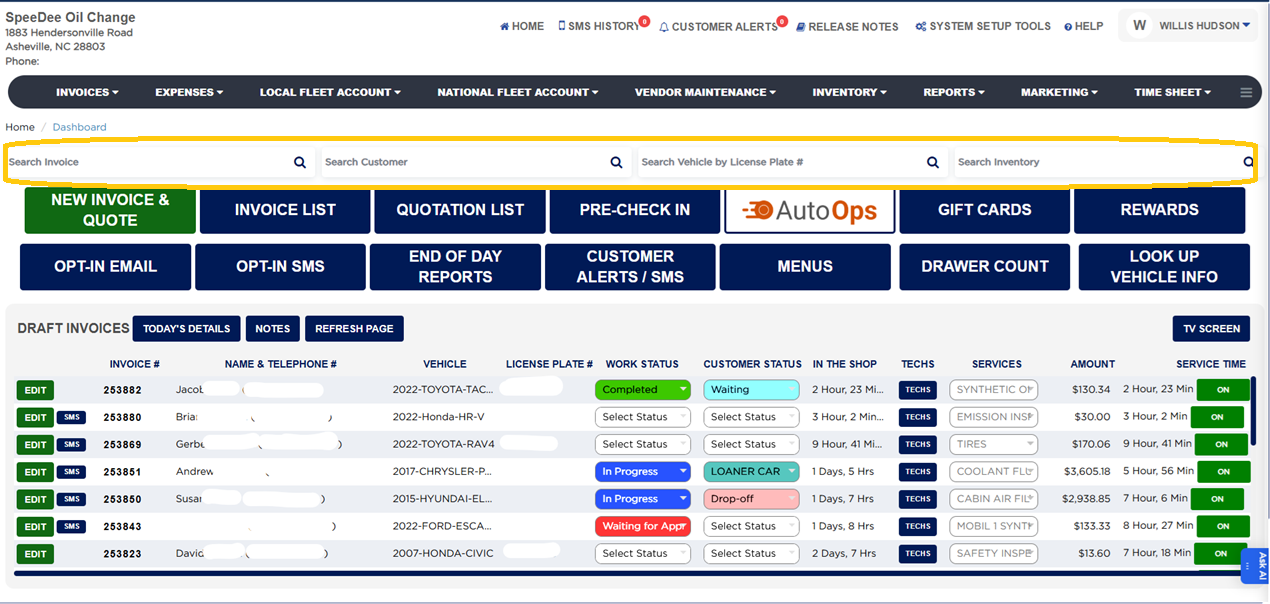
Four search boxes across the top of the dashboard let you find records quickly without opening a menu. A search loads the matching results in the invoice list.
Use Search Invoice to search by customer name, invoice number, or VIN — ARM pulls all invoices matching the criteria and loads them in the INVOICE LIST.
Use Search Customer to find a customer by name or phone.
Use Search Vehicle by License Plate # to pull up a vehicle.
Use Search Inventory to find a part or inventory item.
Click the magnifying-glass icon (or press Enter) to run the search.