Access the Employer Master as the Owner to set up your business's legal name, address, and contact details. You can also break down payroll taxes or workers' compensation by percentage so timesheet reports reflect them automatically.
Access the Employer Master as the Owner to set up your business's legal name, address, and contact details.
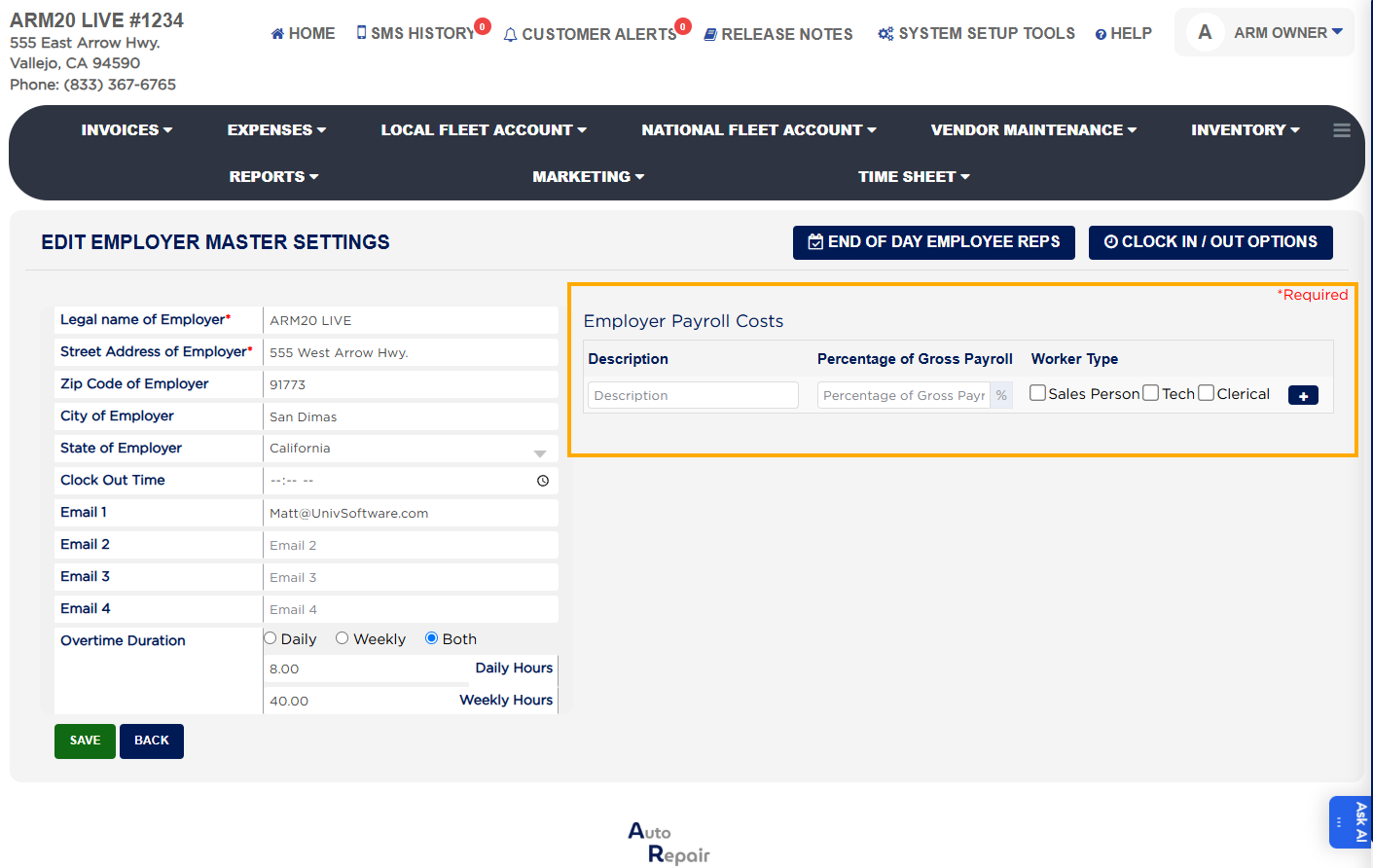
Break down payroll taxes or workers' compensation by percentage so timesheet reports reflect them automatically.
Configure payroll setup (hourly/salary) which feeds directly into the Estimated Profit and Loss reports.
Set workers’ compensation and payroll tax percentages to be prorated into timesheet reports.
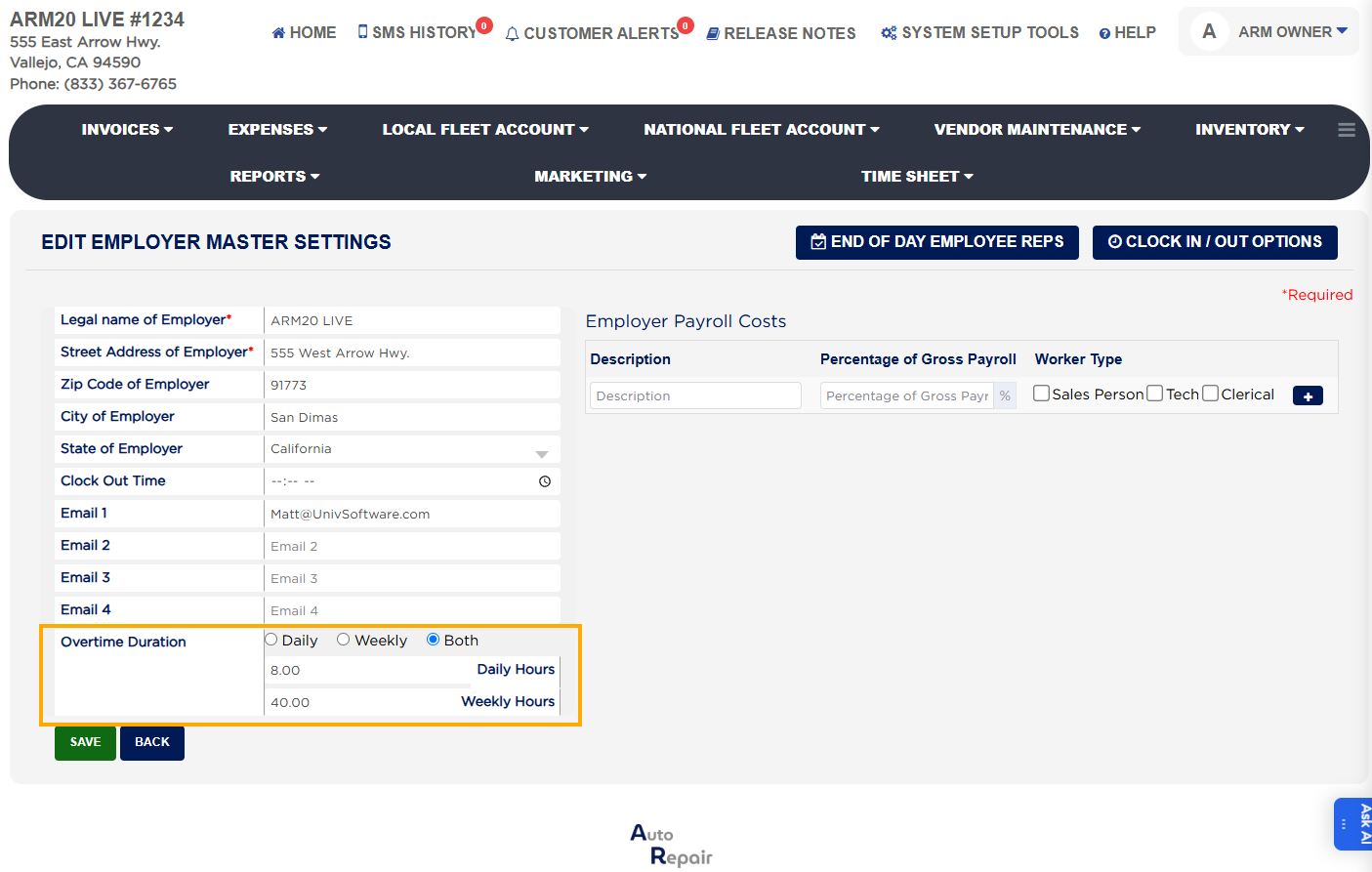
Configure overtime rules with daily, weekly, or combined thresholds (e.g., 8 hours daily, 40 hours weekly).
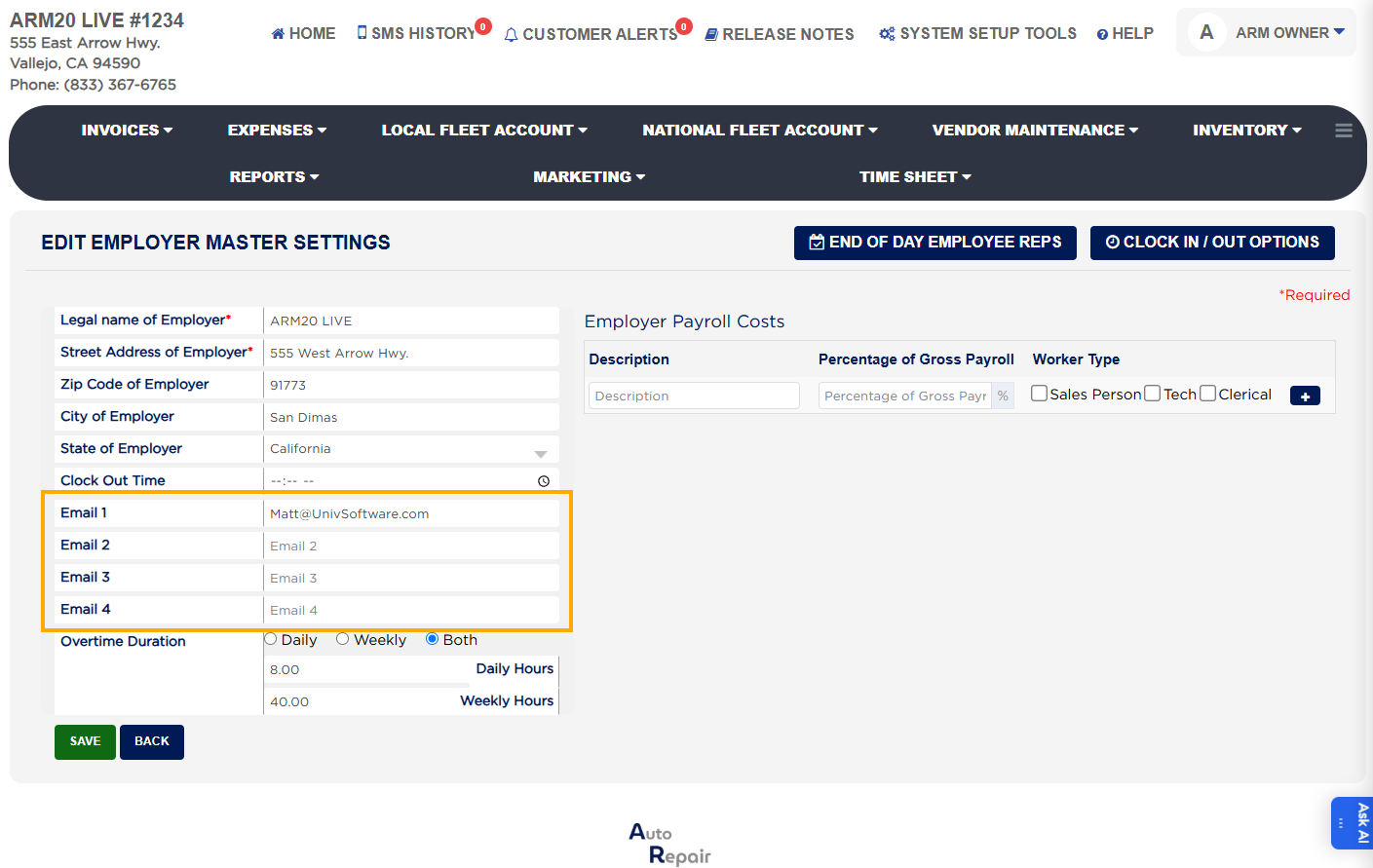
At the bottom of the Employer Master, add up to four notification email addresses for safety question alerts.
Employer Master with payroll tax and overtime settingsEmployer Master email configurationOvertime settings in Employer Master
About this screen
Payroll setup (hourly/salary) in the Employer Master feeds directly into the Estimated Profit and Loss reports. Workers’ compensation and payroll tax percentages are prorated into timesheet reports. Overtime can be configured with daily, weekly, or combined rules (e.g., 8 hours daily, 40 hours weekly), and these rules are enforced automatically in salary reports.
At the bottom of the Employer Master, add up to four notification email addresses. These are used to receive alerts if employees answer safety questions outside the normal response.