ARM Help

Recommendation Reminders

Recommendation Reminders chases the work you advised but the customer did not buy at the time. It reads the recommendations recorded on finalized invoices in the period you choose, and leaves out any recommendation the customer has since had done. This is the screen that turns a declined estimate into a second chance, so it is usually the most valuable of the three.

1 how-to answer 1 screenshot Open in ARM Markdown

How do I chase work customers declined? #

  1. From the Home Screen, click Marketing → Recommendation Reminders.
  2. Set the From and To dates to the period the recommendations were made in.
  3. Under Select Print or Email or SMS, choose how you want to reach them.
  4. Click Go. Total Reminders shows how many recommendations are still outstanding.
  5. Check the wording in Select Message and edit it if you want.
  6. Click E-Mail All, SMS All or Print All, or use the Individual buttons for a single customer.
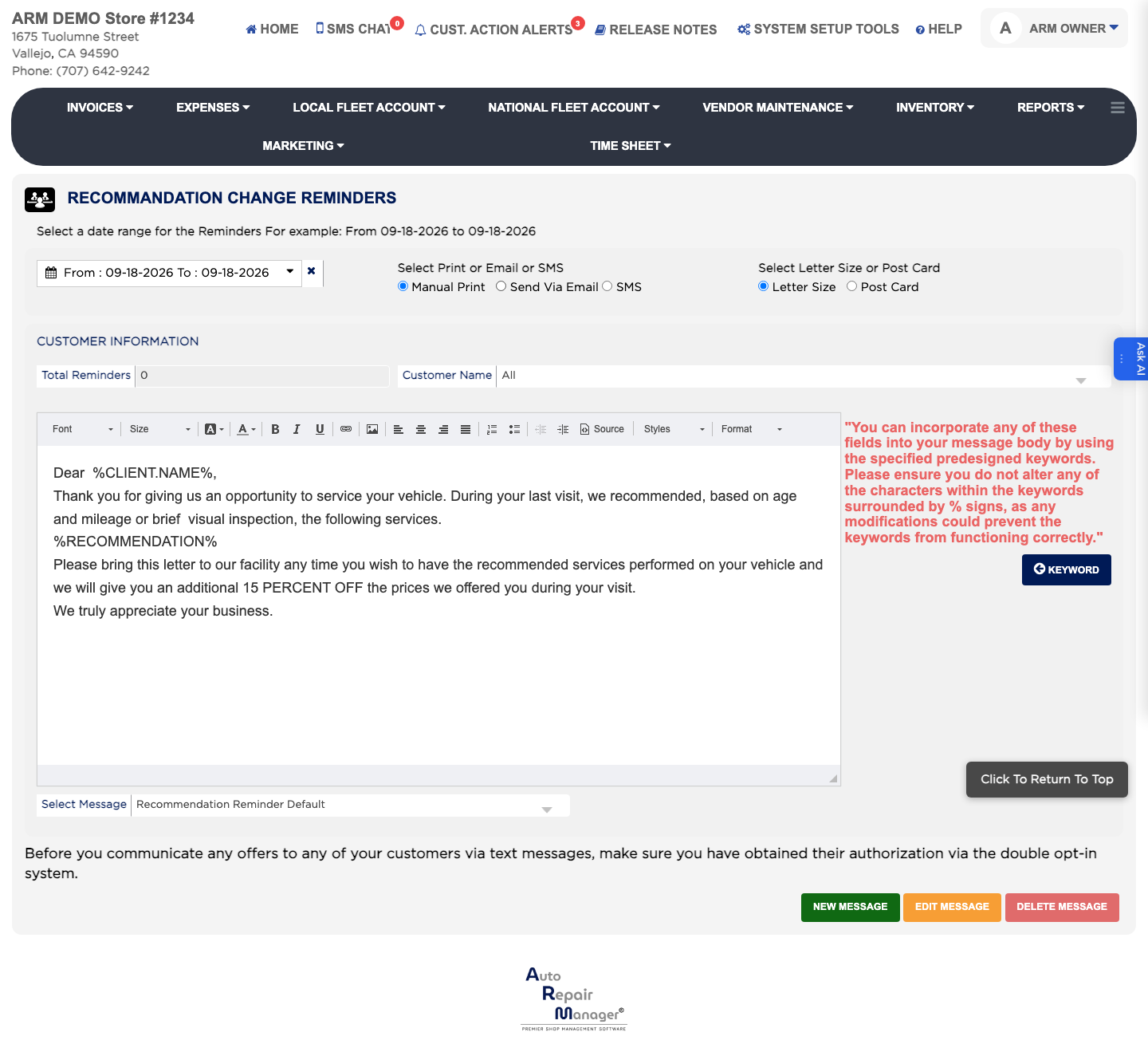
Recommendation Reminders

Ask AI