ARM Help

Inventory Vendors

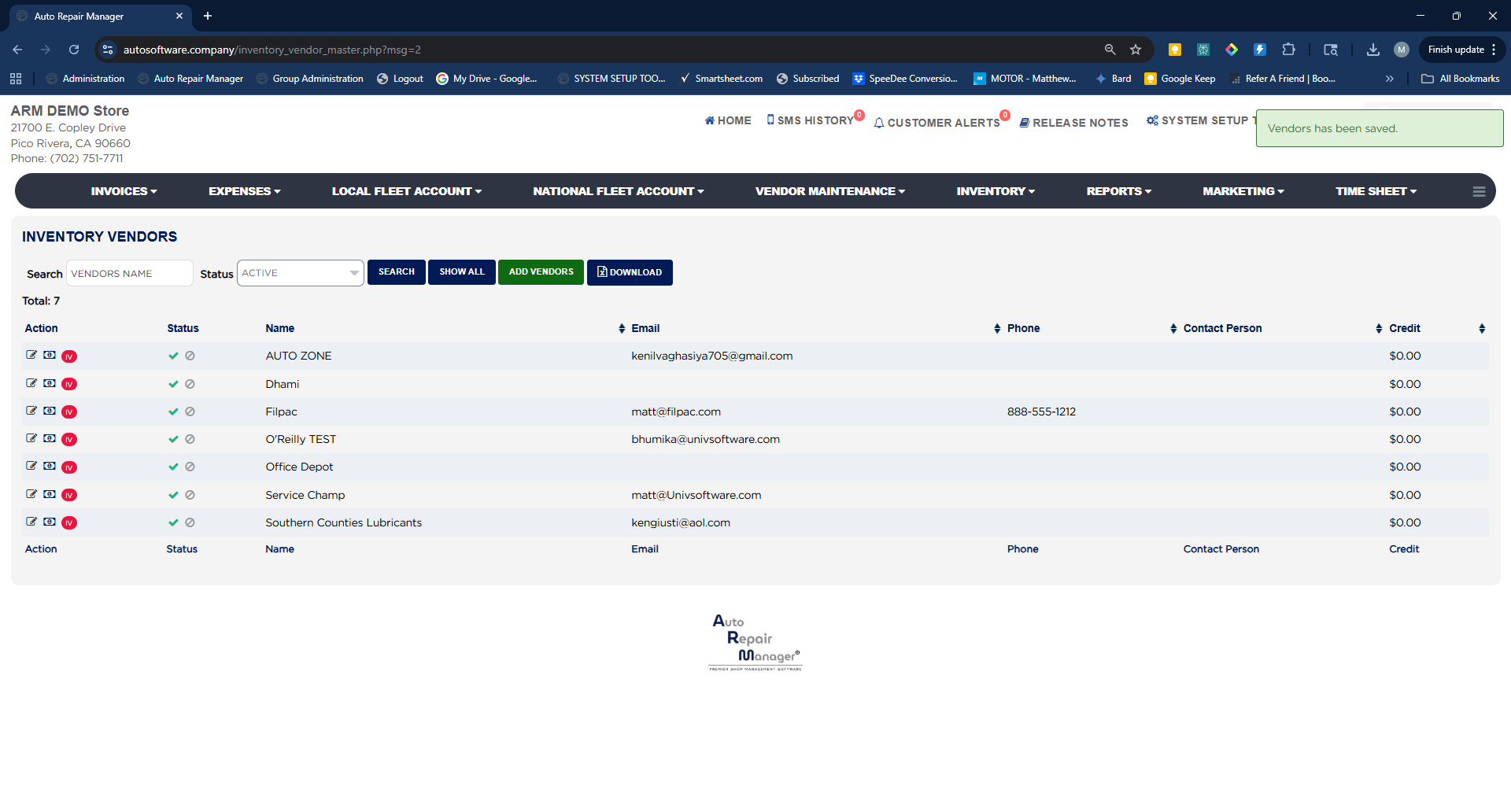
Inventory Vendors are the suppliers you buy stocking parts from, and they are tied directly to stock management and purchase orders. They are separate from regular vendors (such as a local parts store used for one-off repairs), though both appear when you enter expenses. Set up your inventory vendors before you build categories and parts. The list shows each vendor's Name, Email, Phone, Contact Person, and Credit balance.

4 how-to answers 2 screenshots Open in ARM Markdown

How do I add an inventory vendor? #

  1. From the Home Screen, click Inventory → Inventory Vendors.
  2. Click Add Vendors.
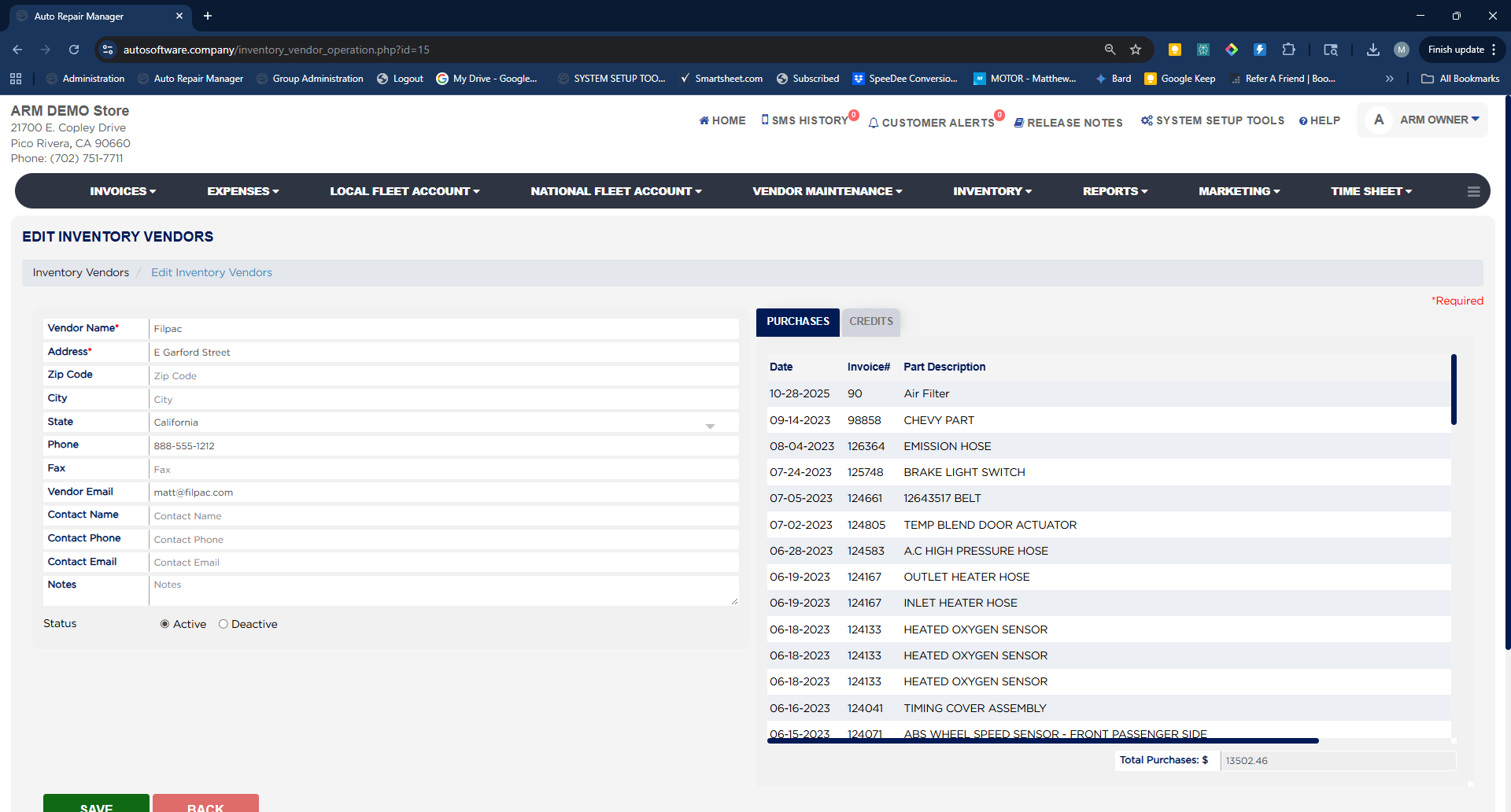
  3. Enter the Vendor Name and Address (both required), plus Zip Code, City, State, Phone, and Fax.
  4. Enter the Vendor Email — this is the address ARM sends purchase orders to.
  5. Optionally add a Contact Name, Contact Phone, Contact Email, and Notes.
  6. Leave Status set to Active.
  7. Click Save.

How do I edit or deactivate an inventory vendor? #

  1. From the Home Screen, click Inventory → Inventory Vendors.
  2. Search by full or partial name in the Search box, or set Status to Active or Deactive and click Search. Click Show All to list every vendor.
  3. Click the edit icon in the Action column to open Edit Inventory Vendors.
  4. Change the vendor details as needed. To stop using a vendor, set Status to Deactive rather than deleting the record — a vendor cannot be removed once parts have been ordered from them.
  5. Click Save.
  6. To export the list, return to Inventory Vendors and click Download.
Inventory Vendors List
Edit Inventory Vendor

How do I send purchase orders to a manager for approval instead of the supplier? #

  1. From the Home Screen, click Inventory → Inventory Vendors.
  2. Click the edit icon beside the vendor in the Action column.
  3. In Vendor Email, enter the address that should receive orders for this vendor: the supplier's address to send orders straight to them, or an area manager's or owner's address so orders go out for approval first.
  4. Click Save.

How do I see what I have purchased from a vendor? #

  1. From the Home Screen, click Inventory → Inventory Vendors.
  2. Click the edit icon beside the vendor in the Action column.
  3. On the right side of Edit Inventory Vendors, open the Purchases tab to see each Date, Invoice#, and Part Description, with Total Purchases $ at the bottom.
  4. Open the Credits tab to see credits issued by that vendor.

People also ask

  • asked 1×
  • asked 1×
  • asked 1×
  • asked 1×

Ask AI