Customer and Vehicle Details on the Invoice
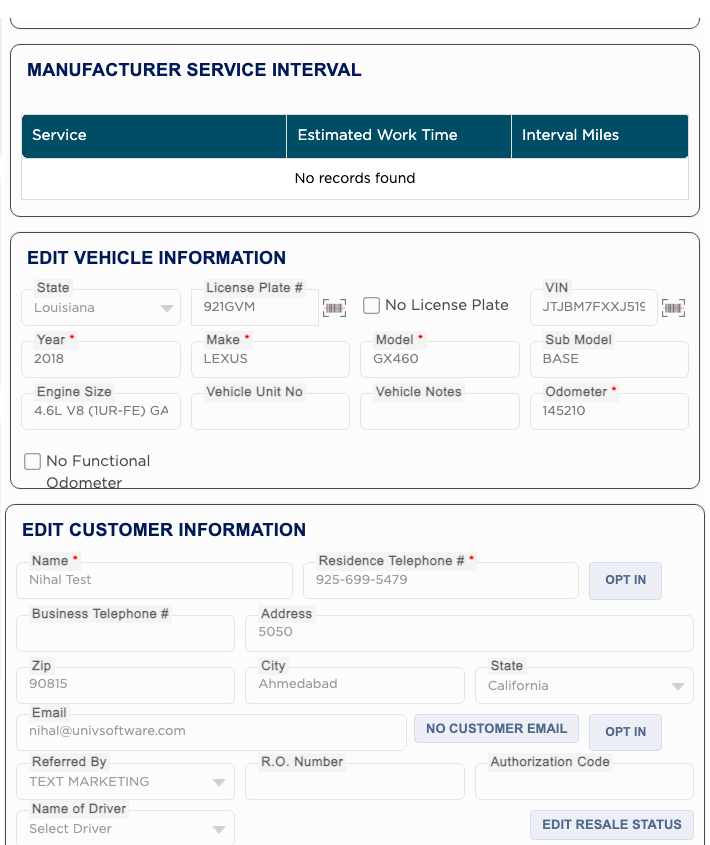
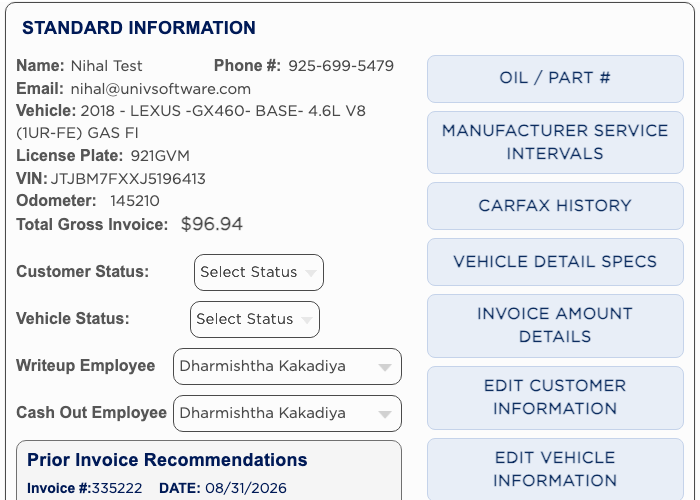
The right side of the invoice holds everything about who and what you are working on. STANDARD INFORMATION shows the name, phone, email, vehicle, plate, VIN, odometer and Total Gross Invoice, with Customer Status, Vehicle Status, the Writeup Employee and the Cash Out Employee, and the recommendations left from the last visit. The quick buttons beside it jump to each panel or open vehicle information such as MANUFACTURER SERVICE INTERVALS, CARFAX HISTORY and VEHICLE DETAIL SPECS. EDIT VEHICLE INFORMATION and EDIT CUSTOMER INFORMATION hold the fields you can correct. Changes you make here also update the customer's and vehicle's own records when you save.