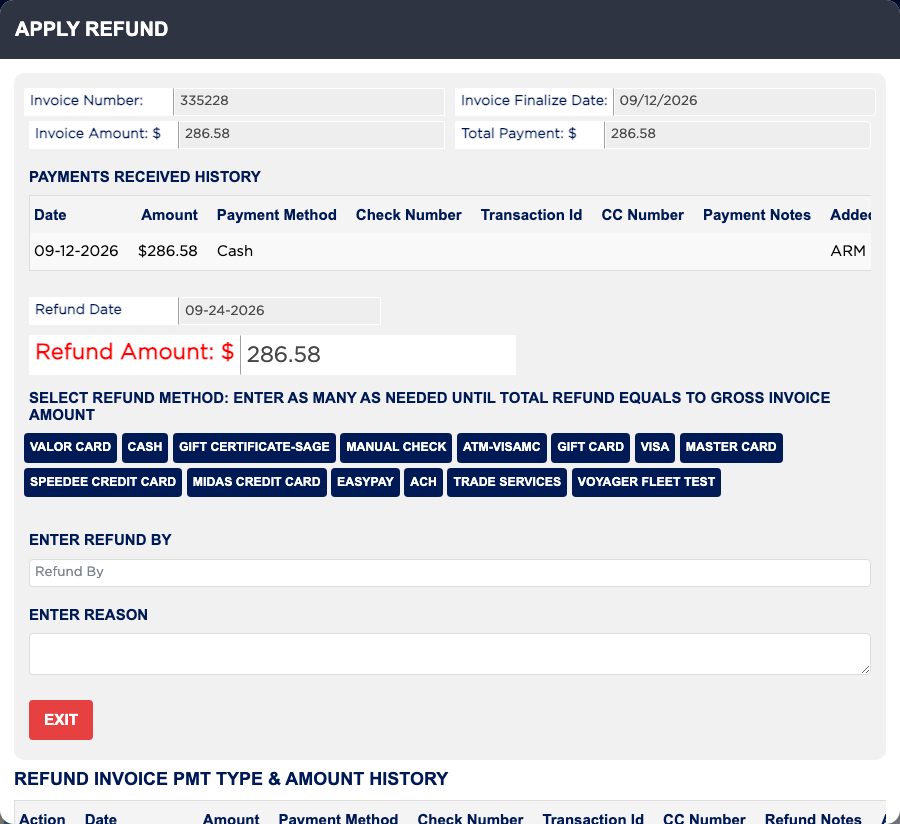
How do I refund an invoice? #
- From the Home Screen, click Invoices → Invoice List, click FINALIZED and open the invoice.
- Click REFUND. Your shop may ask for a password.
- Check PAYMENTS RECEIVED HISTORY to see how the customer paid.
- Choose the refund method, enter the amount, and enter who is giving the refund in Enter Refund By and the reason in Enter Reason.
- Click Save Refund. Repeat for each method until the total refund equals the invoice amount.
- Click Exit. If the refunds do not add up, ARM says "Amount does not match. Please complete the refund process."