ARM Help

Label Printer (Lube Sticker)

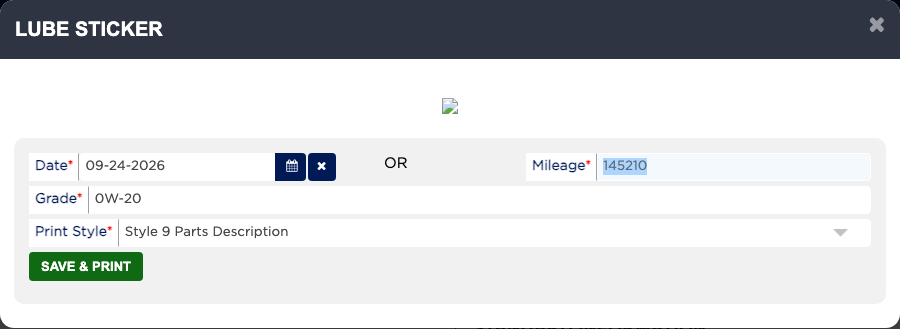
LABEL PRINTER prints the oil-change reminder sticker for the windshield. ARM fills in the next service Date and Mileage from the oil-change package's interval and the odometer, and the Grade from the oil used, and you can change any of them before printing. Your shop may set the sticker to open by itself on an oil-change invoice, and PRINT / CASH OUT shows "Lube Sticker has not been printed." until one has been printed.

1 how-to answer 1 screenshot Open in ARM Markdown

How do I print an oil change sticker? #

  1. From the Home Screen, click Invoices → Invoice List and open the invoice.
  2. Click LABEL PRINTER.
  3. Check the next service Date and Mileage. You need at least one of the two.
  4. Check the Grade, which is the oil used. It is required.
  5. Choose the Print Style that matches your sticker stock.
  6. Click SAVE & PRINT. If your browser blocks pop-ups, allow them for ARM and try again.
People also ask

  • asked 1×
  • asked 1×
  • asked 1×
  • asked 1×

Ask AI