ARM Help

Warranty Forms

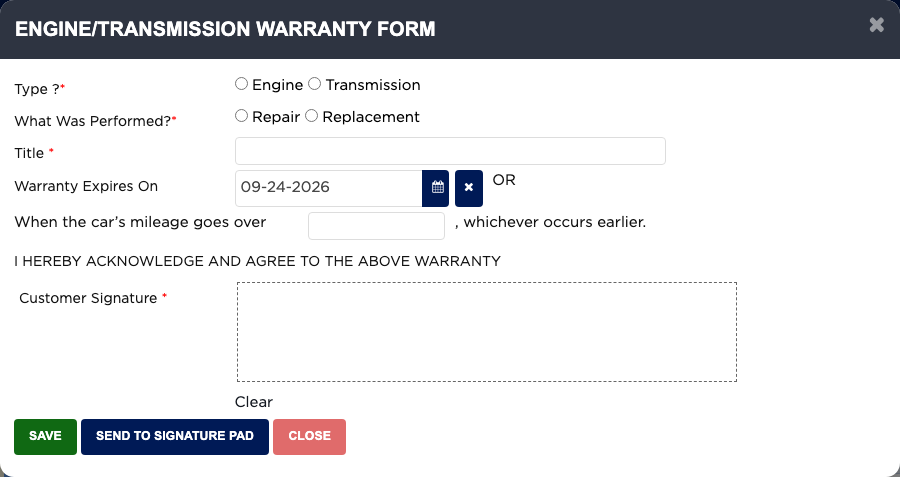
Two warranty forms can be signed on an invoice. TRANS / PAN DROP SERVICE WARRANTY is your shop's transmission service terms and release of claims, signed by the customer before the service; there is one per invoice. TRANSMISSION / ENGINE REPAIR / REPLACEMENT WARRANTY records the warranty you give on an engine or transmission repair or replacement, up to two per invoice. Signed warranties print as extra pages with the finalized invoice.

2 how-to answers 2 screenshots Open in ARM Markdown

How do I get the customer to sign the transmission service warranty? #

  1. From the Home Screen, click Invoices → Invoice List and open the invoice.
  2. Click TRANS / PAN DROP SERVICE WARRANTY.
  3. Have the customer read it and sign in Customer Signature, or click SEND TO SIGNATURE PAD.
  4. Click SAVE. The form then shows the signature and date, with Print and Delete. Your shop may ask for a password to delete it.
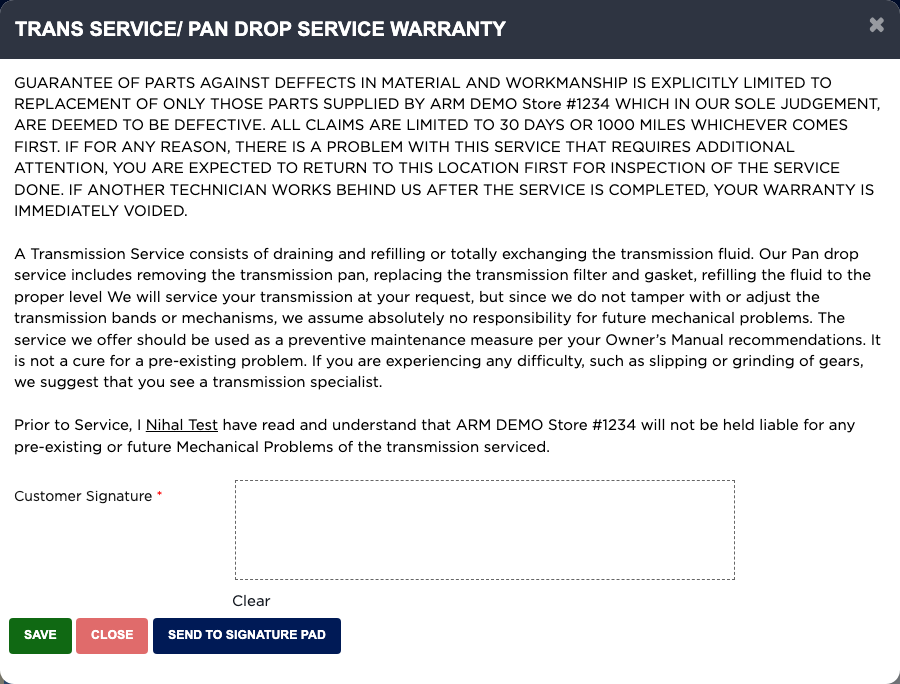
Trans Service / Pan Drop Service Warranty

How do I record an engine or transmission warranty? #

  1. From the Home Screen, click Invoices → Invoice List and open the invoice.
  2. Click TRANSMISSION / ENGINE REPAIR / REPLACEMENT WARRANTY.
  3. Choose the Type, Engine or Transmission, and What Was Performed, Repair or Replacement. For a replacement, choose New, Used or Rebuilt.
  4. Enter the Title, and either the Warranty Expires On date or the mileage it ends at, whichever comes first.
  5. Have the customer sign in Customer Signature, and click SAVE.
  6. Click Print on the saved form to print it on its own.
Engine/Transmission Warranty Form

Ask AI