ARM Help

Customer History

Customer History shows what each customer has spent with you. For each customer and year it lists their Last Inv. No, Last Inv. Date and Last Inv. Amount, their Total No. Inv and Total Sales, and their A.R Balance, the amount still owed. Below the list are the totals for everyone shown and the Ticket Average. It opens on this month; change the History Period to look further back.

2 how-to answers 1 screenshot Open in ARM Markdown

How do I look up a customer's history? #

  1. From the Home Screen, click Invoices → Customer History.
  2. Set the History Period with From : To :.
  3. Under Search By, type the Licence Plate No, VIN, Customer Name or Telephone No and pick the customer from the list. The results update by themselves; there is no search button.
  4. Click SELECT beside the customer to open Customer's Invoice, a list of every invoice for that customer.
  5. Click Select on an invoice to see its services, parts and recommendations underneath, or Edit to open the invoice.
  6. Click Print to print the customer's history, and Exit to close.
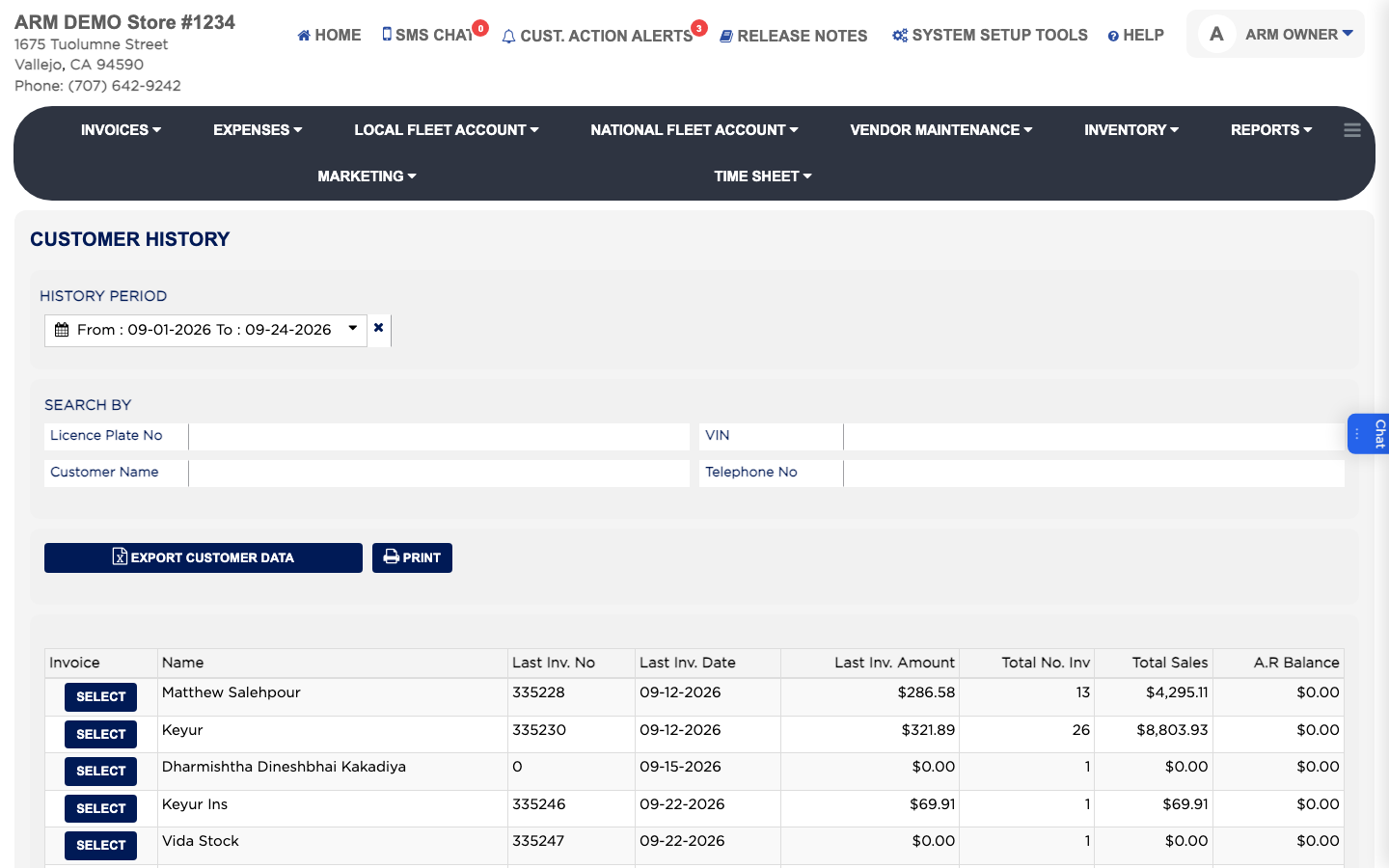
Customer History
Customer History

How do I export or print the customer history list? #

  1. From the Home Screen, click Invoices → Customer History.
  2. Set the History Period and any search you want.
  3. Click EXPORT CUSTOMER DATA to download it as a spreadsheet. Your shop may ask for a password.
  4. Click PRINT to print it as a PDF.

Ask AI