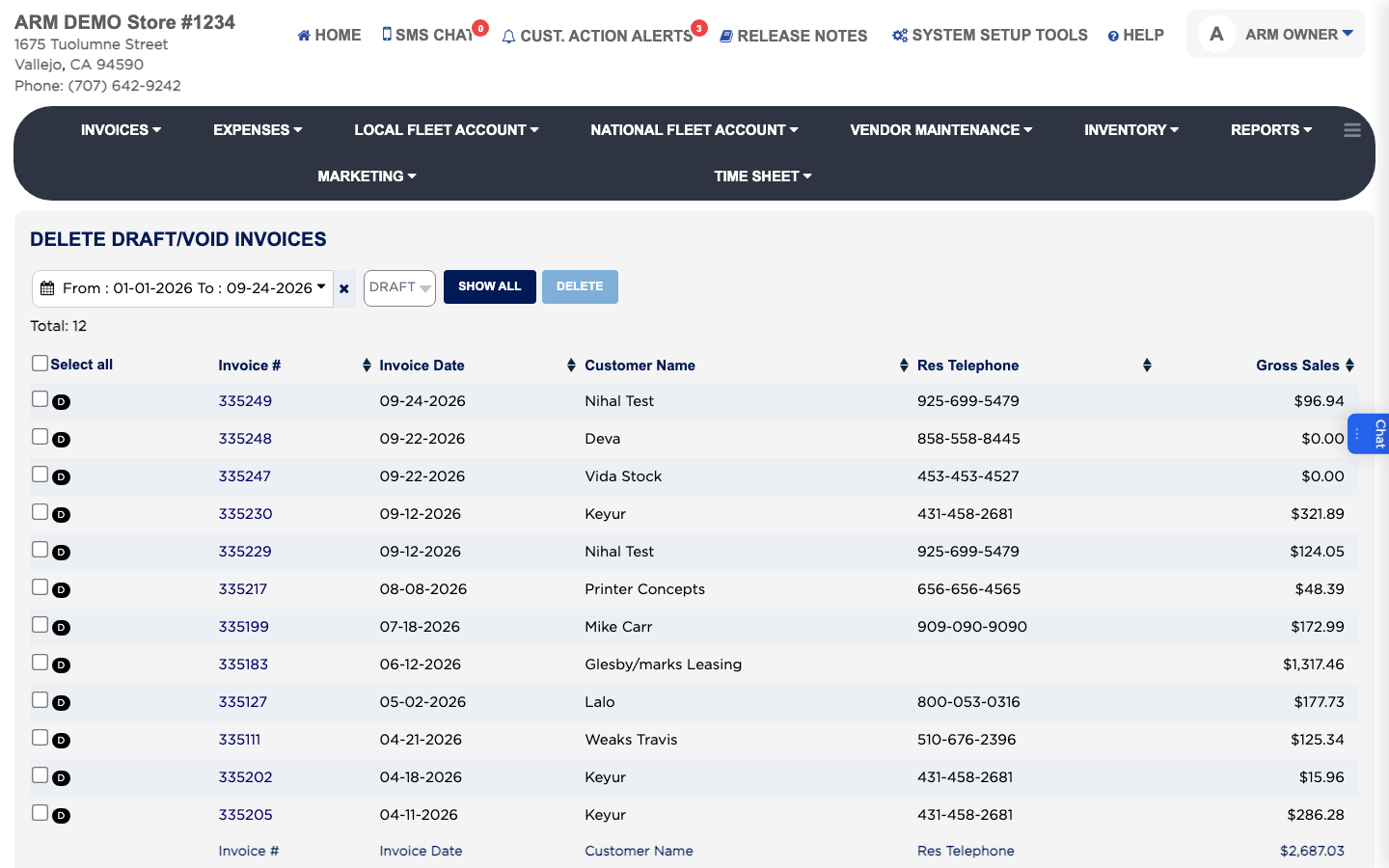
How do I delete old draft or void invoices? #
- From the Home Screen, click Invoices → Invoice List.
- Click DELETE DRAFT/VOID INVOICE.
- Choose Draft or Void in the type list, and set the date range.
- Tick the invoices to delete, or tick the box in the heading to select them all.
- Click Delete.
- ARM asks "Are you sure you want to delete these multiple invoices?" Click Proceed to permanently delete.
- ARM warns you a second time. Click Proceed to permanently delete again. ARM says "Invoice has been deleted."