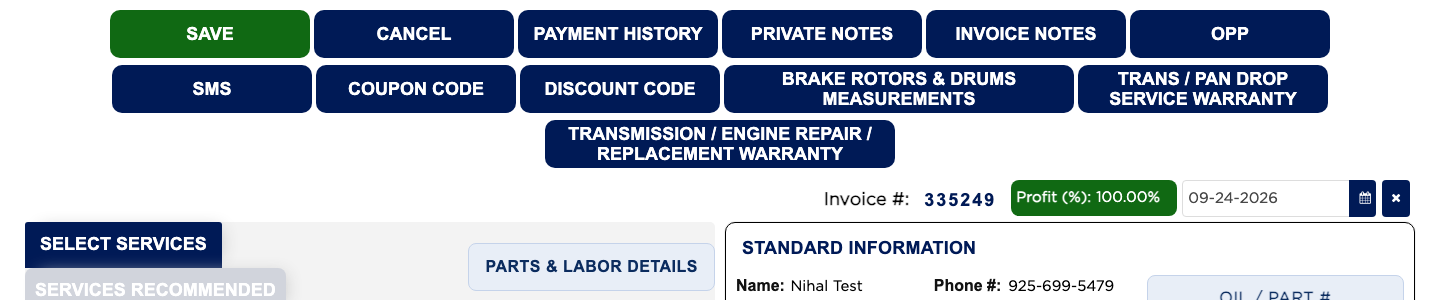
Where is each toolbar button explained? #
- From the Home Screen, click Invoices → Invoice List and open a saved invoice.
- EDIT is in section 7. PRINT / CASH OUT is in sections 15 and 16. PAYMENT is in section 14 and PAYMENT HISTORY in section 40.
- INSPECTION FORM is in section 25, PREVIEW in section 26, ARM VEH. HISTORY in section 27 and LABEL PRINTER in section 28.
- ATTACH MEDIA is in section 29. PRIVATE NOTES and INVOICE NOTES are in section 30. ESTIMATE REVISIONS is in section 31. FIND and BROWSE are in section 32.
- VOID and DELETE are in section 19. OPP is in section 33. SMS is in section 34. PartsTech ORDERS and PartsTech QUOTES are in section 35.
- BRAKE ROTORS & DRUMS MEASUREMENTS, TIRE PRESSURE MEASUREMENTS and TIRE TREAD MEASUREMENT are in section 36. TRANS / PAN DROP SERVICE WARRANTY and TRANSMISSION / ENGINE REPAIR / REPLACEMENT WARRANTY are in section 37.
- 3RD PARTY MERCHANT COUPON is in section 38. COUPON CODE and DISCOUNT CODE are in section 39.
- EDIT EMPLOYEE is in section 17 and REFUND in section 18. On a quotation, PRINT / EMAIL and ARM QUOTE Invoice are in section 41.