Taking a Payment
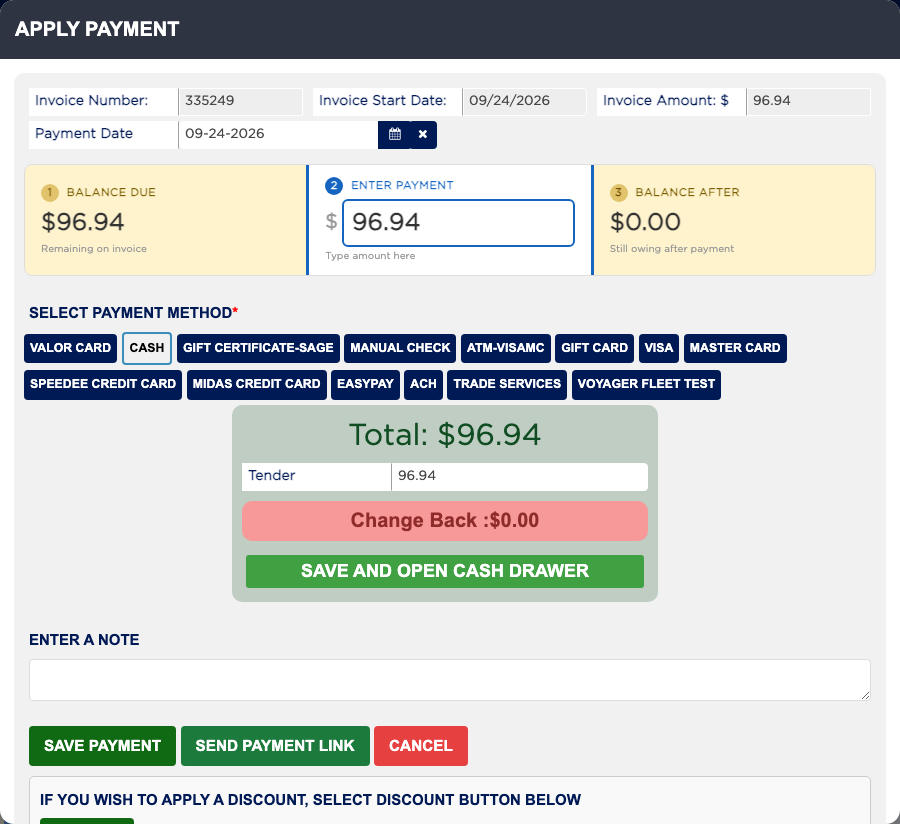
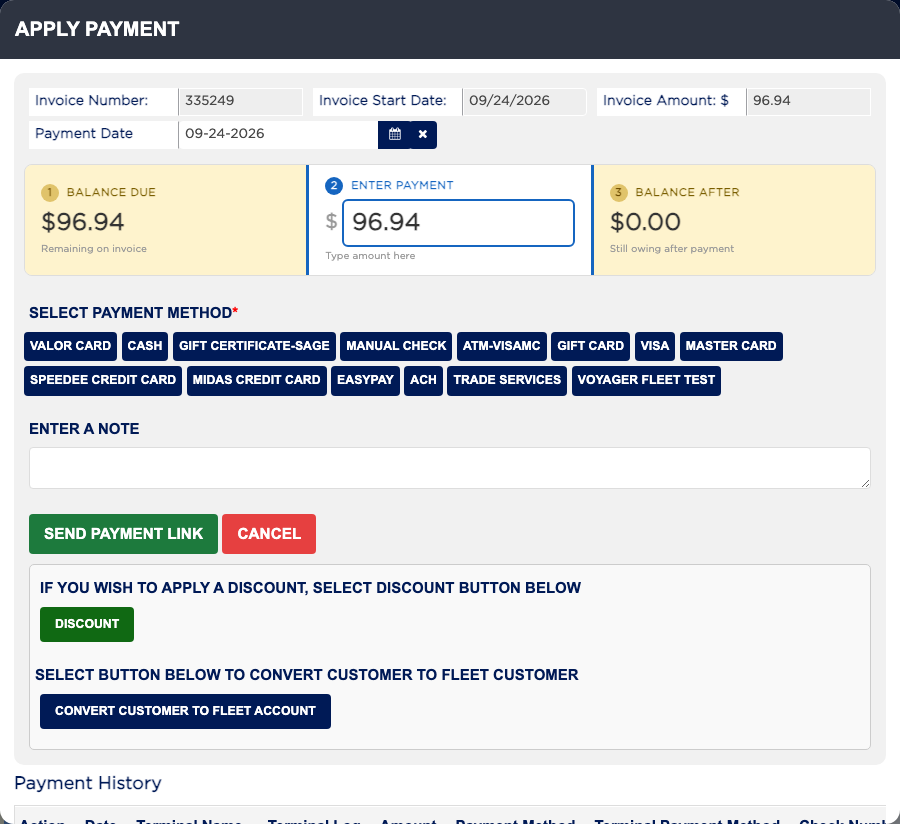
The PAYMENT button opens Apply Payment. It shows three numbers: the BALANCE DUE on the invoice, the payment you ENTER, and the BALANCE AFTER it. You choose the payment method from your shop's list, such as CASH, a card terminal, CHECK or a fleet charge. You can take as many payments as you need, for example part cash and part card, but an invoice can only be finalized once the payments add up to the Total Gross Invoice. For a fleet customer who pays later, the fleet charge counts as payment and is added to the account's balance.