ARM Help

Add/Edit Master & Sub (Coupon Specials) Service Packages

A service package is a ready-made job you can drop onto an invoice instead of typing the labor and parts every time. Packages come in two levels: a Master Service Package is the broad job, and a Sub Service Package is a specific version of it, which is also how coupon specials are built. Standard Labor Notes are the reusable wording that prints against labor lines. This screen is a menu onto those three areas.

4 how-to answers 4 screenshots Open in ARM Markdown

How do I add a master service package? #

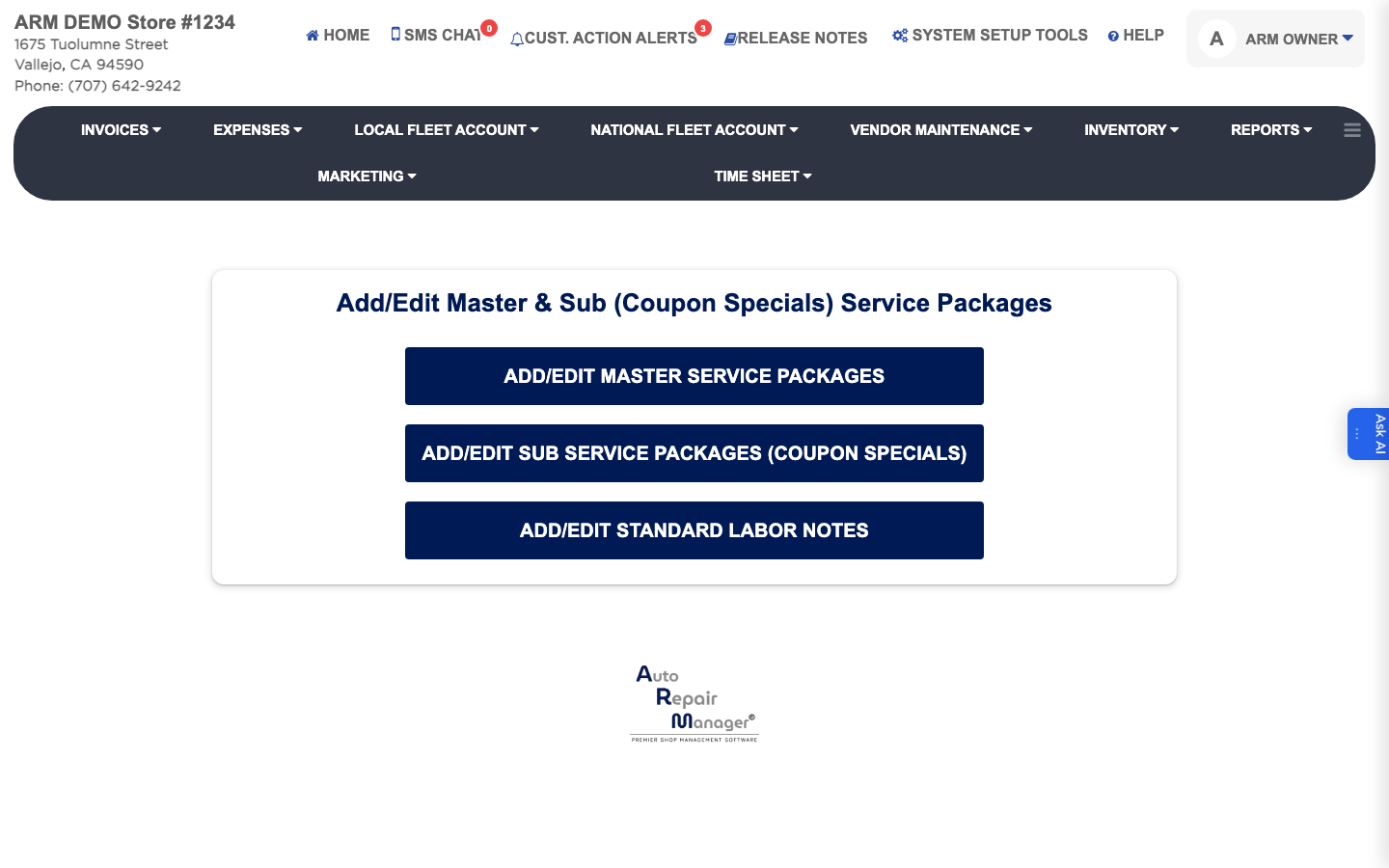
  1. From the Home Screen, click System Setup Tools → Add/Edit Master & Sub (Coupon Specials) Service Packages.
  2. Click Add/Edit Master Service Packages.
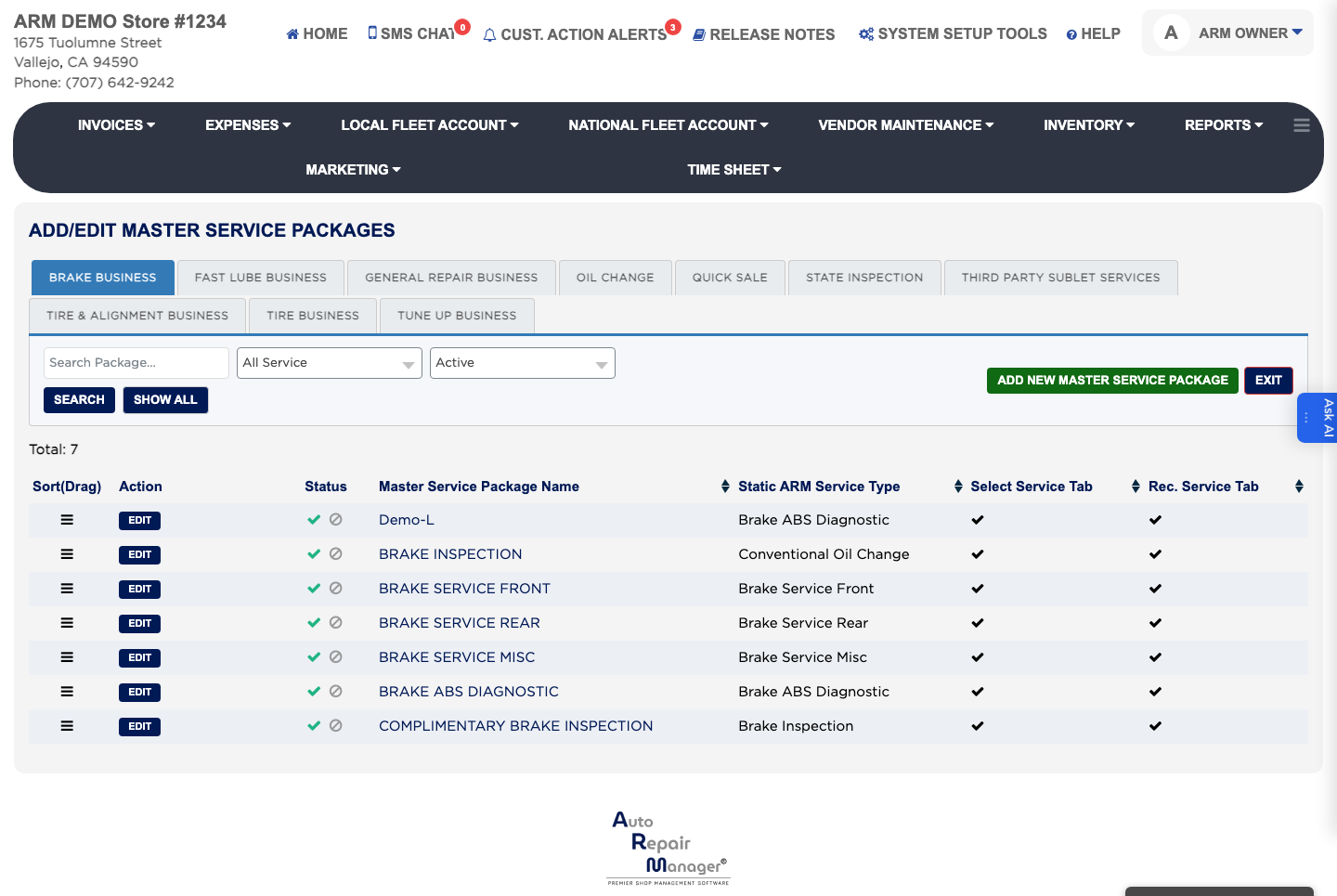
  3. Click ADD NEW MASTER SERVICE PACKAGE.
  4. Enter the Master Service Package Name and choose the Static ARM Service Type it belongs to.
  5. Choose whether it appears on the Select Service Tab, the Rec. Service Tab, or both.
  6. Click Save, then click EXIT to return.
Service package menu
Master Service Packages list

How do I build a sub service package or coupon special? #

  1. From the Home Screen, click System Setup Tools → Add/Edit Master & Sub (Coupon Specials) Service Packages.
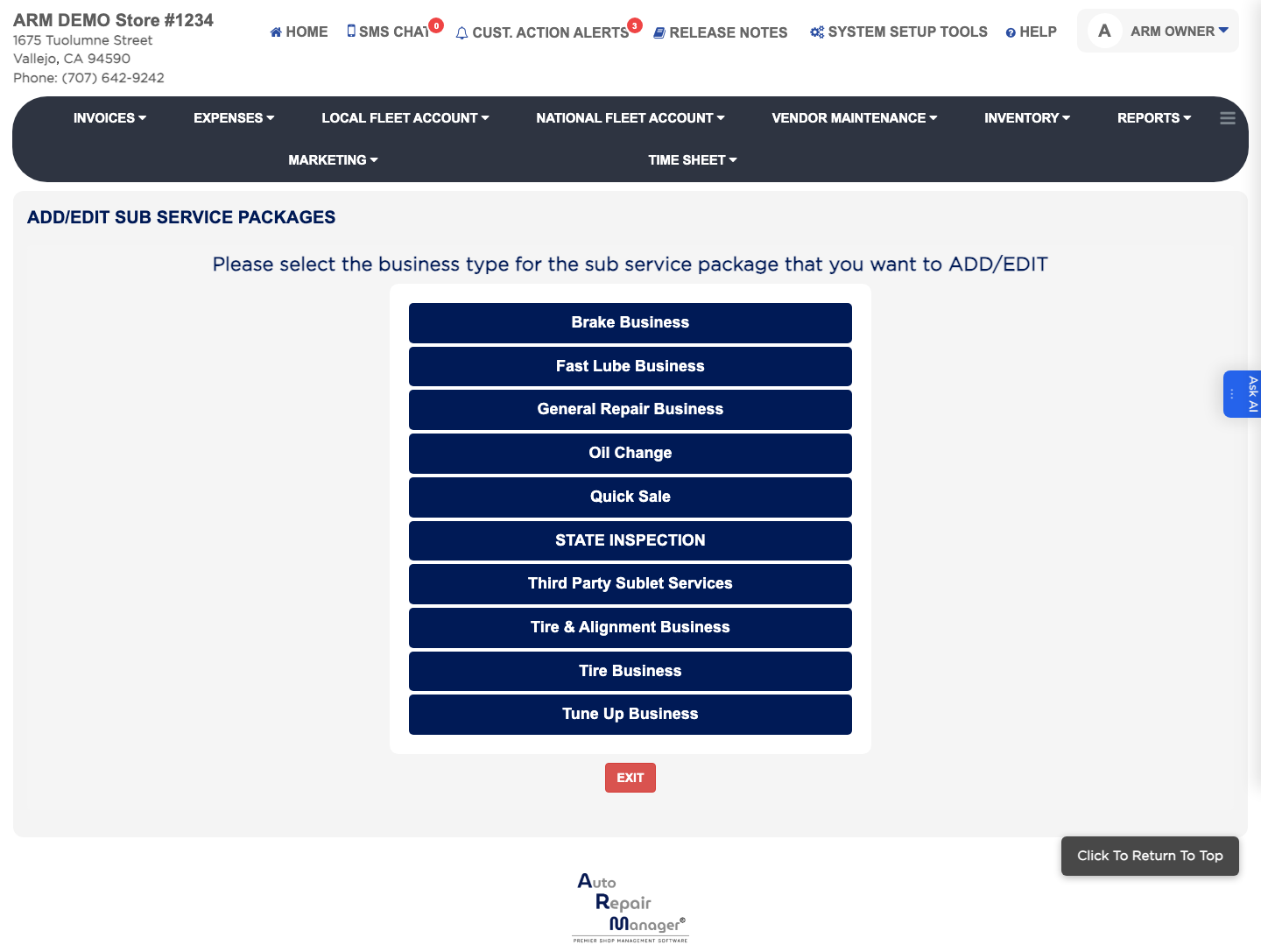
  2. Click Add/Edit Sub Service Packages (Coupon Specials).
  3. Select the business type for the package, then select the Master Service Package it belongs under.
  4. Enter the Sub Service Package Name.
  5. Click Add Labor to add each labor line with its Labor Description, Amount, Discount and Hours.
  6. Click Add Parts to add each part with its QTY, Part Description/Part Category, Discount and price.
  7. To show a lube sticker reminder, enter ADD Mileage and ADD Months for when the next service is due.
  8. Click SAVE.
Building a sub service package

How do I pay commission on a service package? #

  1. From the Home Screen, click System Setup Tools → Add/Edit Master & Sub (Coupon Specials) Service Packages.
  2. Click Add/Edit Sub Service Packages (Coupon Specials) and open the package.
  3. Tick the salesperson commission option, then set the Parts (Type) and Labor (Type) to Flat for a fixed amount or Percentage(%) for a share, and enter the Amount for each.
  4. Repeat for the technician commission if technicians are paid on this package too.
  5. Click Save Commission.

How do I add a standard labor note? #

  1. From the Home Screen, click System Setup Tools → Add/Edit Master & Sub (Coupon Specials) Service Packages.
  2. Click Add/Edit Standard Labor Notes.
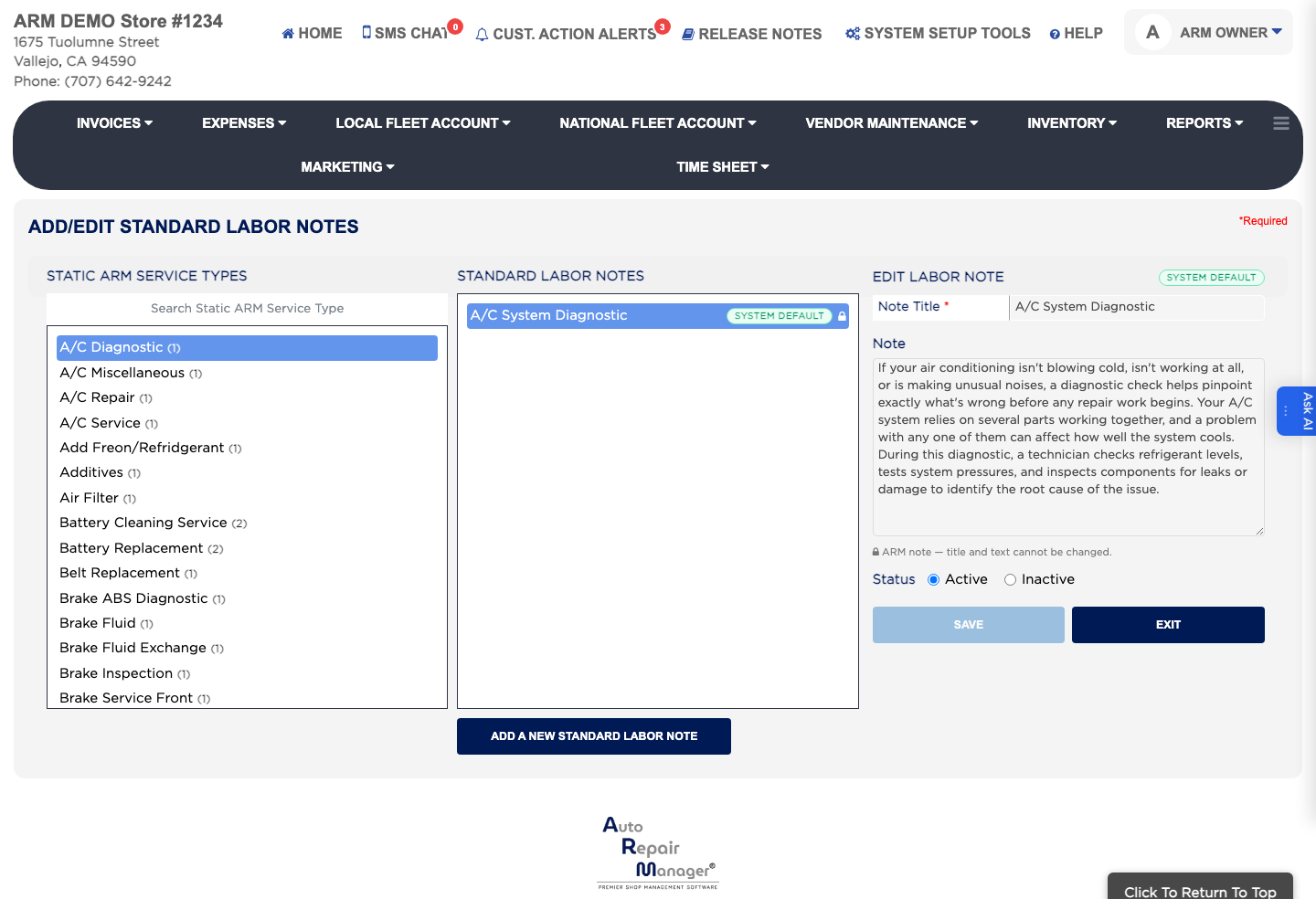
  3. Search or pick the Static ARM Service Type the note belongs to.
  4. Click ADD A NEW STANDARD LABOR NOTE.
  5. Enter the Note Title and the Note wording.
  6. Leave Status set to Active and click Save.
Standard Labor Notes

People also ask

  • asked 2×
  • asked 1×
  • asked 1×
  • asked 1×
  • asked 1×

Ask AI