ARM Help

DripDrop CRM

DripDrop is a customer-marketing service that runs reminders and follow-ups from your ARM history. It connects with an API key in the same way as the other CRM integrations.

1 how-to answer 1 screenshot Open in ARM Markdown

How do I connect DripDrop CRM? #

  1. From the Home Screen, click System Setup Tools → DripDrop CRM.
  2. Switch the integration on.
  3. Click Copy to copy the API key and paste it into your DripDrop account.
  4. Click Save. Use Regenerate API Key if the key ever needs replacing.
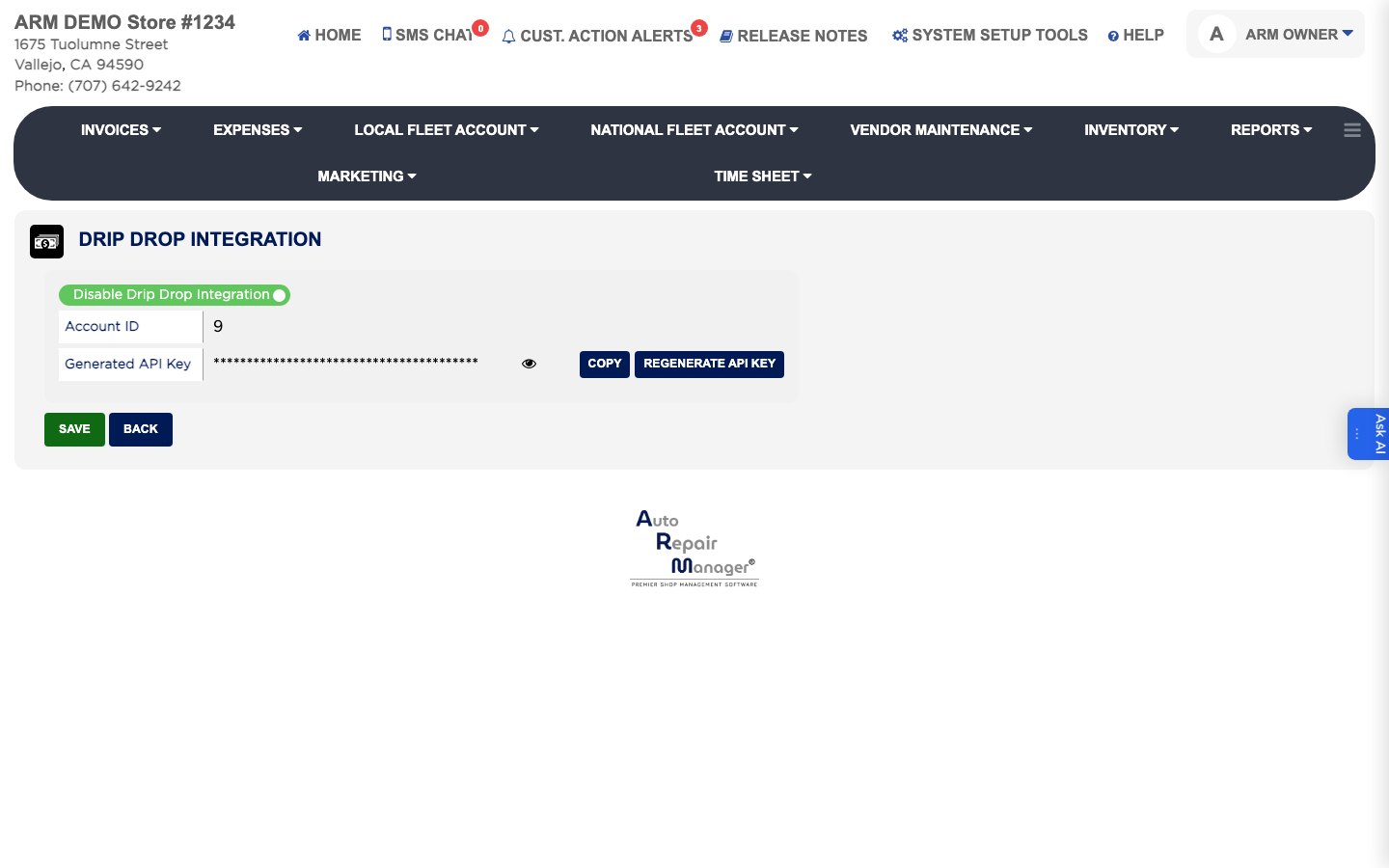
DripDrop CRM settings

Ask AI