ARM Help

Email Content Templates

An email content template is the wording of a message your staff send by hand, such as a follow-up or a thank-you. These are the ones a person chooses and sends; the messages ARM sends by itself are System Auto Emails. The list shows each template's Name, Subject, Type and Status.

2 how-to answers 2 screenshots Open in ARM Markdown

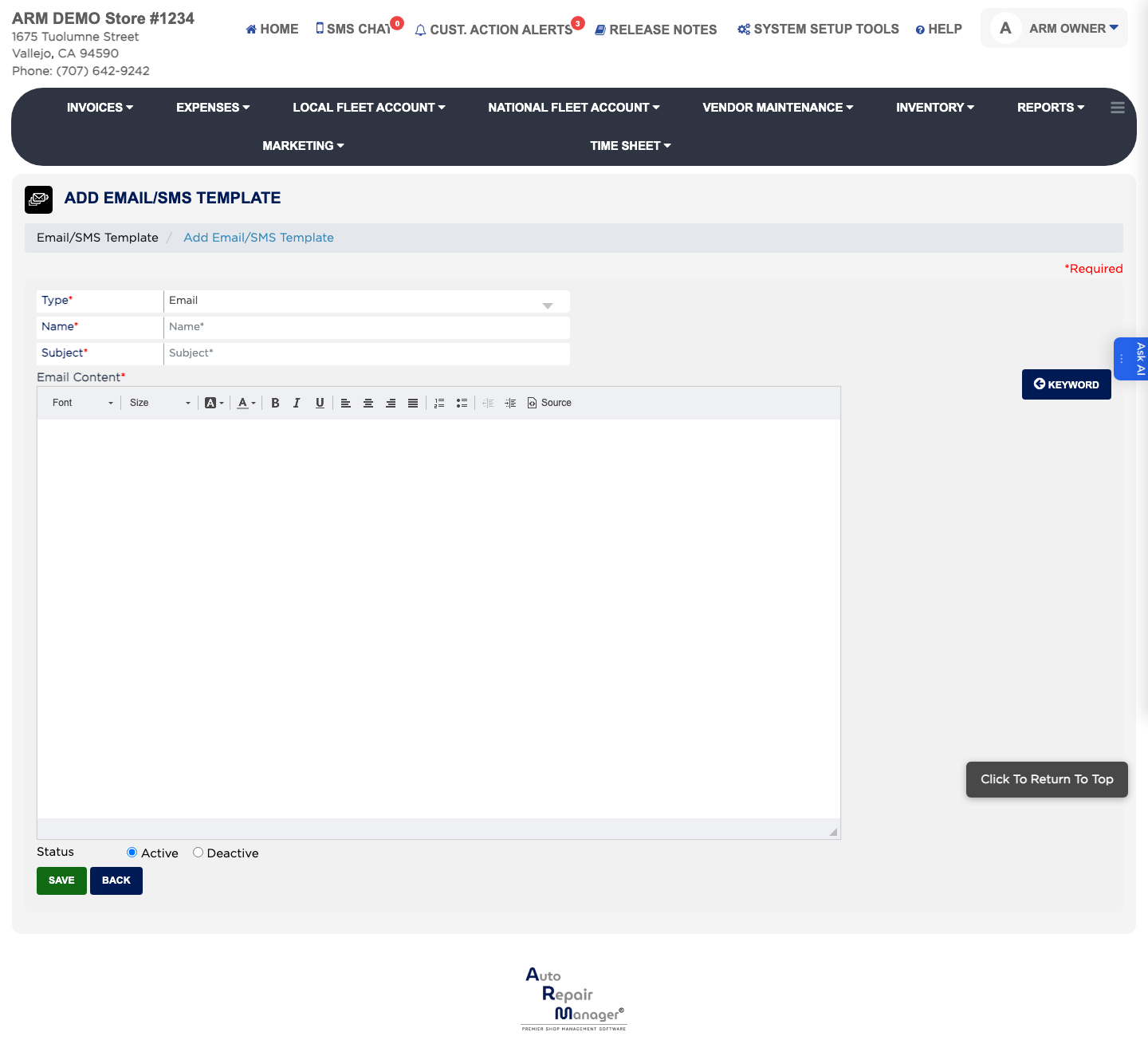
How do I add an email content template? #

  1. From the Home Screen, click System Setup Tools → Email Content Templates.
  2. Click Add Template.
  3. Set Type to Email. This is required.
  4. Enter the Name and the Subject. Both are required.
  5. Write the wording in the Message box. Click Keyword to insert a placeholder such as the customer's name rather than typing it.
  6. Leave the status set to Active and click Save.
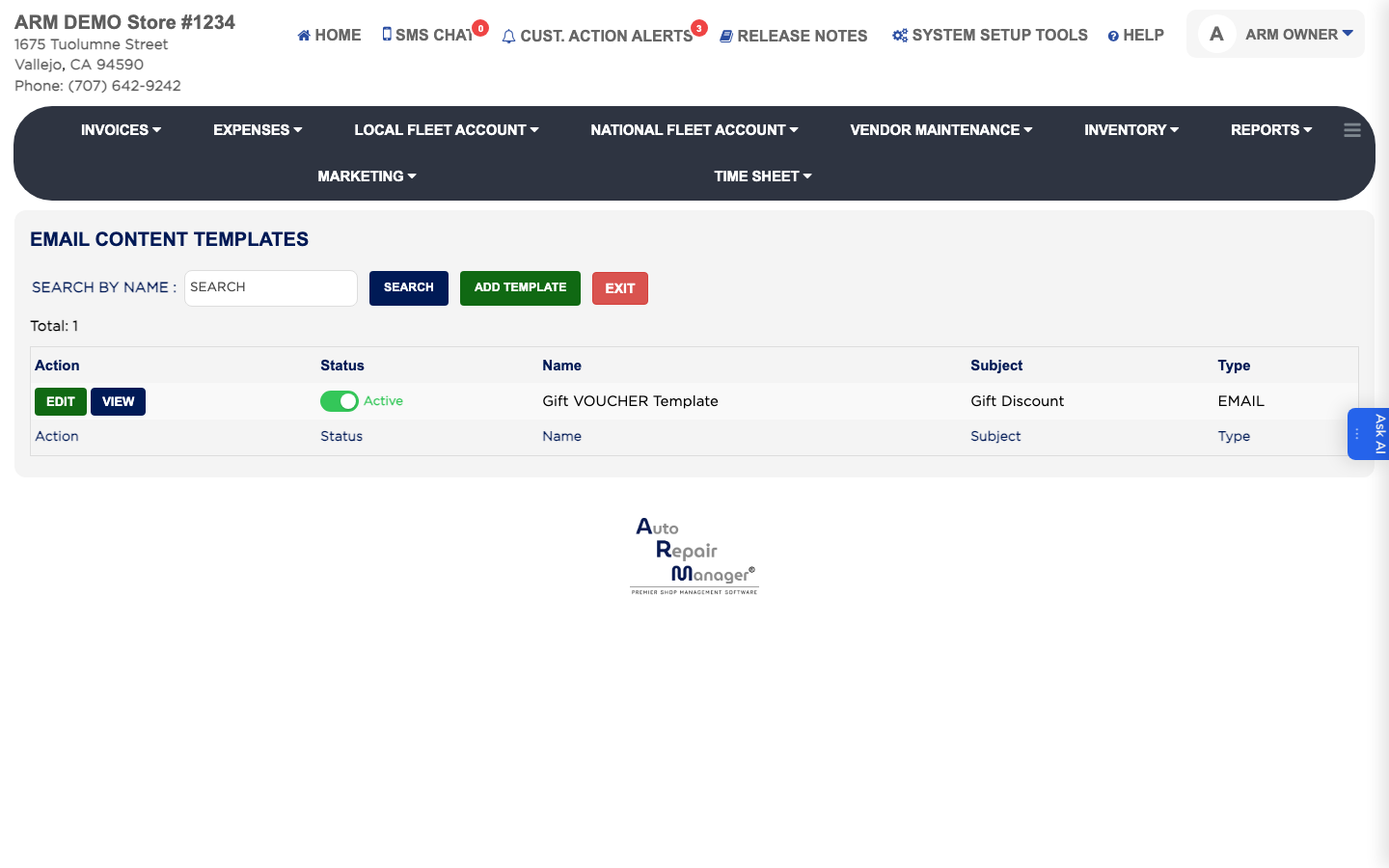
Email content templates
Add email content template

How do I edit an existing email template? #

  1. From the Home Screen, click System Setup Tools → Email Content Templates.
  2. Type into SEARCH BY NAME and click Search, or tick Active to hide retired templates.
  3. Click VIEW in the Action column to read it, or EDIT to change it.
  4. Change the Subject or Message and click Save.

Ask AI