How do I add a customer status? #
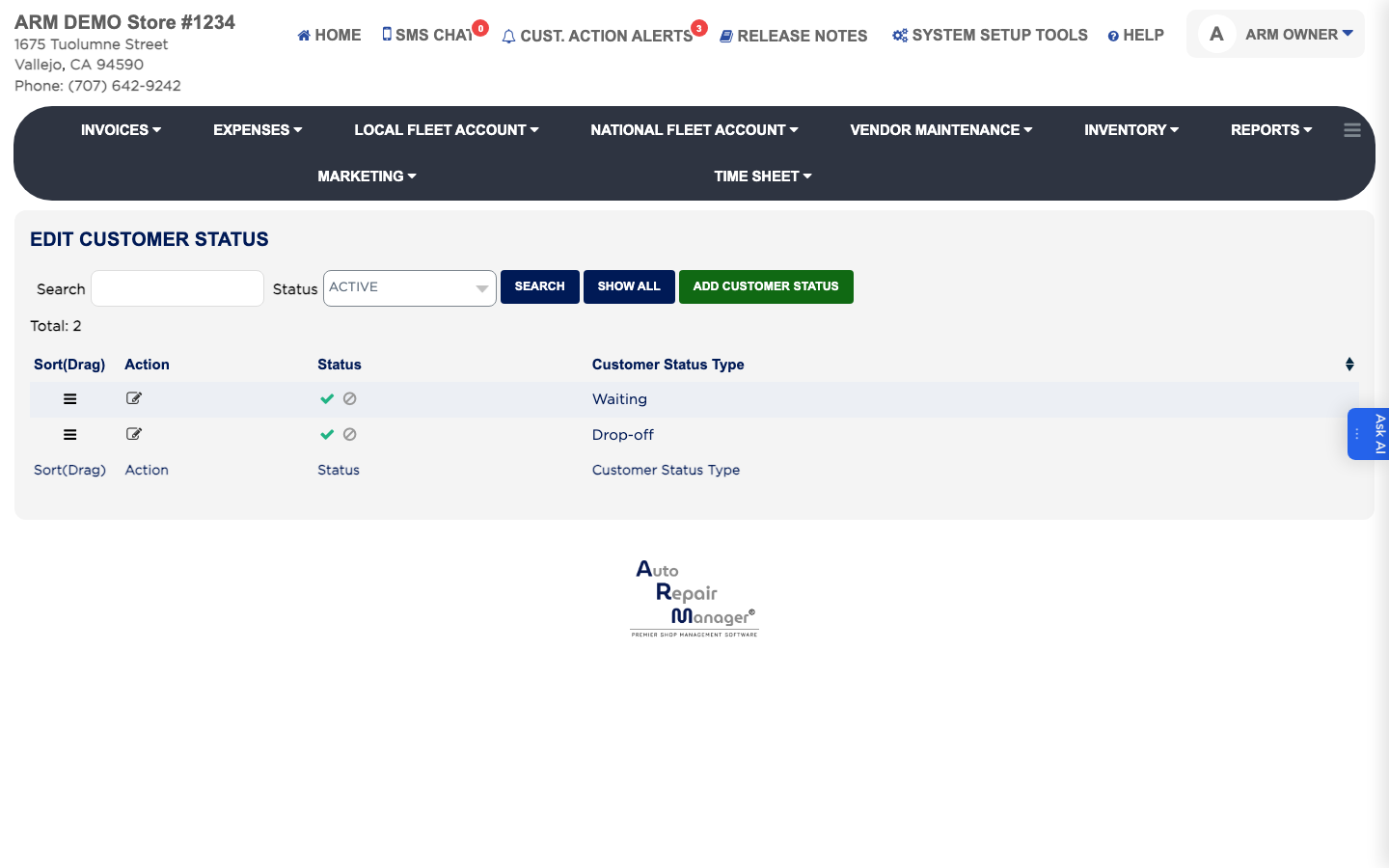
- From the Home Screen, click System Setup Tools → Edit Customer Status.
- Click ADD Customer Status.
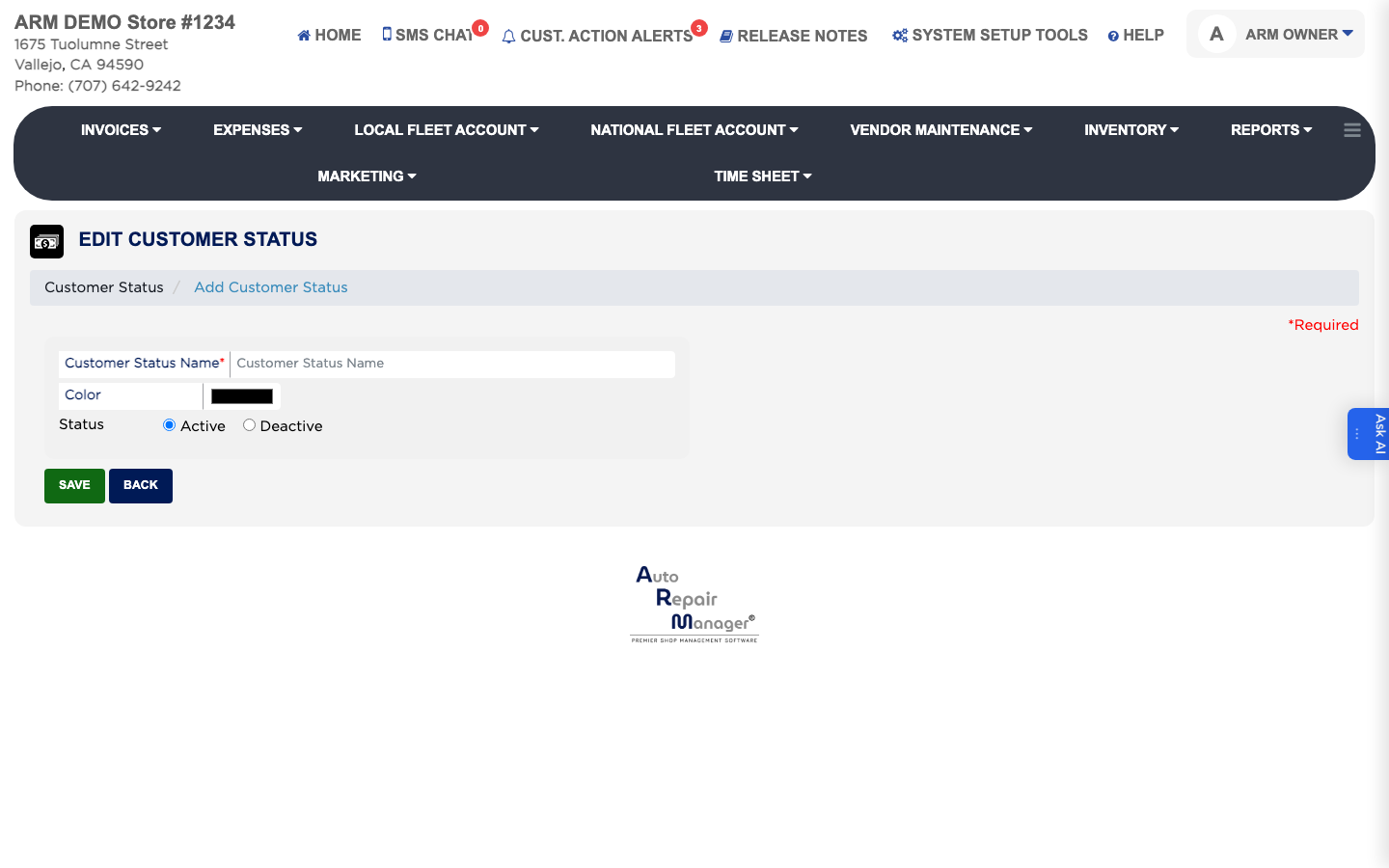
- Enter the Customer Status Name, such as Waiting or Drop-off.
- Pick the Color staff will see it in — use clearly different colours so the board is readable at a distance.
- Leave Status set to Active.
- Click Save.