ARM Help

Keywords

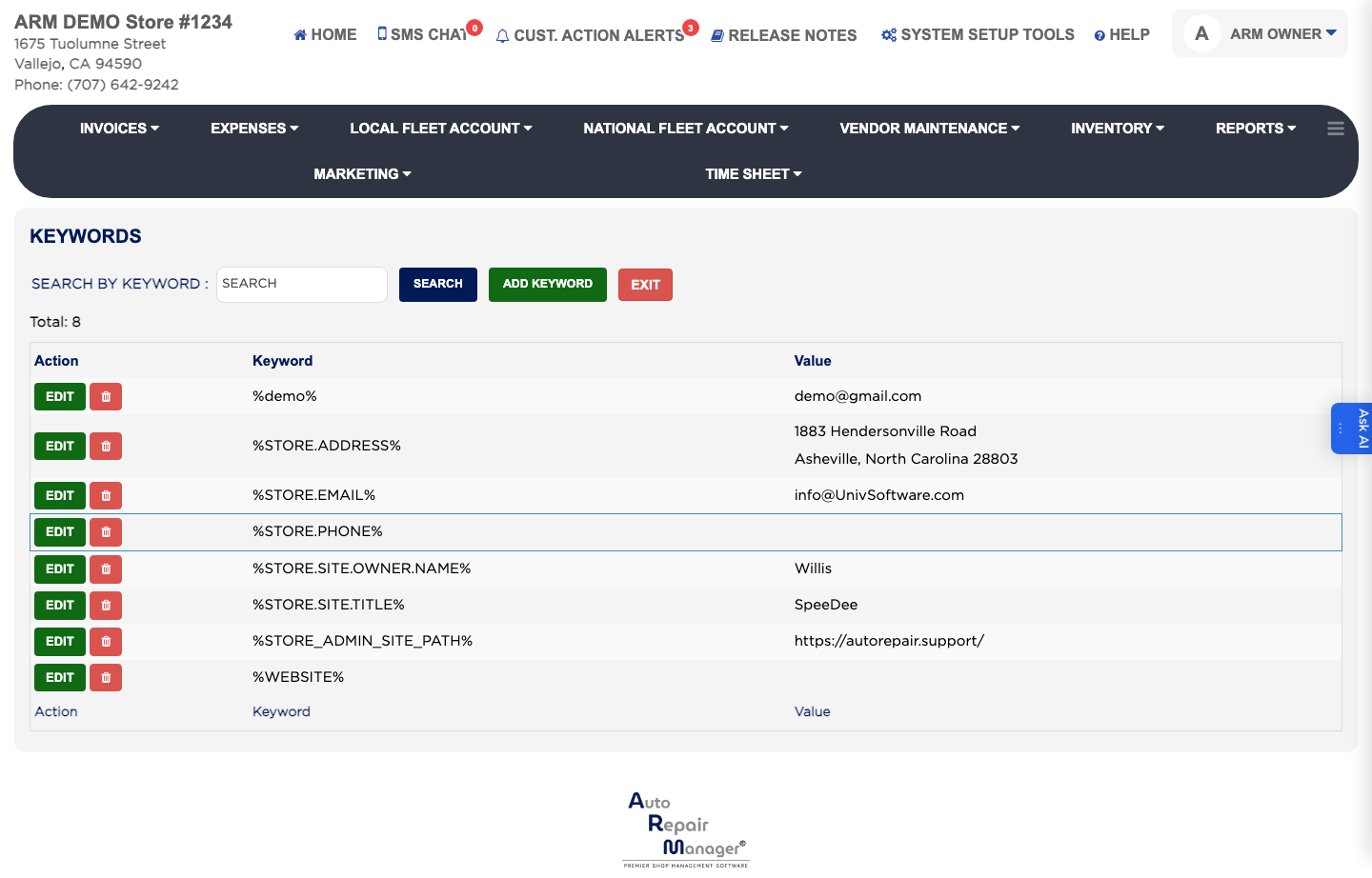
A keyword is a placeholder you drop into an email or text template that ARM swaps for the real value when the message is sent — the customer's name, the invoice number, your shop's phone number. Keywords are shared by every email and SMS template, which is why they are set up once here. The list shows each Keyword and the Value it stands for.

2 how-to answers 2 screenshots Open in ARM Markdown

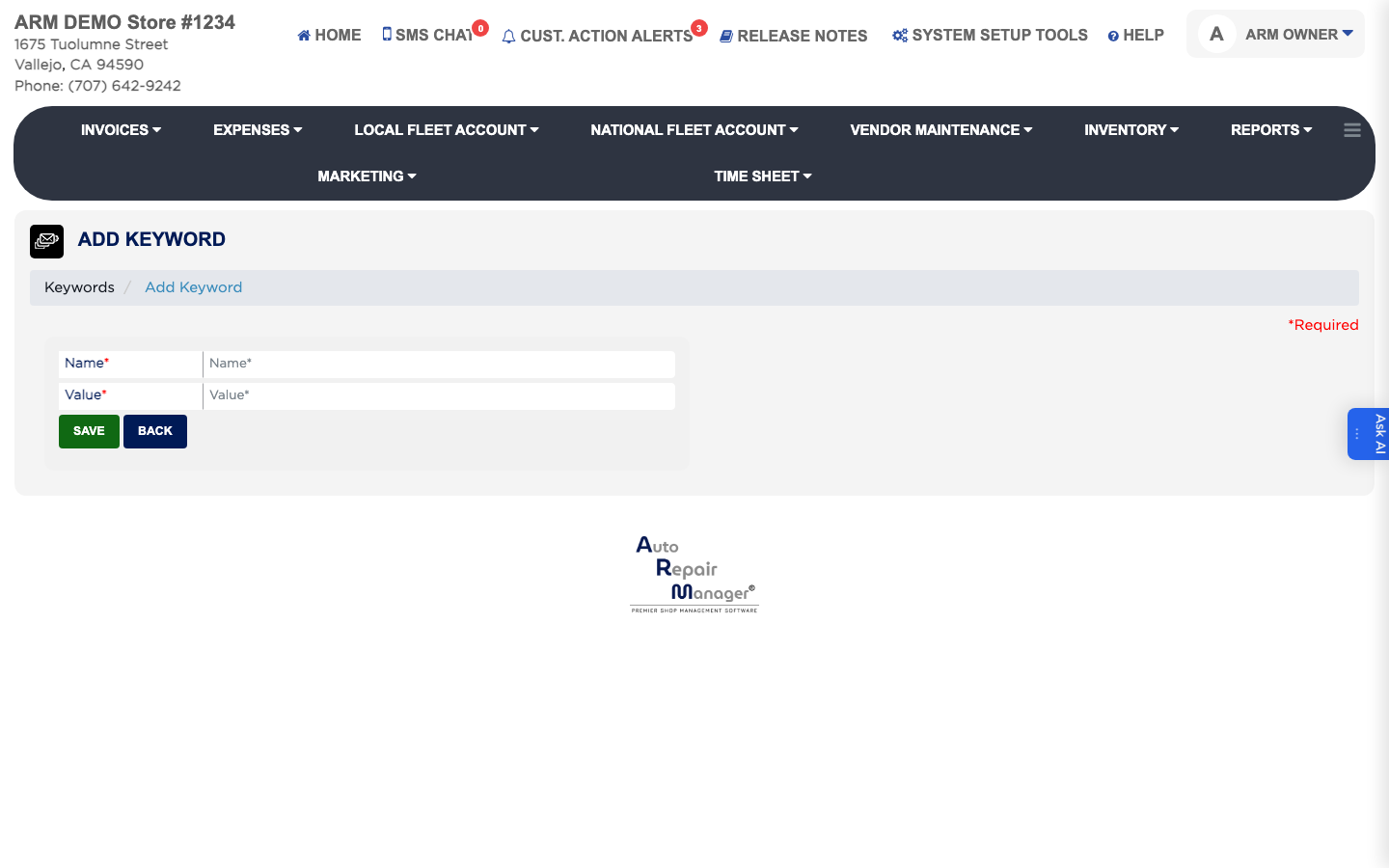
How do I add a keyword? #

  1. From the Home Screen, click System Setup Tools → Keywords.
  2. Click Add Keyword.
  3. Enter the Name — this is the placeholder you will type into templates. It is required.
  4. Enter the Value it should be replaced with. This is required.
  5. Click Save.
Add Keyword form
Add Keyword form

How do I find or change a keyword? #

  1. From the Home Screen, click System Setup Tools → Keywords.
  2. Type into SEARCH BY KEYWORD and click Search.
  3. Click EDIT in the Action column, change the Name or Value, and click Save. Click Delete only if no template still uses the keyword, or those messages will send the placeholder text instead of a value.

Ask AI