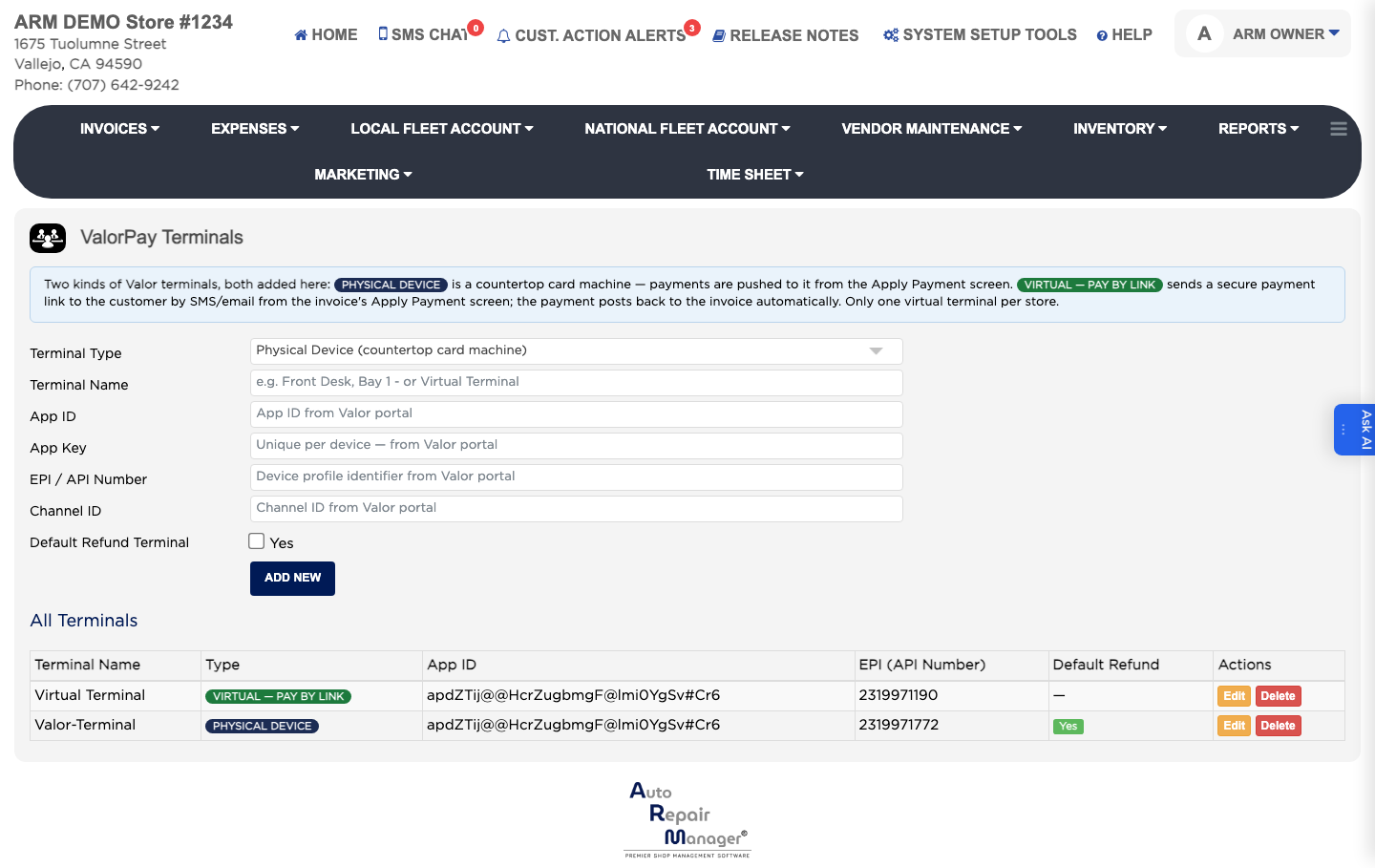
How do I add a card terminal? #
- From the Home Screen, click System Setup Tools → ValorPay Terminal Setup.
- Click Add New.
- Choose the type: Physical Device for a countertop machine, or Virtual — Pay by Link to send the customer a payment link.
- Enter a Terminal Name that identifies where it is, such as Front Desk or Bay 1. This is required.
- From your Valor portal, copy in the App ID, the app key, and the EPI device profile identifier. All three are required. Add the Channel ID if Valor gave you one.
- Tick the default refund option if refunds should go through this terminal.
- Set the environment to Production for live payments — Staging (beta) only processes test transactions.
- Click Save.