ARM Help

North Bank Ingenico Terminal

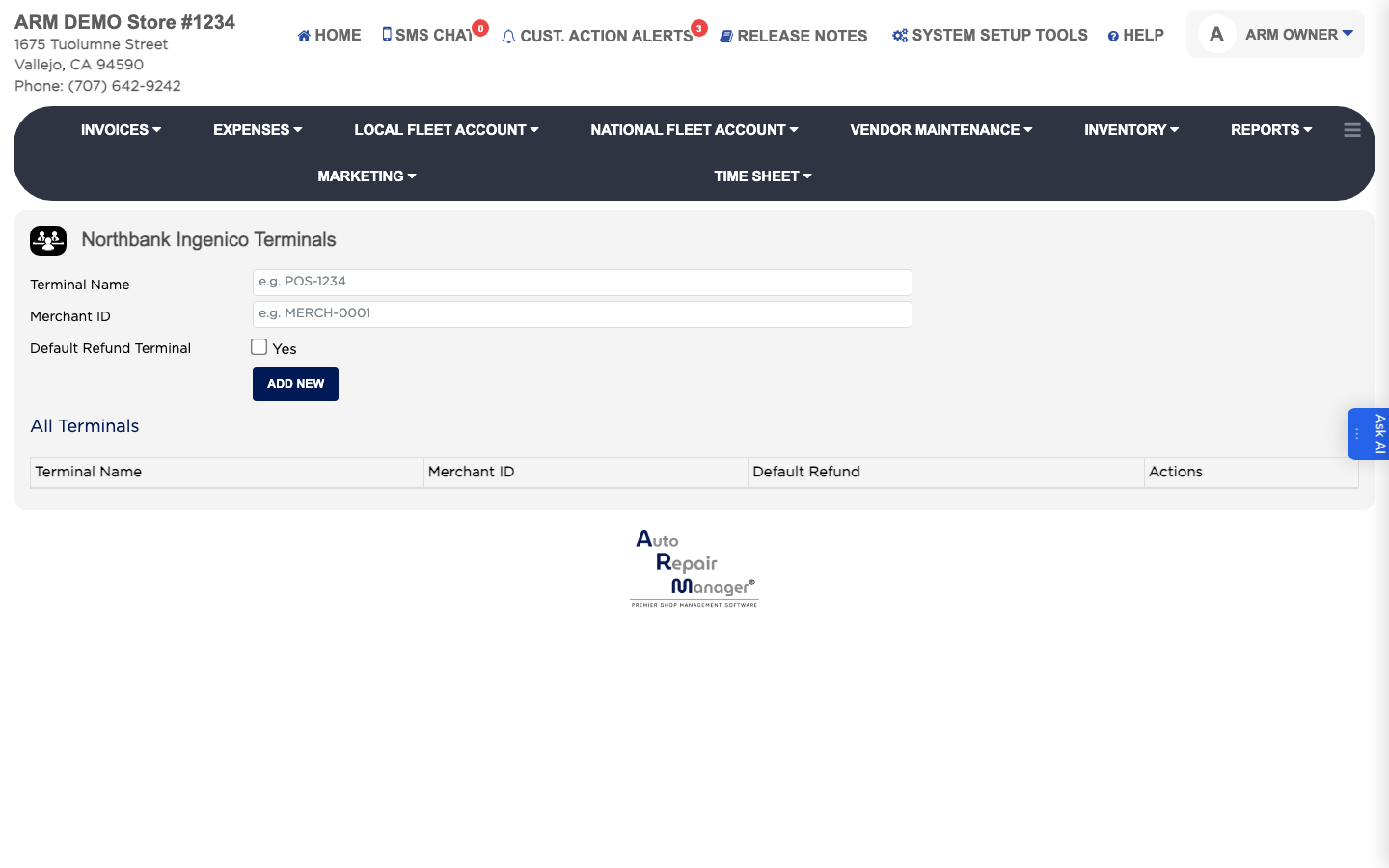
This registers Ingenico card terminals supplied through North Bank. Each terminal is identified by its own name and merchant identifier, and one of them is nominated to handle refunds. The list shows each terminal's Terminal Name, Merchant ID and whether it is the Default Refund terminal.

1 how-to answer 1 screenshot Open in ARM Markdown

How do I add an Ingenico terminal? #

  1. From the Home Screen, click System Setup Tools → North Bank Ingenico Terminal.
  2. Click Add New.
  3. Enter the Terminal Name, in the form POS-1234. This is required.
  4. Enter the Merchant ID, in the form MERCH-0001. This is required.
  5. Tick the default refund option if refunds should be processed on this terminal.
  6. Save the terminal.
North Bank Ingenico terminals

Ask AI