ARM Help ›
System Setup Tools ›
System Auto SMS
System Auto SMS
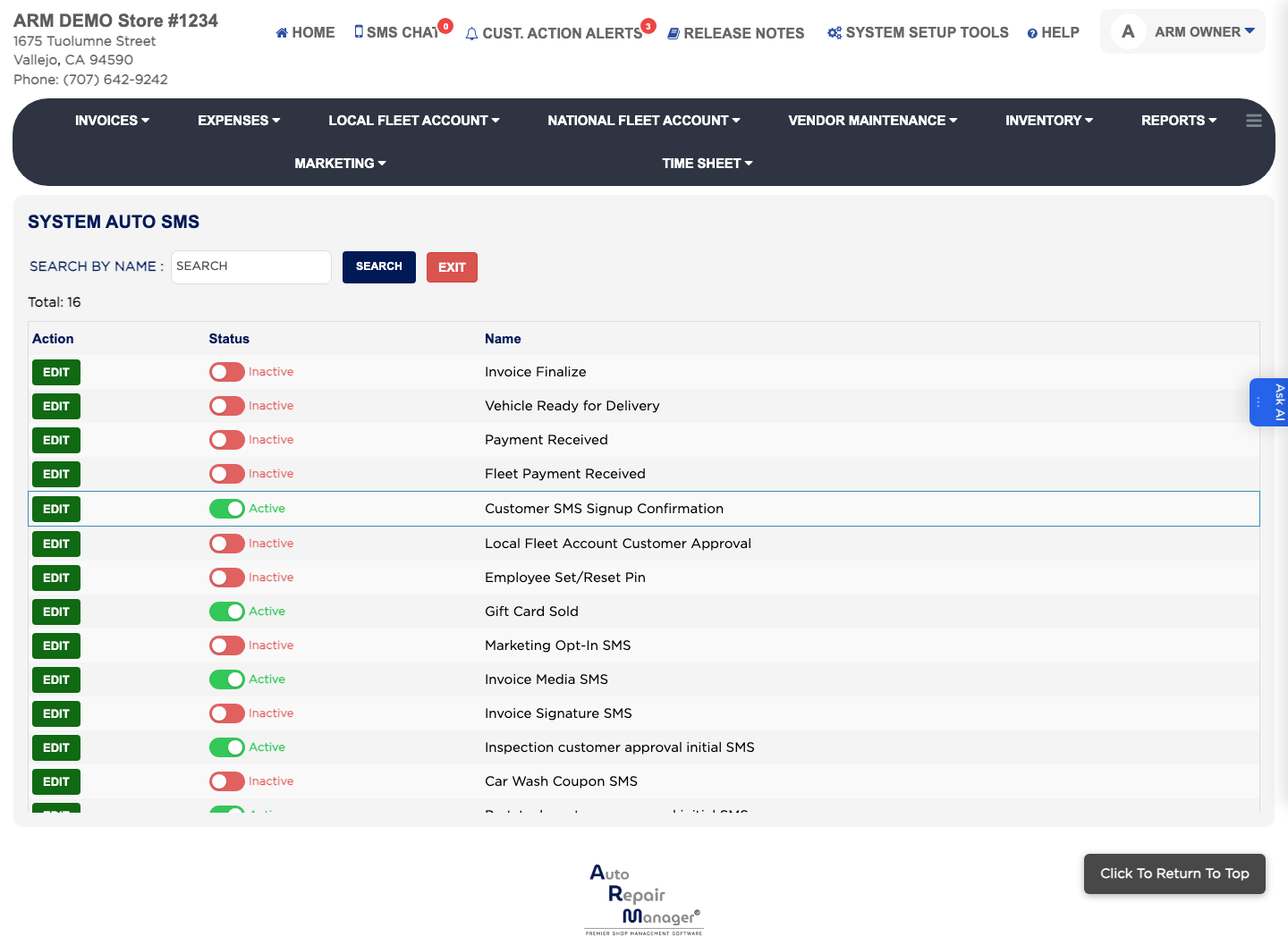
System Auto SMS are the texts ARM sends by itself, such as telling a customer their invoice is finalized or their vehicle is ready. They work like System Auto Emails but are billed per text, so the same 160-character limit applies. The list shows each message's Name and Status.
How do I change the wording of an automatic text?
#
From the Home Screen, click System Setup Tools → System Auto SMS.
Type into SEARCH BY NAME and click Search, or tick Active or Inactive to narrow the list.
Click EDIT in the Action column.
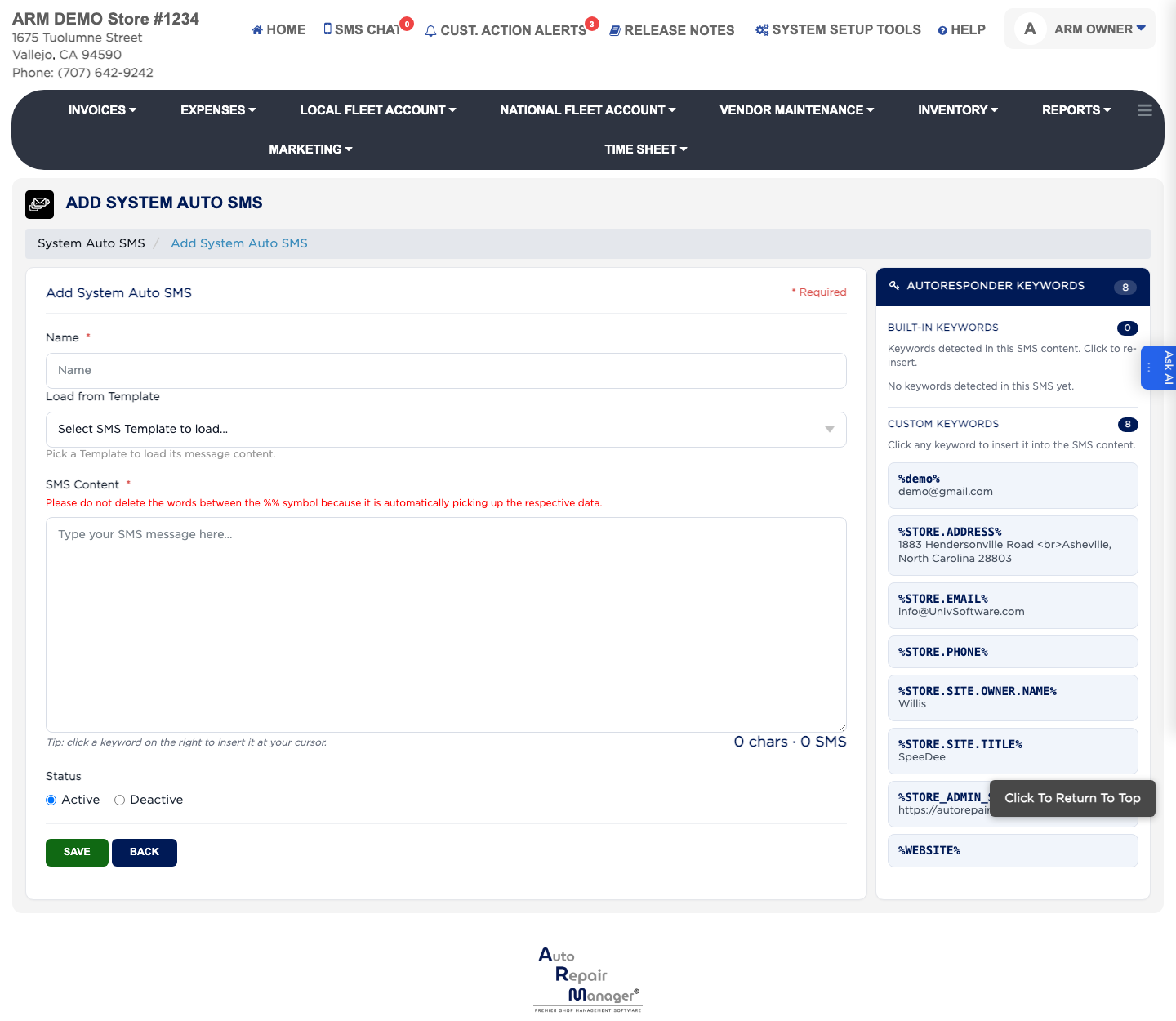
Change the SMS Content, which is required, keeping it inside 160 characters.
Click Save.
System Auto SMS list Editing a system auto SMS
How do I start an automatic text from an existing template?
#
From the Home Screen, click System Setup Tools → System Auto SMS.
Open the message you want, or add a new one.
Enter the Name, which is required.
Under Load from Template, pick the SMS template to start from — its wording is copied into SMS Content for you to adjust.
Click Save.
SMS Content Templates Next Edit Customer Payment Options
People also ask
Exactly what action triggers the active System Auto SMS named Vehicle Ready for Delivery? Does setting Customer Status to Ready for Pickup send it, or is another save/cash-out action required?
asked 1× Is there a test-send or preview function for System Auto SMS that resolves CLIENT.NAME, INVOICE.NUMBER, INVOICE.AMOUNT and LICENCE.PLATE.NUMBER without creating or finalizing an invoice? How can Invoice Finalize and Vehicle Ready for Delivery SMS be tested safely?
asked 1×