ARM Help

Edit Business Types

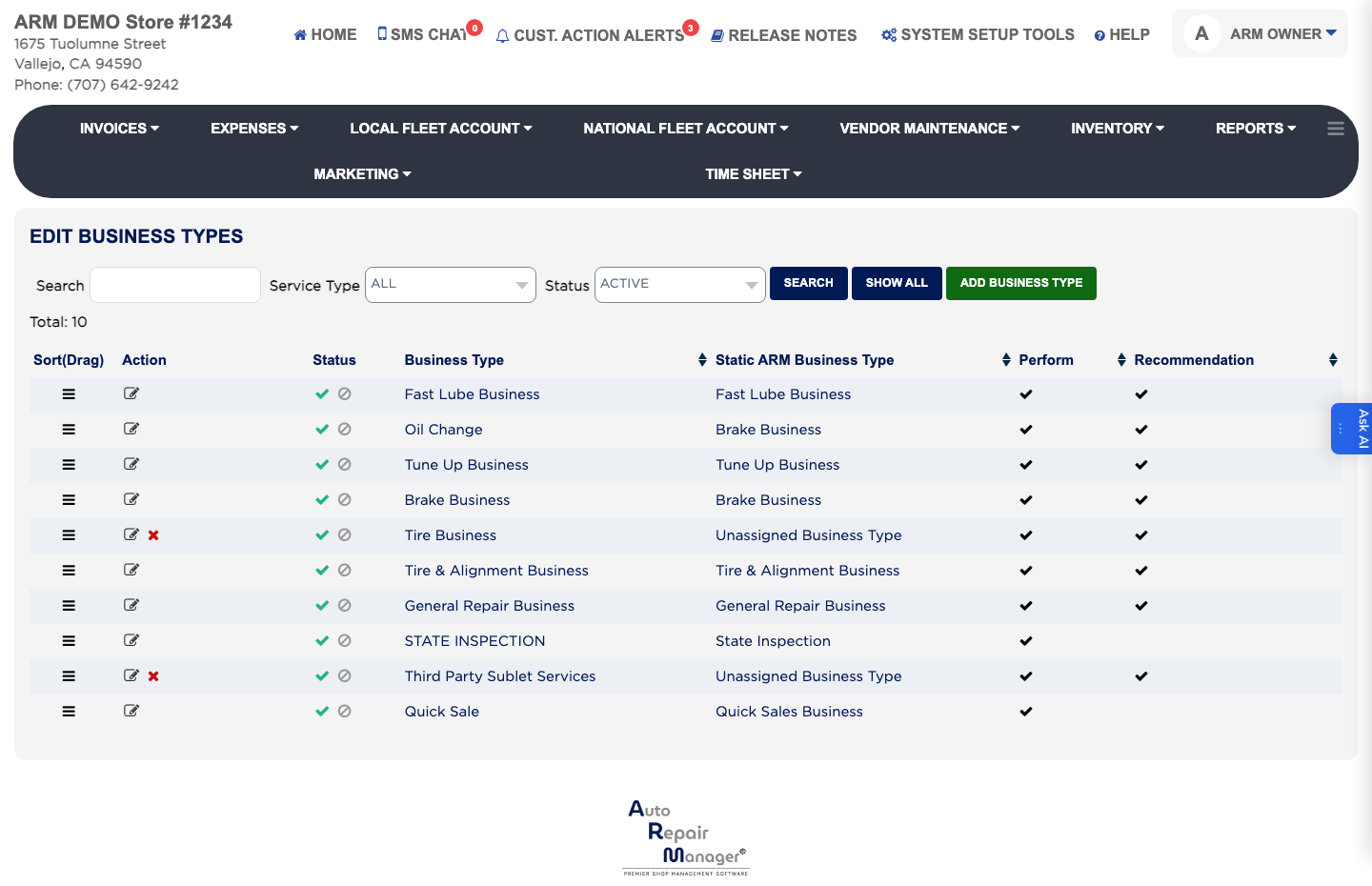
A Business Type is a category of work your shop does, such as brakes, A/C or fast lube. It is the top of the service structure: business types hold service packages, and service packages hold the labor and parts you actually sell. Each type can be used when a service is performed, when a service is recommended, or both. The list shows the Status, Business Type, Static ARM Business Type, and whether it is used for Perform or Recommendation.

4 how-to answers 2 screenshots Open in ARM Markdown

How do I add a business type? #

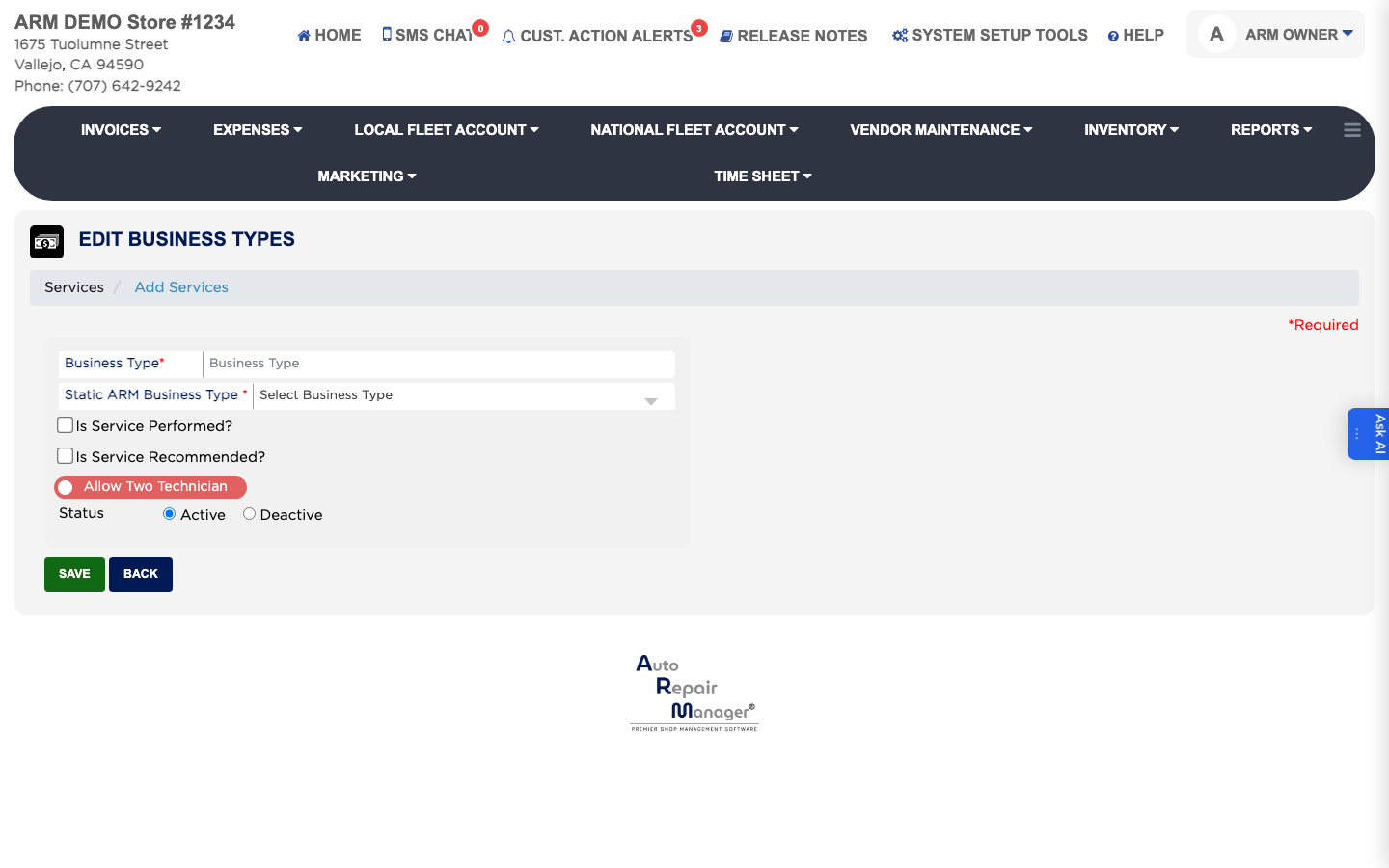
  1. From the Home Screen, click System Setup Tools → Edit Business Types.
  2. Click ADD BUSINESS TYPE.
  3. Enter the Business Type name your staff will recognise.
  4. Choose the Static ARM Business Type it maps to — A/C Business, Brake Business, Fast Lube Business, General Repair Business or State Inspection. This is what ARM reports on.
  5. Tick Is Service Performed? if the type is used for work you carry out, and Is Service Recommended? if it is used for work you suggest to a customer. Tick both if it is used either way.
  6. Leave Status set to Active.
  7. Click Save.
Add Business Type form

How do I find or edit a business type? #

  1. From the Home Screen, click System Setup Tools → Edit Business Types.
  2. Type part of the name in the Search box, or narrow the list with Service Type (All, Service Perform or Service Recommendation) and Status (All, Active or Deactive), then click Search. Click Show All to list every type.
  3. Click the edit icon in the Action column.
  4. Change the details as needed.
  5. Click Save.
Business Types list
Business Types list

How do I stop offering a business type? #

  1. From the Home Screen, click System Setup Tools → Edit Business Types.
  2. Click the edit icon beside the type in the Action column.
  3. Set Status to Deactive rather than deleting it, so past invoices that used the type keep their history.
  4. Click Save.

How do I change the order business types appear in? #

  1. From the Home Screen, click System Setup Tools → Edit Business Types.
  2. Drag the handle in the Sort(Drag) column to move a type up or down. The order you set here is the order staff see when they pick a business type.

People also ask

  • asked 1×
  • asked 1×

Ask AI