ARM Help

Timezone

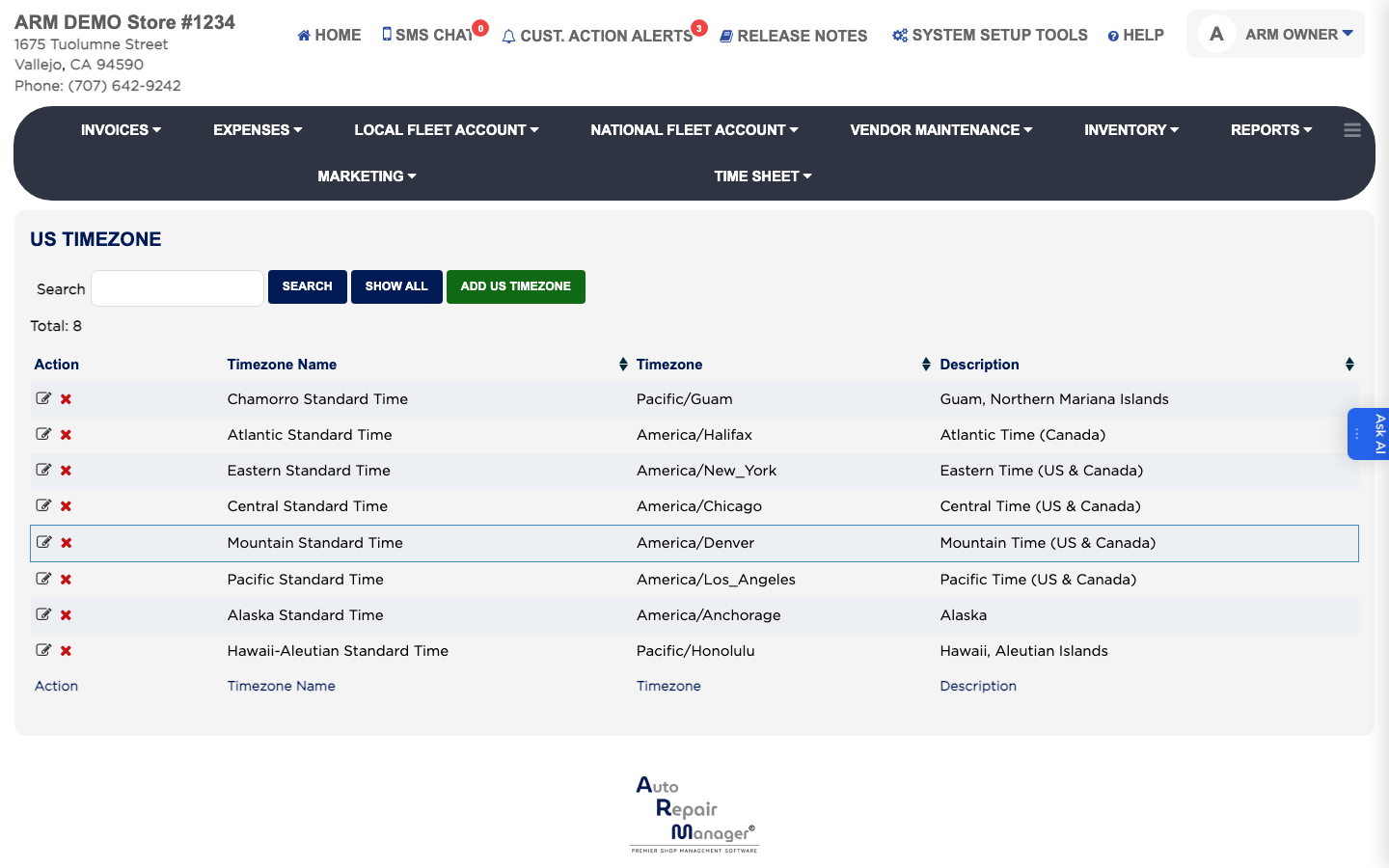
The Timezone list holds the timezones you can assign to a user, so each login stamps its work with the correct local time. Set this up before you add users for a second location. The list shows each entry's Timezone Name, Timezone and Description.
3 how-to answers 2 screenshots Open in ARM Markdown

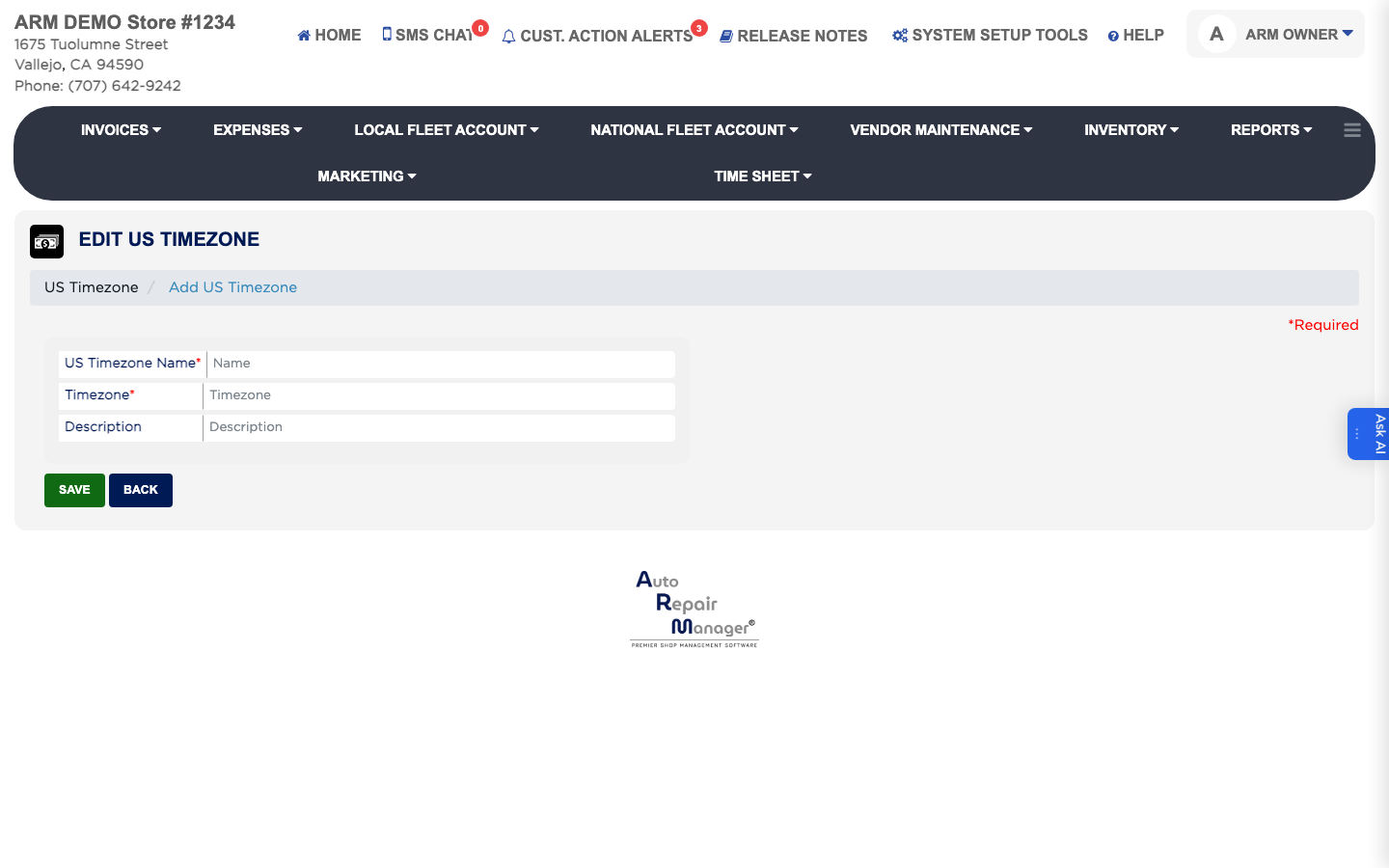
How do I add a timezone? #

  1. From the Home Screen, click System Setup Tools → Timezone.
  2. Click ADD US Timezone.
  3. Enter the Name staff will recognise, such as Pacific Standard Time.
  4. Enter the Timezone value and a short Description.
  5. Click Save.
Add US Timezone form

How do I find or edit a timezone? #

  1. From the Home Screen, click System Setup Tools → Timezone.
  2. Type part of the name in the Search box and click Search, or click Show All to list every timezone.
  3. Click the edit icon in the Action column.
  4. Change the Name, Timezone or Description.
  5. Click Save.
Timezone list
Timezone list

How do I set the timezone a user works in? #

  1. From the Home Screen, click System Setup Tools → Users.
  2. Click the edit icon beside the person in the Action column.
  3. Set Timezone to the location that person works at.
  4. Click Save.

Ask AI