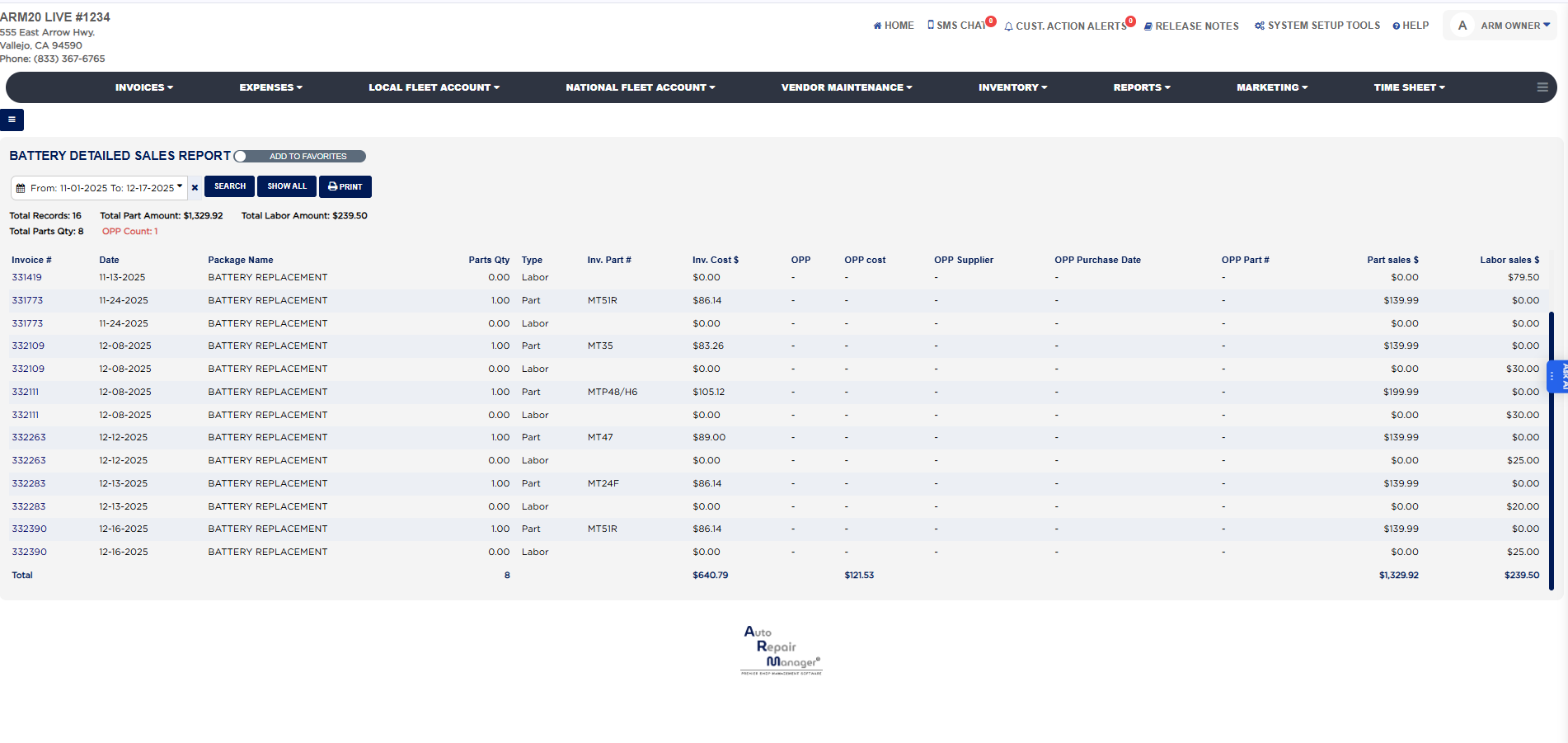
Each line shows the Invoice # (a link that opens the invoice), the Date the invoice was finalized, the Package Name of the battery service, the Parts Qty sold on that line, and the Type, which is Part for the battery itself and Labor for the installation labor of the same service, so a battery replacement normally produces two lines with the same invoice number. Inv. Part # is the part number of the battery taken from your inventory. Inv. Cost $ is what that battery cost you: the purchase cost recorded on the part in inventory multiplied by the quantity sold; when part of the quantity was bought outside for the job, the outside purchase cost is used for that portion and the inventory cost for the rest. OPP marks a line whose battery was an outside part purchase, and for those lines the cost moves from Inv. Cost $ to OPP cost, with the OPP Supplier, OPP Purchase Date and OPP Part # taken from the expense entry recorded when the battery was bought; stock lines show a dash in all five OPP columns. Part sales $ is the amount charged to the customer for the battery and Labor sales $ is the labor charged for the service after any labor discount; a Part line carries the part sale and a Labor line carries the labor sale, the other being $0.00. The Total row at the foot sums Parts Qty, Inv. Cost $, OPP cost, Part sales $ and Labor sales $ for every line in the range. Your margin on batteries for the period is Part sales $ less Inv. Cost $ less OPP cost from that row, and Labor sales $ is the labor earned on top.
The Detailed Sales Report for Tire in the same section has the same layout for tire services. The Add To Favorites switch beside the heading saves the report under Favorites on the Reports page. Which reports you see depends on your admin group permissions.