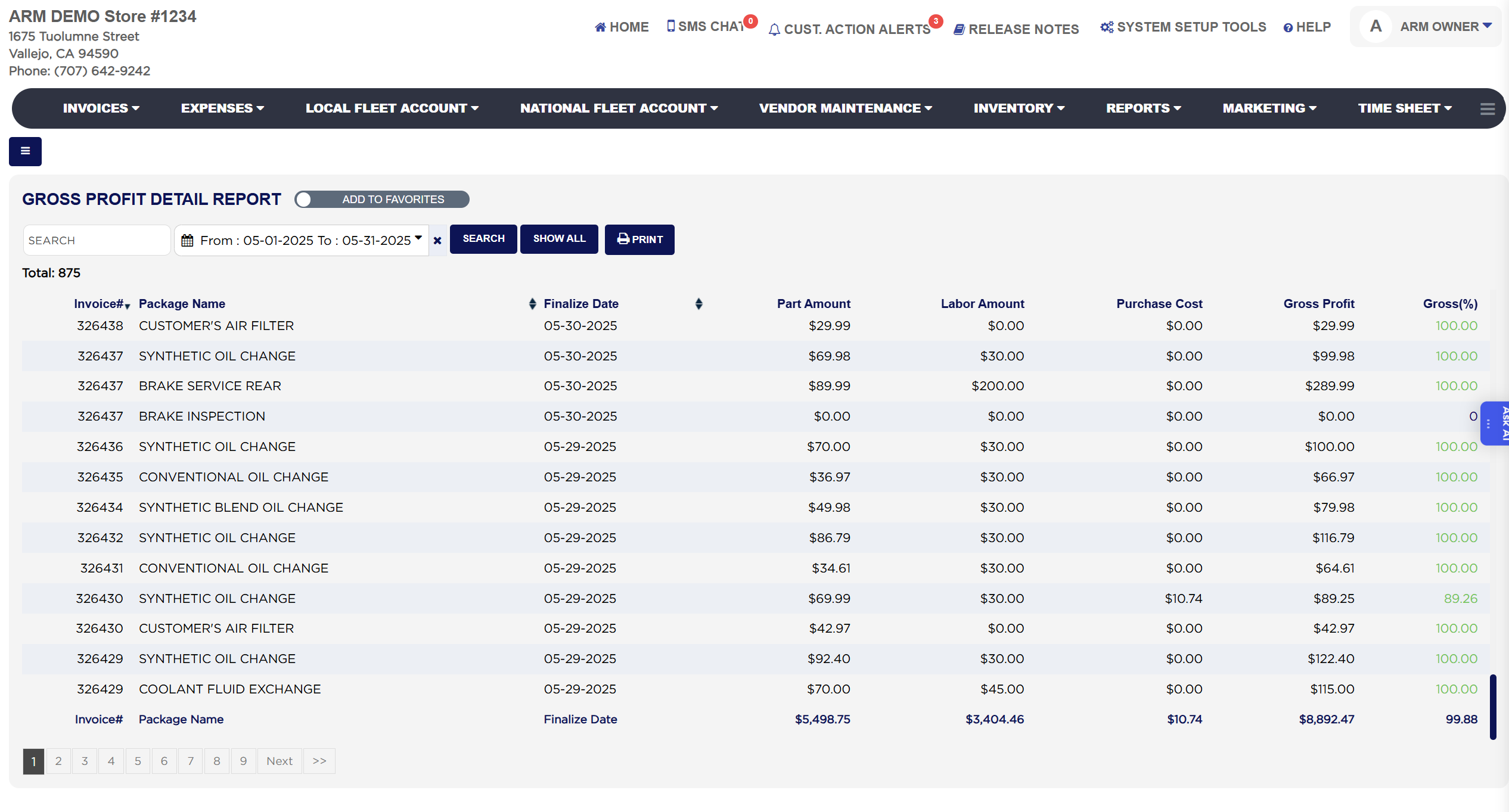
Total: above the table is the number of lines listed. Each line shows the Invoice#, the Package Name, the Finalize Date of the invoice, the Part Amount charged for the package's parts on that invoice after any part discount, the Labor Amount charged for its labor, the Purchase Cost of those parts, the Gross Profit (part amount plus labor amount, less purchase cost) and Gross(%), the gross profit as a percentage of the part and labor amount together. The purchase cost is taken from what the shop really paid: for a part bought outside for the job it is the cost recorded on the outside part purchase in Expenses, and for a part taken from stock it is the cost of the stock it was drawn from. Gross(%) is colour coded, green for a strong margin, orange for a moderate one and red for a low one, using the profit thresholds set for your store. Only finalized invoices count; drafts, voided and deleted invoices are left out. The foot row sums the part, labor, purchase cost and gross profit columns and shows the overall gross percentage for the lines listed.
The Add To Favorites switch beside the heading saves the report under Favorites on the Reports page. Which reports you see depends on your admin group permissions.