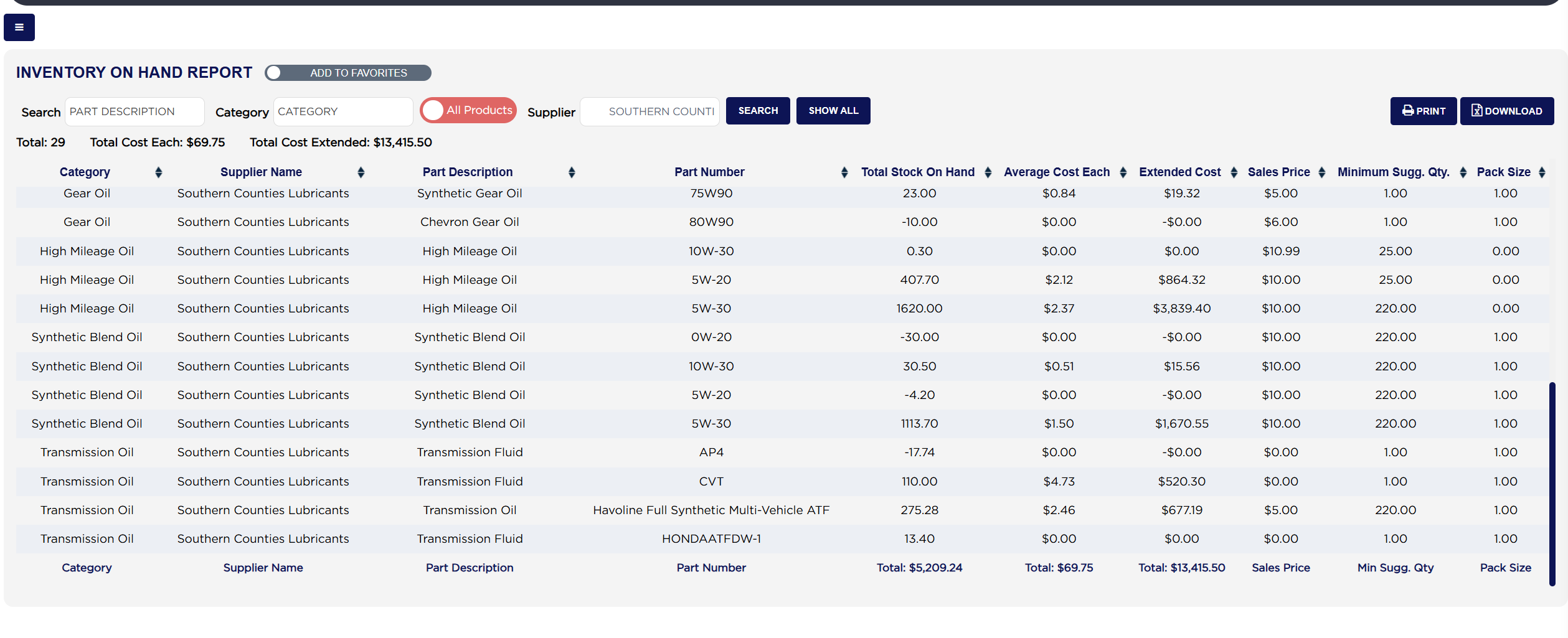
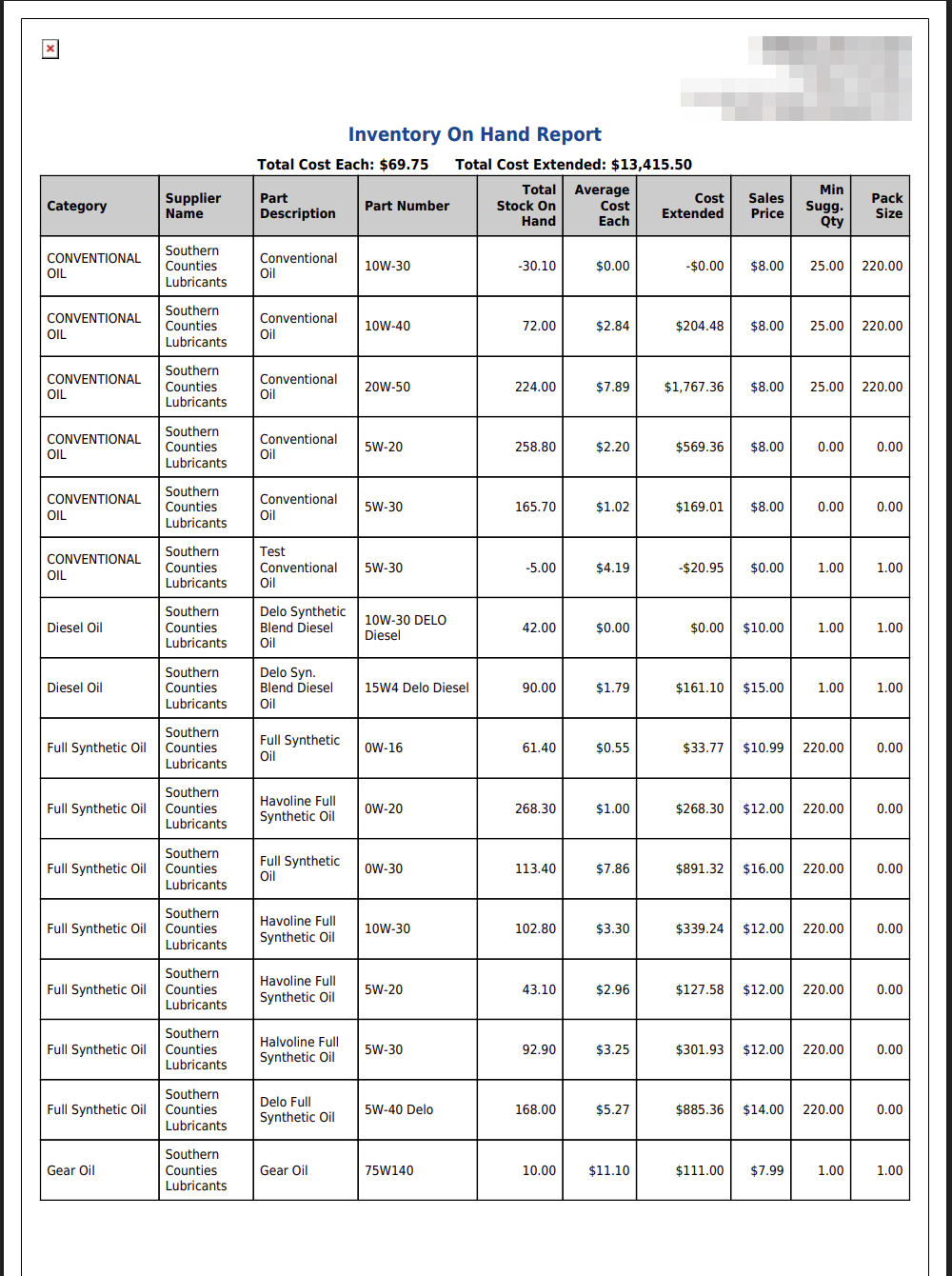
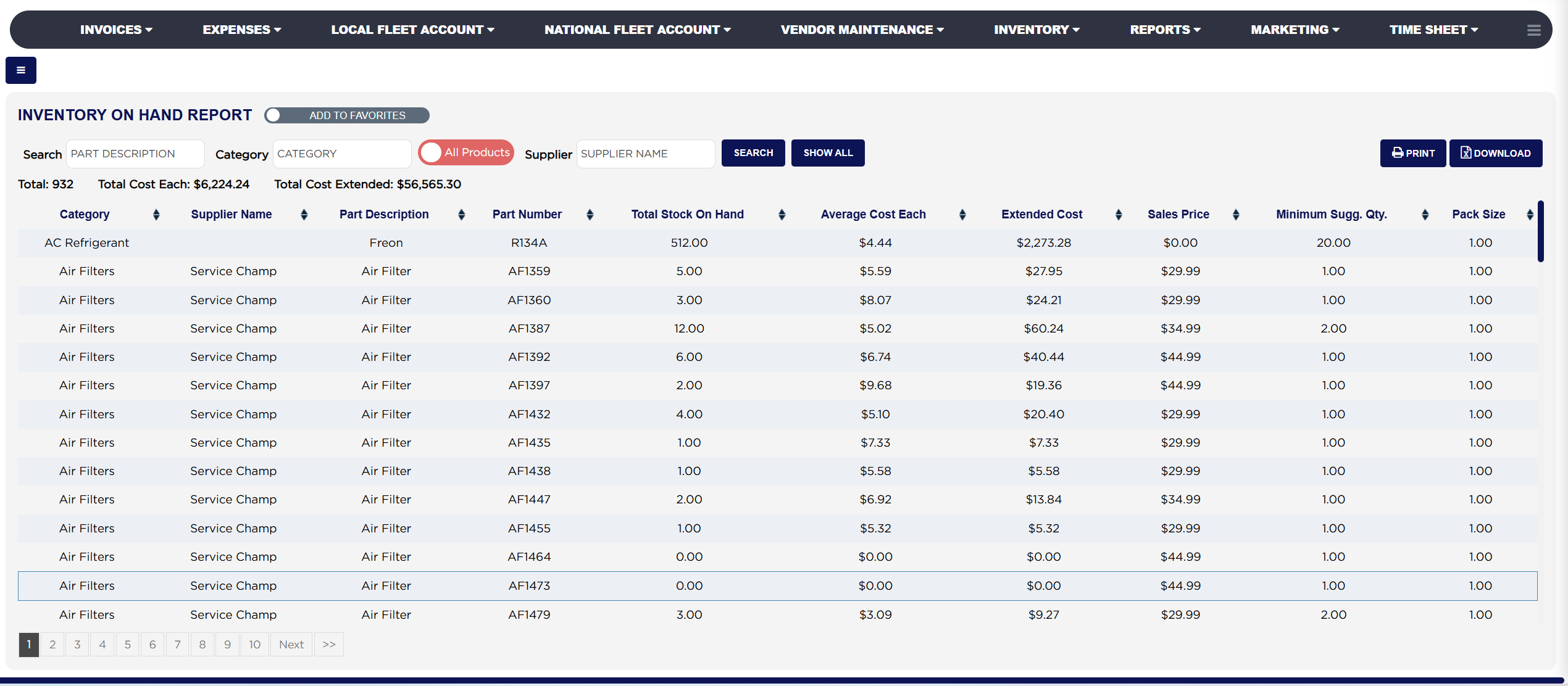
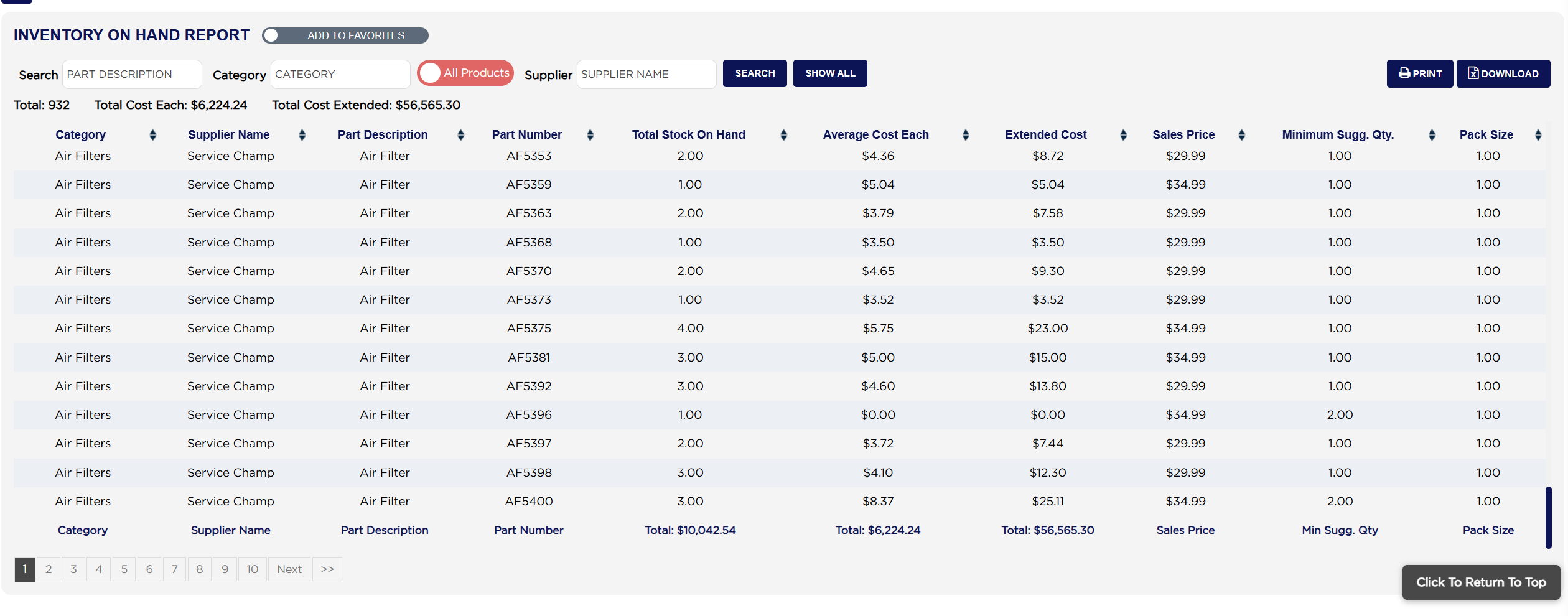
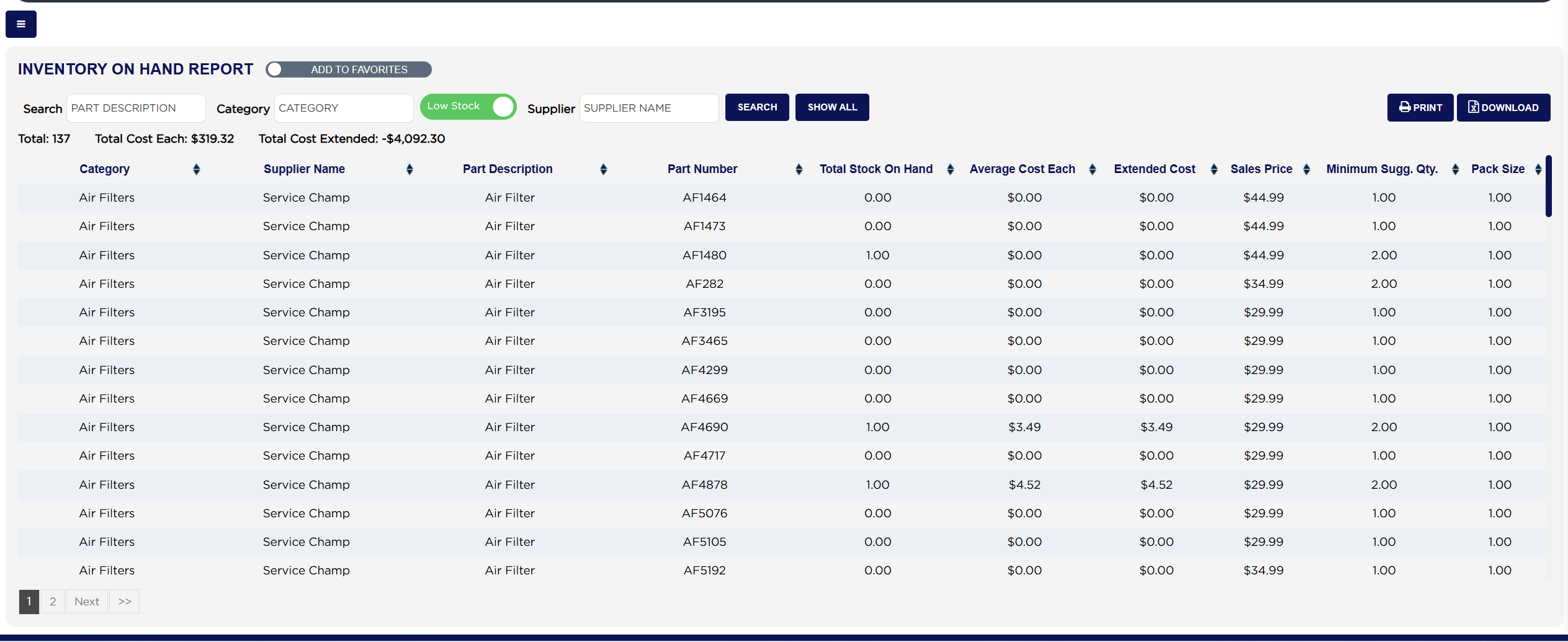
Each line shows the Category the part belongs to, its Supplier Name, the Part Description and Part Number, the Total Stock On Hand you are holding, the Average Cost Each ARM holds for the part, the Extended Cost of what is on the shelf, the Sales Price you charge, the Minimum Sugg. Qty. below which the part should be reordered, and the Pack Size it is bought in. Three figures sit above the table: Total: is the number of parts listed, Total Cost Each adds up the Average Cost Each column and Total Cost Extended adds up the Extended Cost column. The foot row under the table repeats the same three sums for the parts on the page.
Total Cost Extended is the figure to use when you want the value of your stock, because it is built from quantity and cost together. Total Cost Each adds up a per-unit cost across unrelated parts, so it answers what one of everything would cost rather than what you are holding.
Some parts can show a negative Total Stock On Hand, which happens when more has been issued than ARM was told had been received. Those lines still count towards the totals, so a negative quantity pulls the stock value down. Where you see one, the part is worth counting with Inventory Manual Count before you trust the valuation.
The ADD TO FAVORITES switch beside the report title saves a shortcut to the report under your favourites in the main Reports menu.