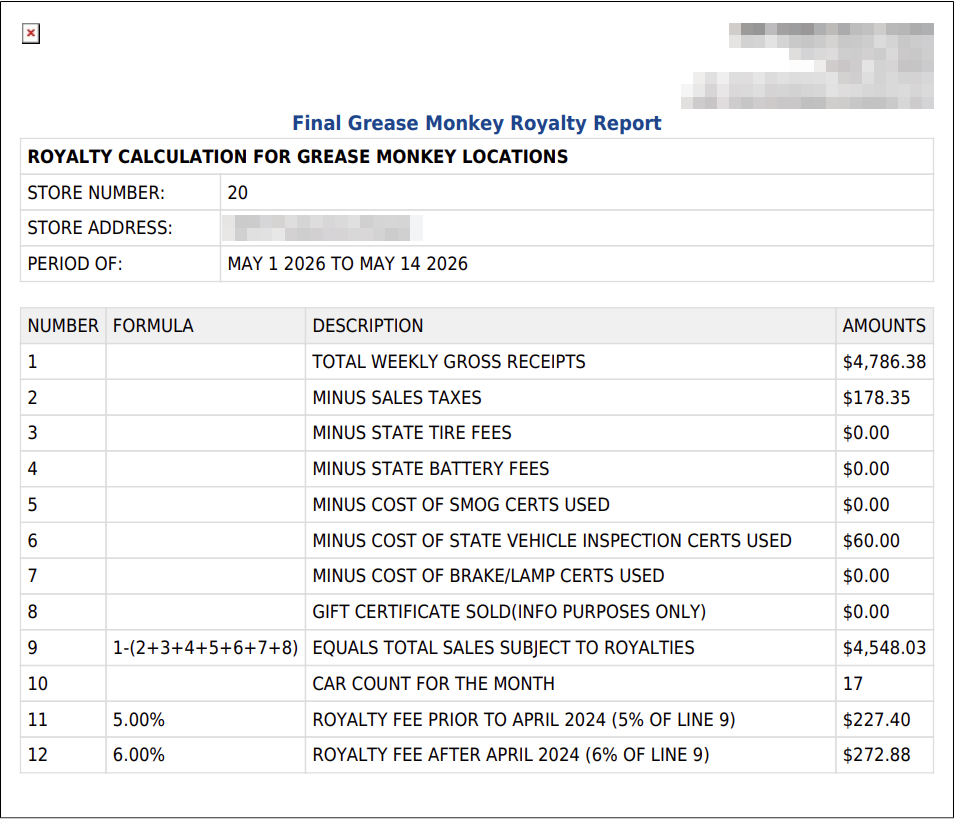
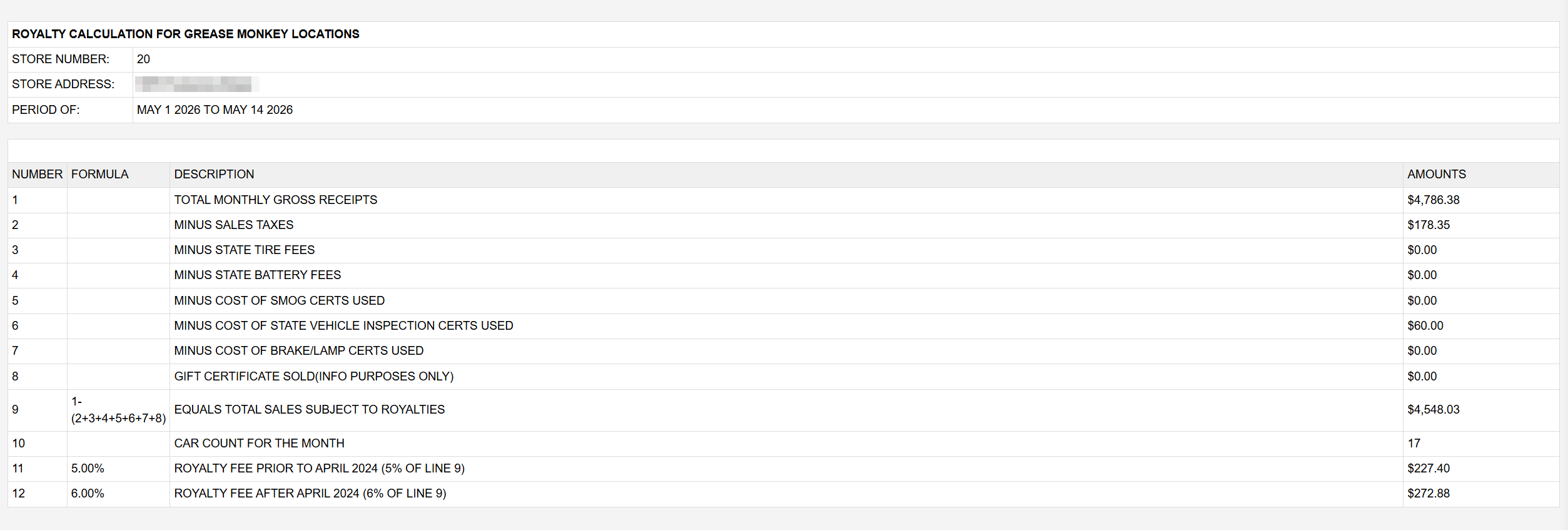
The report opens with STORE NUMBER (the store's account number), STORE ADDRESS and PERIOD OF, the dates covered. Each line then shows its NUMBER, the FORMULA used, a DESCRIPTION and the AMOUNTS, taken from the month's finalized invoices. When the month has refunds, REFUND AMOUNTS and NET columns appear beside the amounts.
The printout is headed Final Grease Monkey Royalty Report and carries the same lines and amounts. It labels line 1 TOTAL WEEKLY GROSS RECEIPTS, although the figure is the month's.
If you sell gift certificates, check line 8 before you pay: the report takes gift certificates sold off the royalty base, and in a month with refunds the NET column puts them back. Confirm with your franchise agreement which treatment applies. The rates are the same for every store and cannot be changed from ARM's settings.