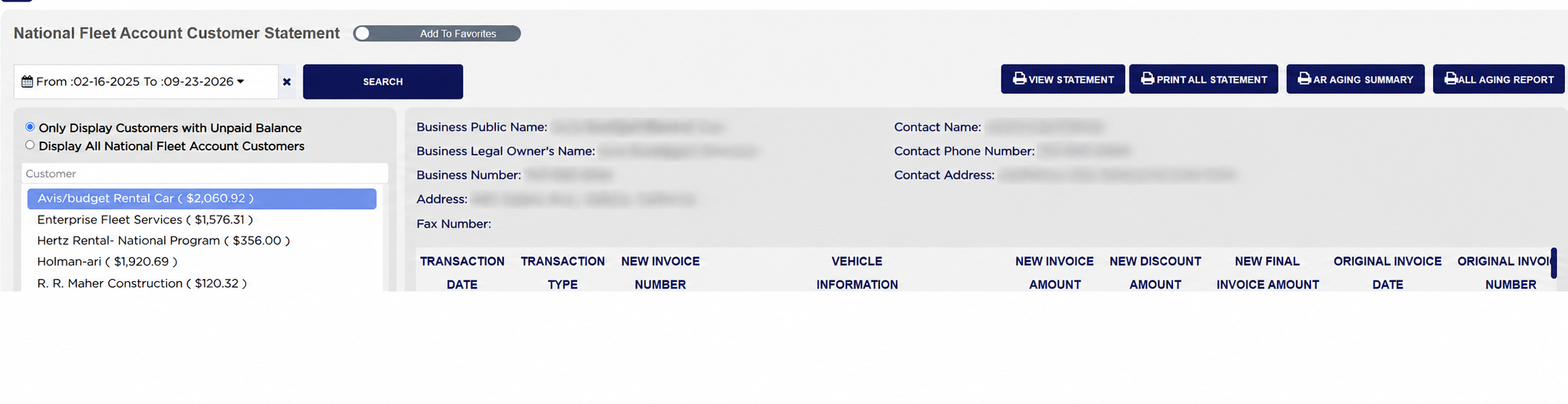
The panel at the top right holds the account itself: the Business Public Name, the Business Legal Owner's Name, the Business Number, the Address and the Fax Number, and beside them the Contact Name, Contact Phone Number and Contact Address for the person you deal with. These come from the customer's record, so correct them there rather than here.
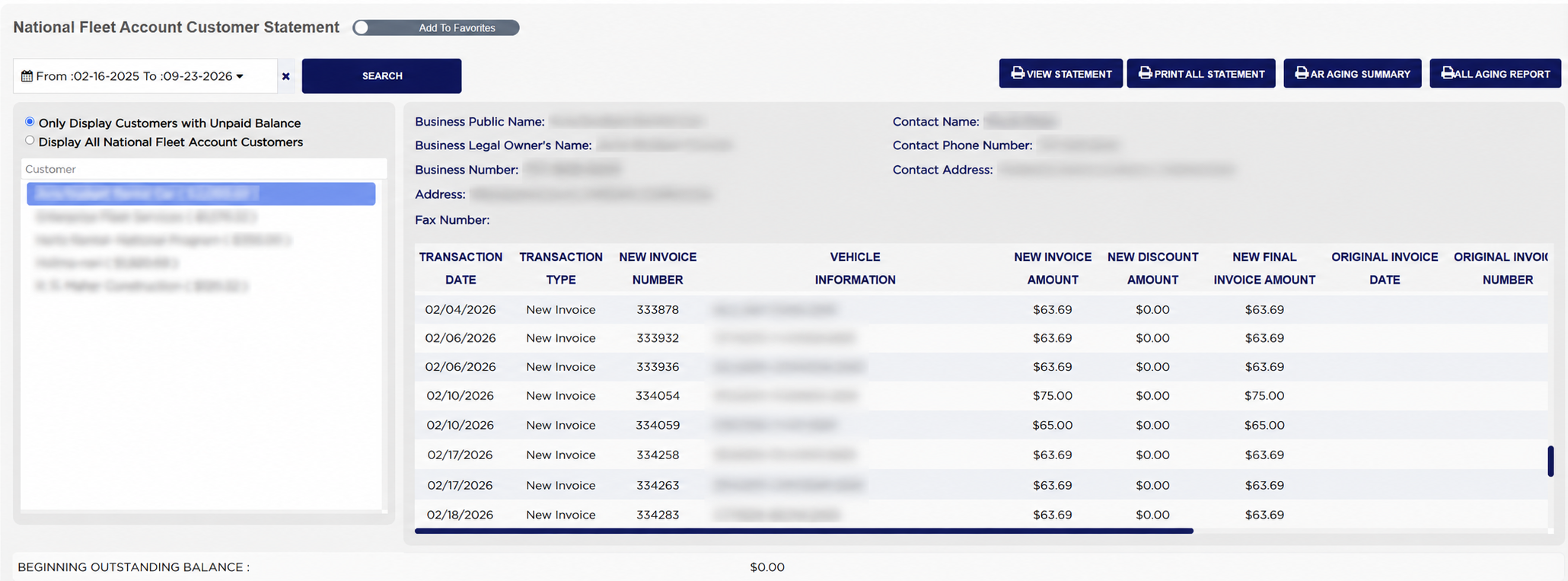
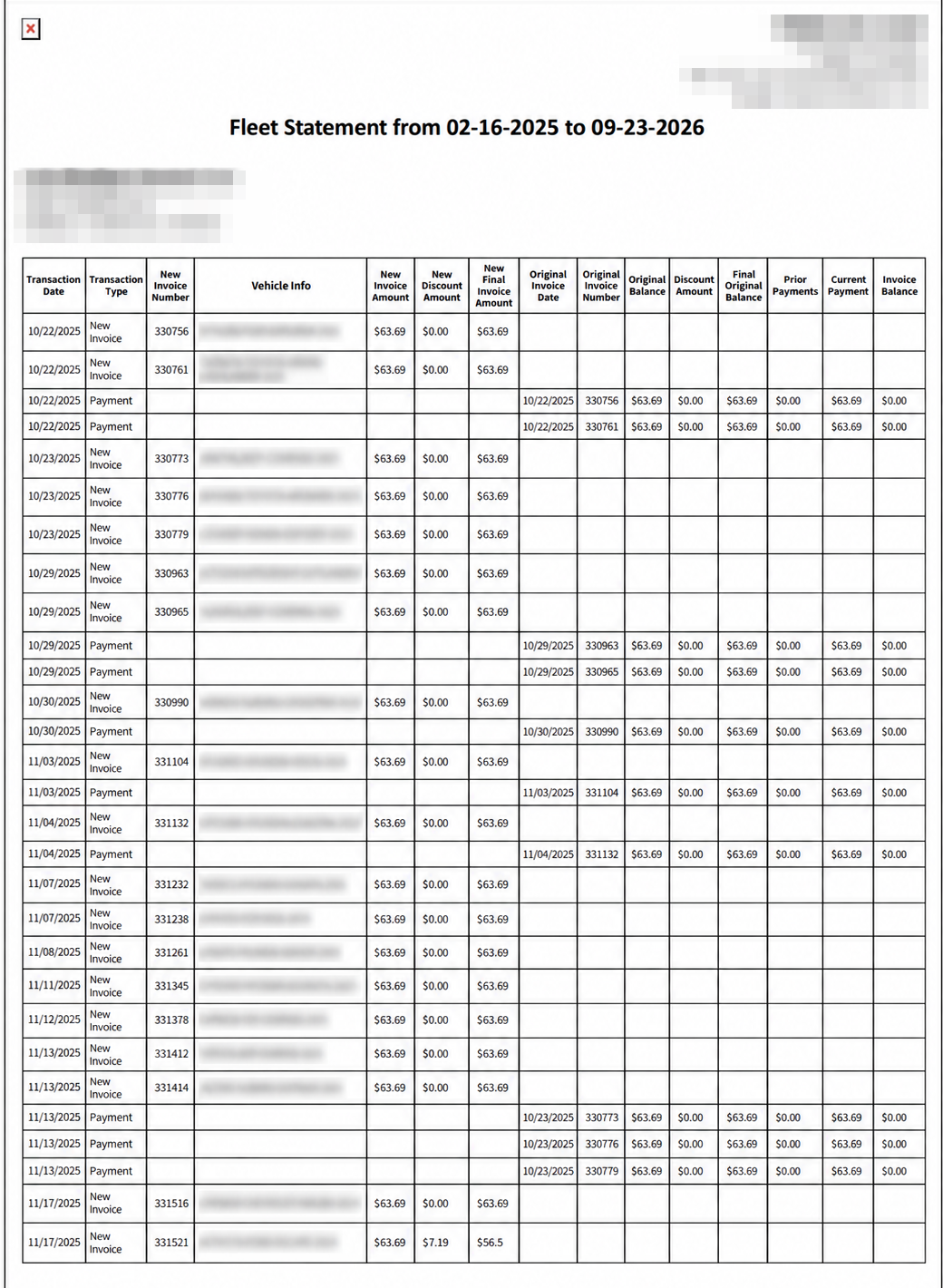
Each line of the table below is one transaction. TRANSACTION DATE is when it happened and TRANSACTION TYPE says what it was — New Invoice or Payment — and that type decides which half of the line is filled in. An invoice fills the NEW INVOICE NUMBER, VEHICLE INFORMATION, NEW INVOICE AMOUNT, NEW DISCOUNT AMOUNT and NEW FINAL INVOICE AMOUNT columns. A payment leaves those empty and fills the columns to the right instead: the ORIGINAL INVOICE DATE and ORIGINAL INVOICE NUMBER it was paid against, the Original Balance, Discount Amount and Final Original Balance, then Prior Payments, Current Payment and the Invoice Balance left afterwards. Half of every row being blank is how the report is meant to look. BEGINNING OUTSTANDING BALANCE under the table is what the account owed before the first line.
The account list shows a balance beside each customer, and Outstanding National Fleet Account Customer Report shows an outstanding amount for the same accounts. The two are worked out differently and will not always agree, so use this screen when you need to see how a balance was built up transaction by transaction, and the outstanding report when you want the accounts ranked by what they owe.