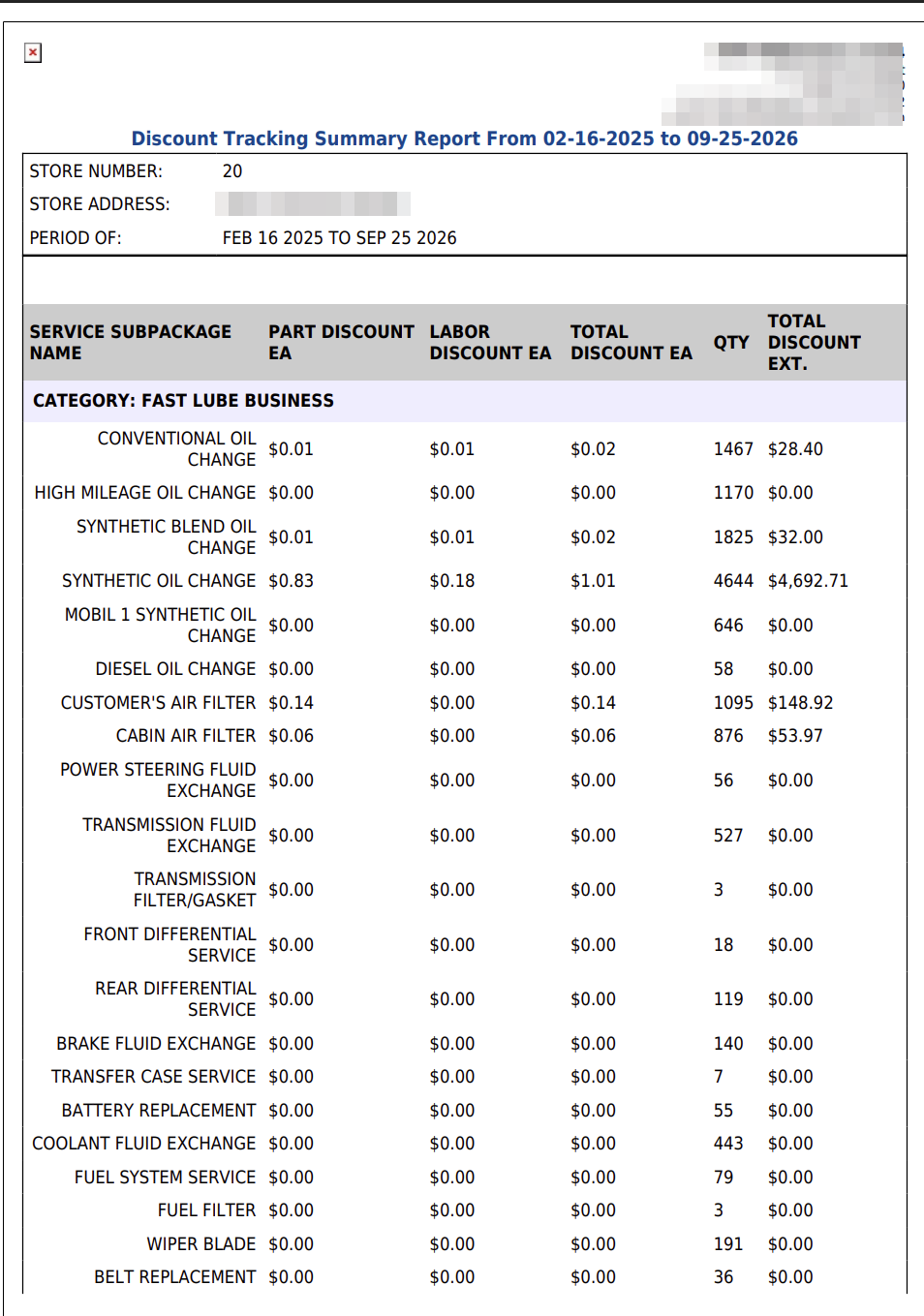
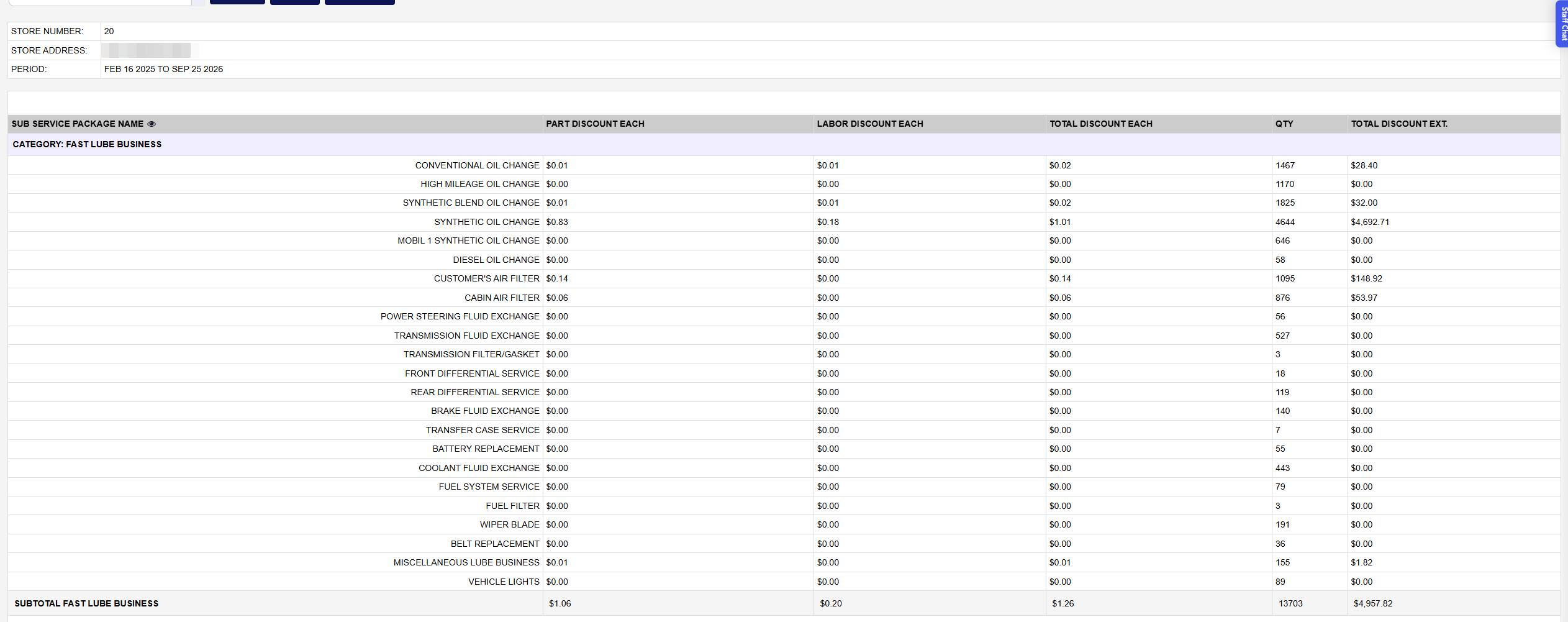
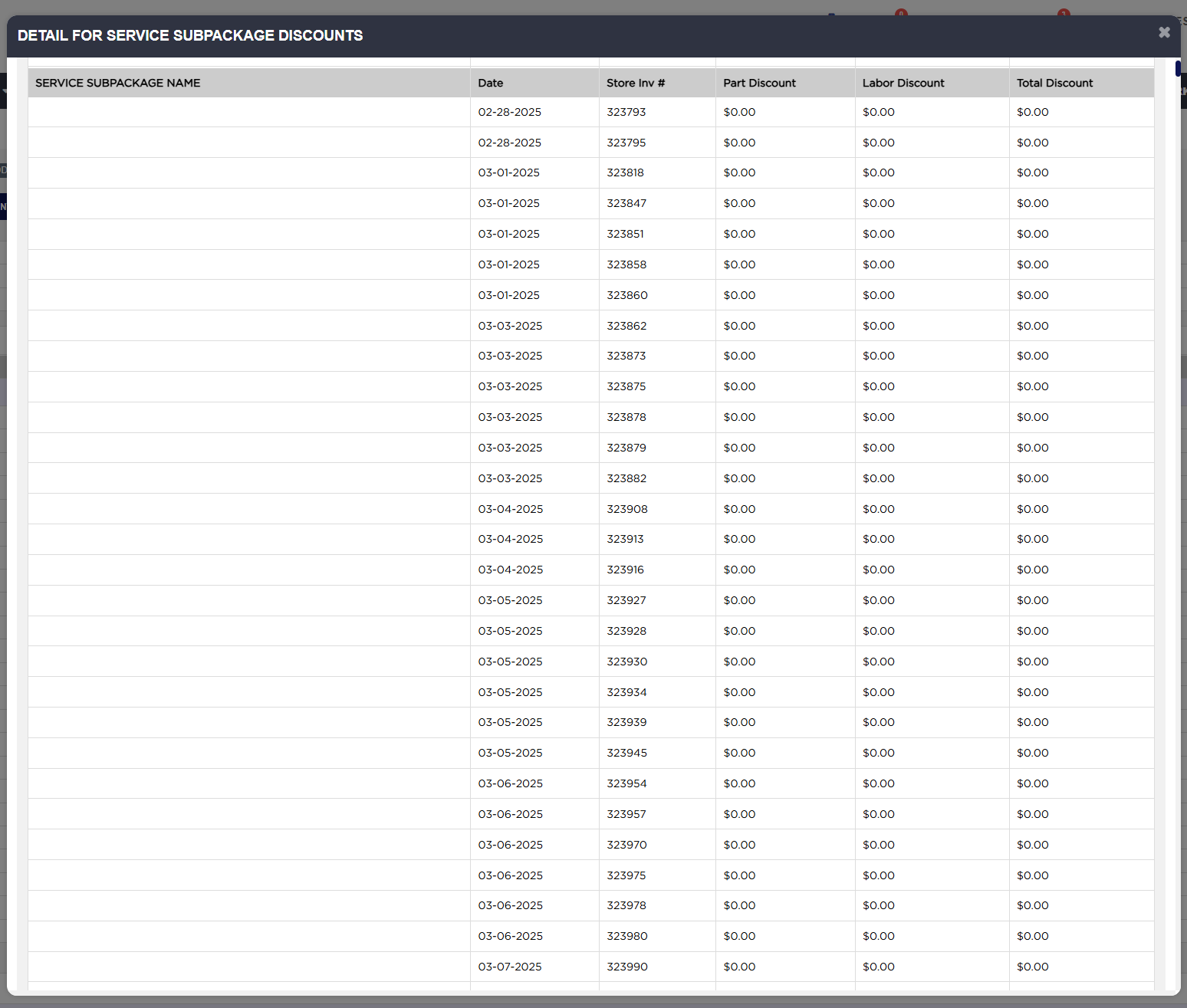
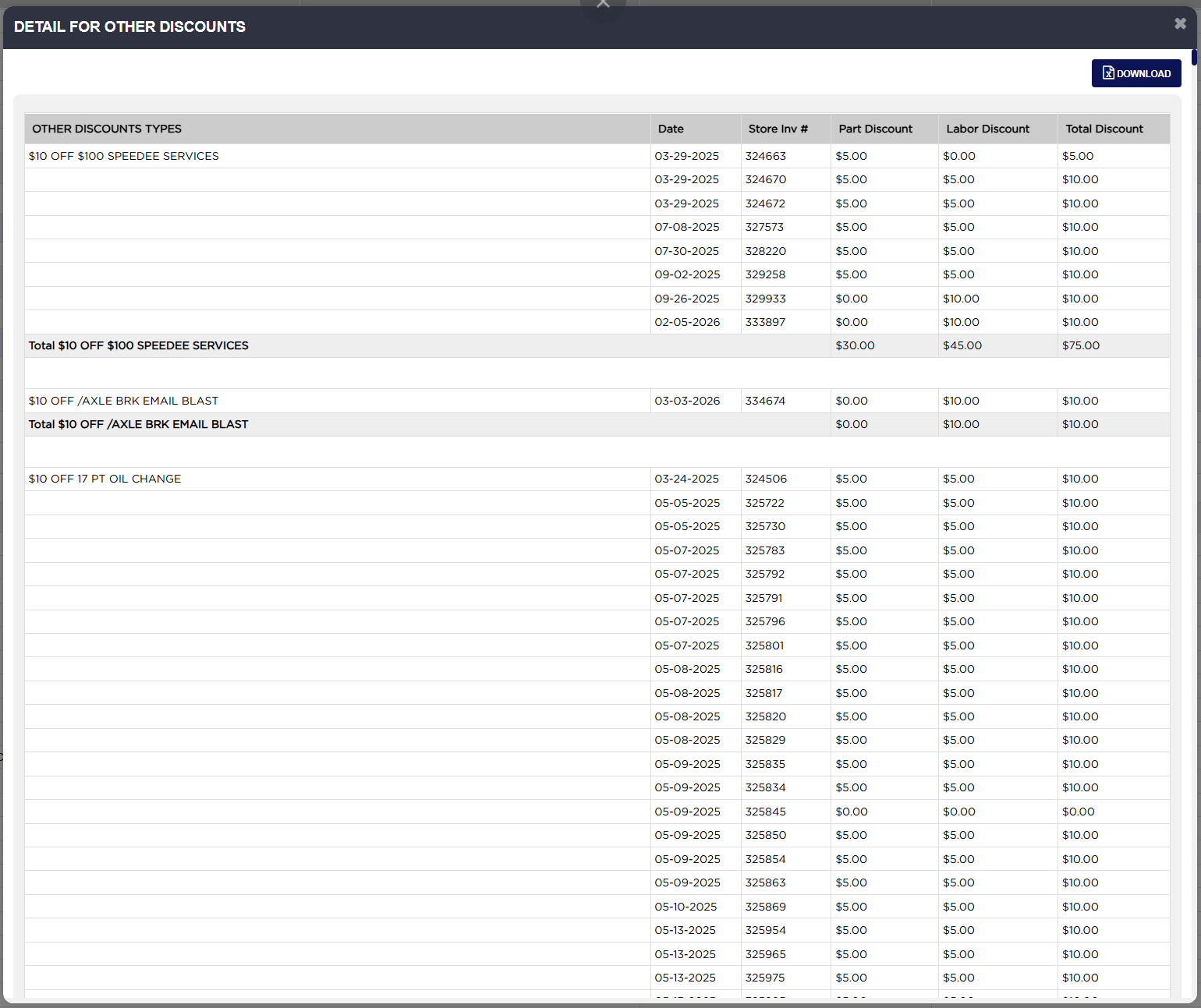
The report opens with the STORE NUMBER, the STORE ADDRESS and the PERIOD you chose. The store number is the store's account number, which may differ from the number in the store's name.
The first block lists the discounts given on services, grouped under a CATEGORY: band for each service category, such as FAST LUBE BUSINESS. Each line shows the SUB SERVICE PACKAGE NAME, PART DISCOUNT EACH, LABOR DISCOUNT EACH, TOTAL DISCOUNT EACH, the QTY and the TOTAL DISCOUNT EXT. A SUBTOTAL row closes each category.
QTY is the number of invoices that included the service, whether or not it was discounted. The EACH columns are the service's total discount spread over all of those invoices, so they are an average per sale, not the discount given each time it was discounted. That is why a service can show a few cents "each", and why services that were never discounted still appear, at $0.00. Example: SYNTHETIC OIL CHANGE was on 4,644 invoices and carried $4,692.71 of discount in all, so it shows $1.01 each.
On the SUBTOTAL and TOTAL (SUB SERVICE PACKAGE DISCOUNTS) rows, only QTY and TOTAL DISCOUNT EXT. are true totals. The three EACH figures on those rows are the line averages added together, which does not give a meaningful number. For the average discount per sale across a category, divide its TOTAL DISCOUNT EXT. by its QTY. Example: fast lube $4,957.82 ÷ 13,703 = $0.36, where the SUBTOTAL row shows $1.26.
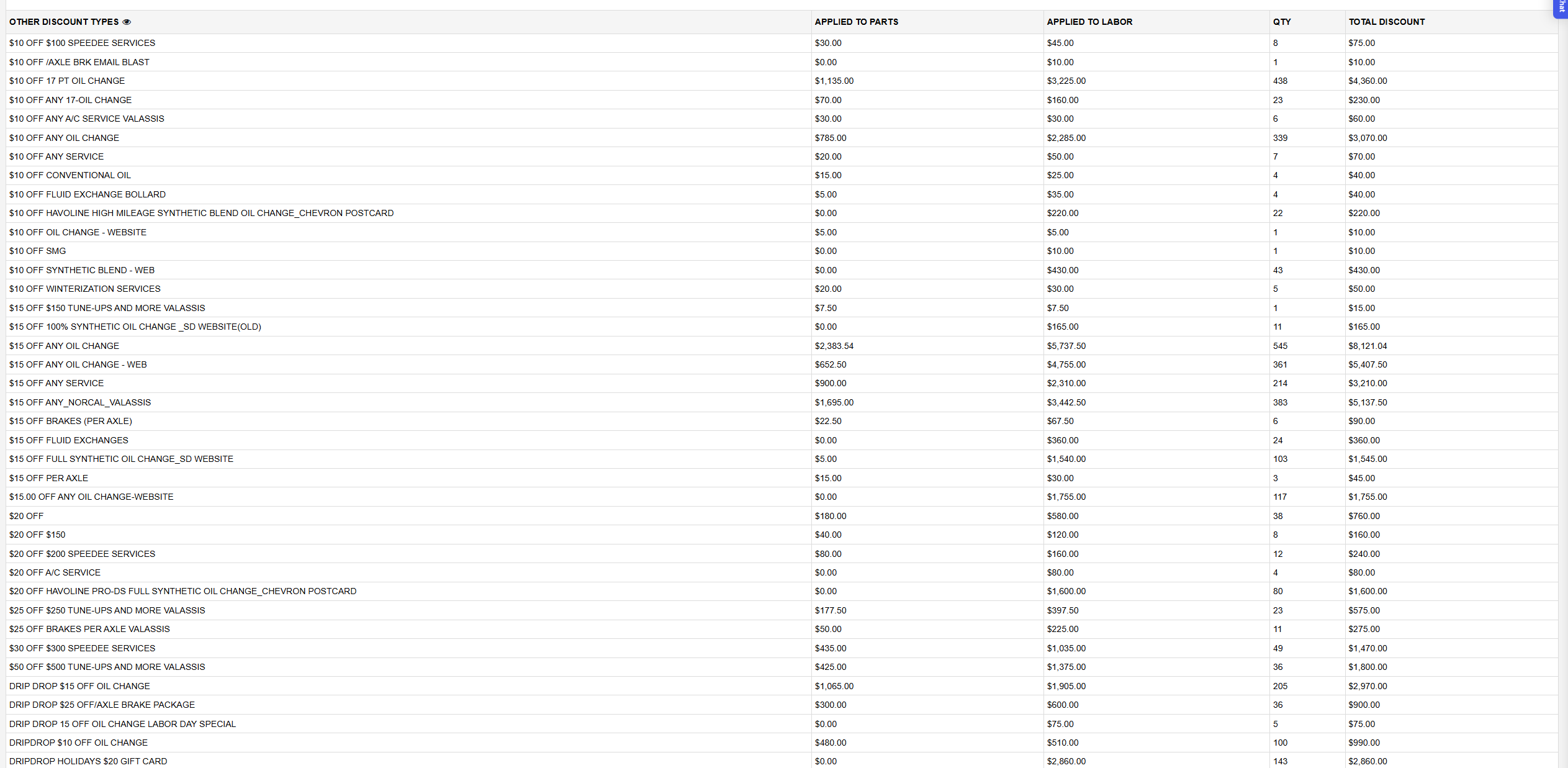
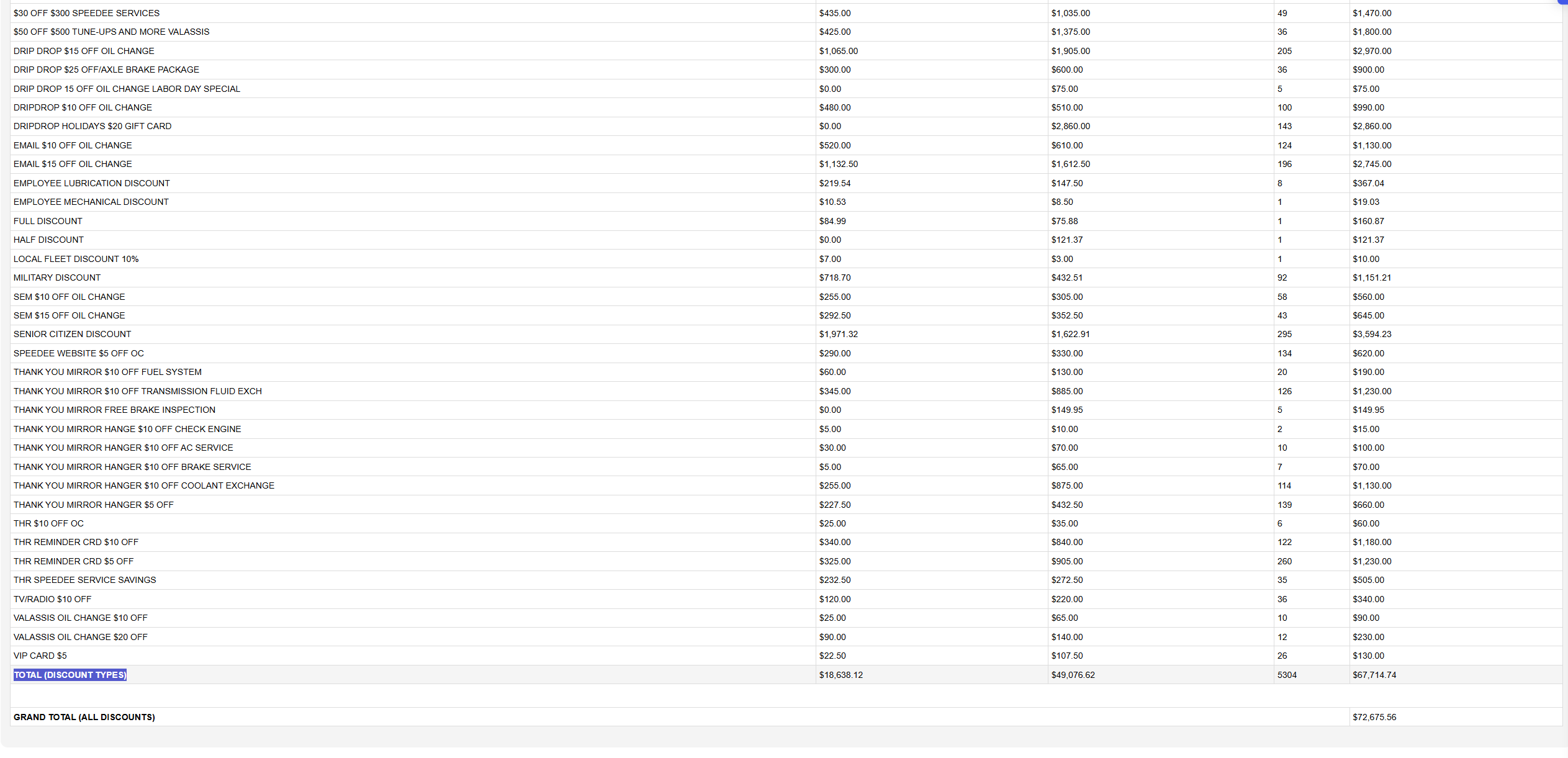
The second block, OTHER DISCOUNT TYPES, lists each coupon or discount type used in the period with the discount APPLIED TO PARTS, APPLIED TO LABOR, the QTY (the number of invoices that used it) and the TOTAL DISCOUNT. Coupons that share the same name are combined on one line. Only coupons that are still switched on are included.
TOTAL (DISCOUNT TYPES) adds up the coupon block. GRAND TOTAL (ALL DISCOUNTS) adds the two blocks together: the TOTAL DISCOUNT EXT. of the services plus the TOTAL DISCOUNT of the coupons. Example: $4,960.82 + $67,714.74 = $72,675.56 for 02-16-2025 to 09-25-2026.
The printout is headed Discount Tracking Summary Report From with your dates and carries the same blocks and figures. It labels a few things slightly differently: PERIOD OF:, SERVICE SUBPACKAGE NAME, PART DISCOUNT EA and the other EA columns, and GRAND TOTAL OF ALL DISCOUNTS.
A From date earlier than the store's start date in ARM is not allowed and returns you to the home page. For each coupon's use by first-time and repeat customers, run Coupon Analysis Report.