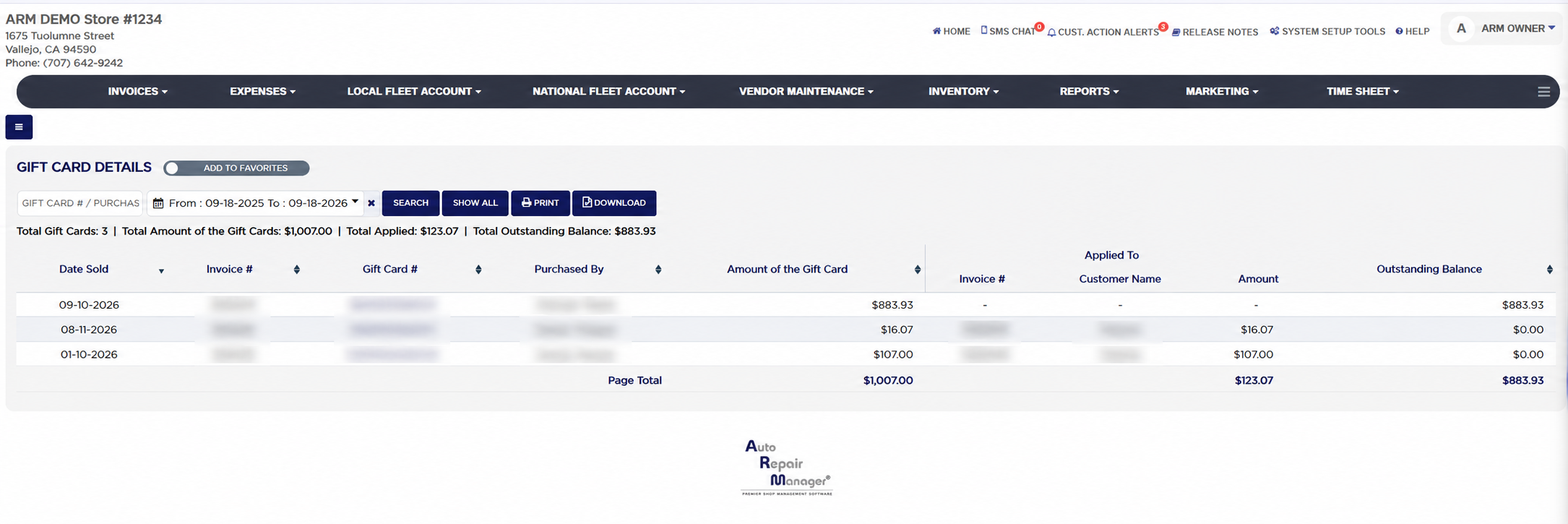
Each line shows the Date Sold, the Invoice # the card was sold on, the Gift Card #, Purchased By, the customer who bought it, and the Amount of the Gift Card. Under Applied To, the Invoice #, Customer Name and Amount show each invoice the card was used to pay and how much of the card went to it, one line per use, with a dash when the card has not been used yet. Outstanding Balance is the card's amount less everything applied. A card that was reported lost and replaced counts only what was already spent on it, and its remaining value moves to the replacement card, so a balance is never shown twice. The Page Total row sums the card amounts, the applied amounts and the outstanding balances of the cards on the current page.
Gift card sales appear as their own lines in the Detailed Sales Report and as the Gift Card payment column when a card is used to pay. The Add To Favorites switch beside the heading saves the report under Favorites on the Reports page. Which reports you see depends on your admin group permissions.