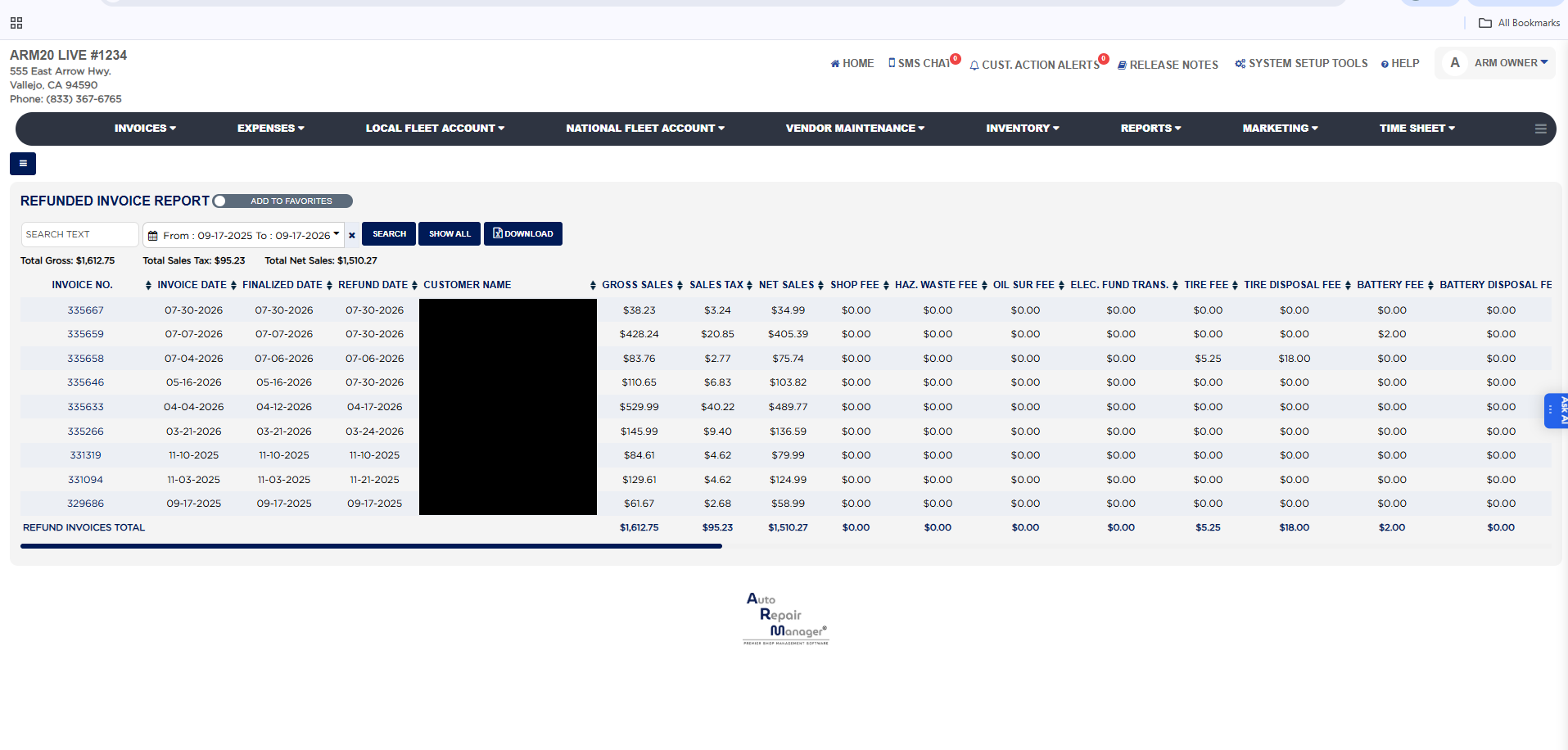
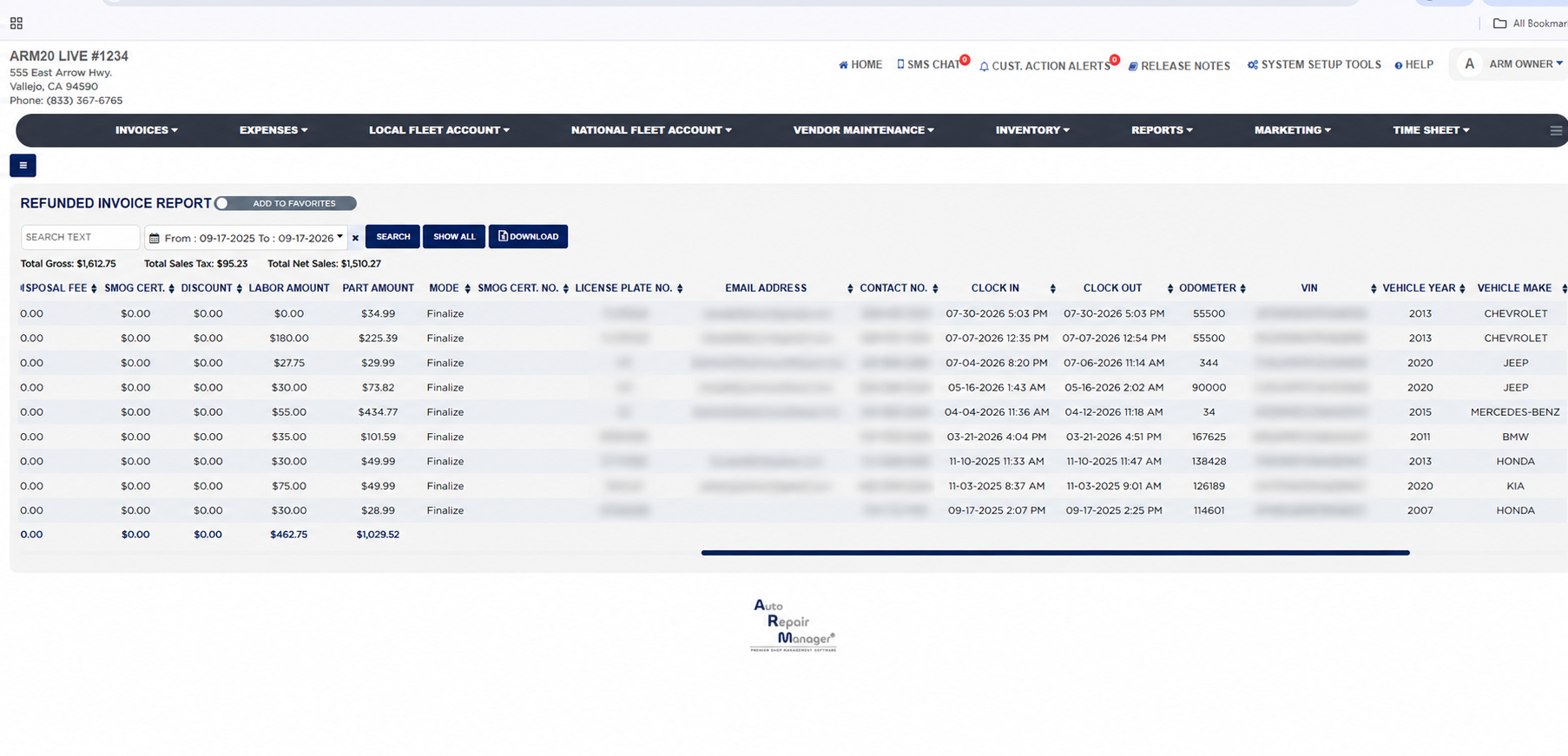
Each line shows the Invoice No. (a link that opens the invoice), the Invoice Date, the Finalized Date, the Refund Date the money was given back, and the Customer Name. The money columns follow: Gross Sales (the invoice total), Sales Tax, Net Sales (the sale before tax and fees), then the fees charged on the invoice: Shop Fee, Haz. Waste Fee, Oil Sur Fee, Elec. Fund Trans., Tire Fee, Tire Disposal Fee, Battery Fee, Battery Disposal Fee and Smog Cert., then the Discount given, and Labor Amount and Part Amount, which split the sale between labor and parts. The REFUND INVOICES TOTAL row at the foot sums every money column for the invoices in the current filter, so it is the value refunded in the period.
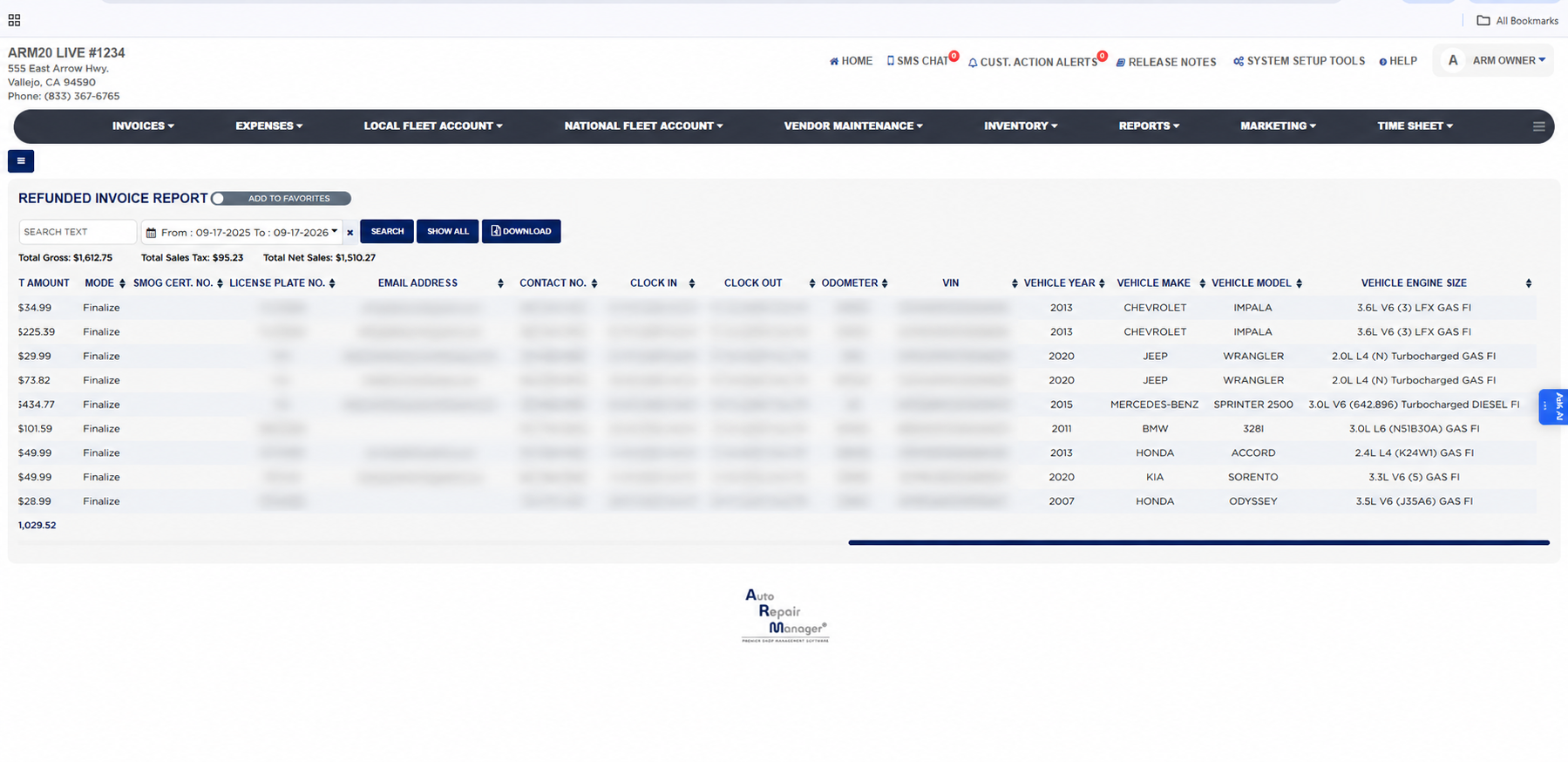
The line continues with the Mode of the invoice, the Smog Cert. No., the vehicle's License Plate No., the customer's Email Address and Contact No., the technician's Clock In and Clock Out times on the invoice, the Odometer reading, the VIN, and the Vehicle Year, Vehicle Make, Vehicle Model and Vehicle Engine Size.
Refunded invoices also appear in red in the REFUND INVOICES block of the Detailed Sales Report and the Detailed Sales / Payment Method Report, where they reduce the grand total for the period. Because the report shows the customer's name, email address, contact number, license plate and VIN, keep exports in a safe place. The Add To Favorites switch beside the heading saves the report under Favorites on the Reports page. Which reports you see depends on your admin group permissions.