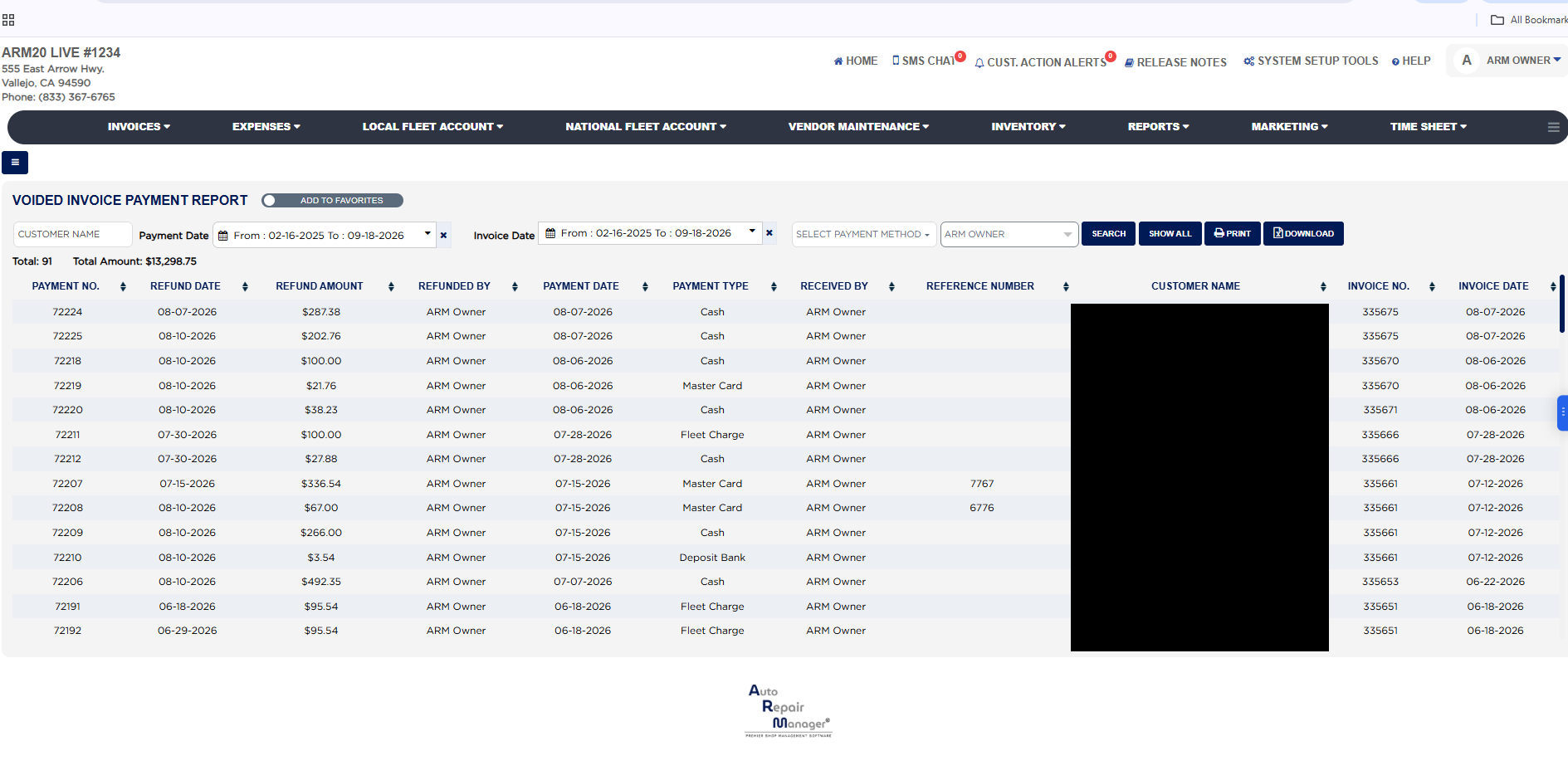
Each line shows the Payment No. (ARM's running number for the payment entry), the Refund Date on which the payment was voided, the Refund Amount, which is the amount of the payment that was reversed, Refunded By, the ARM user who voided it, then the original payment: its Payment Date, Payment Type (Cash, a card type, Check, Fleet Charge, Deposit Bank and so on), Received By, the user who took it, and the Reference Number entered with it, such as a check number or authorization code. The line ends with the Customer Name and the Invoice No. and Invoice Date of the invoice the payment belonged to. A payment taken and voided on the same day shows the same Payment Date and Refund Date; a later Refund Date means the money was returned after the fact. Deleted invoices are not included; voided whole invoices are on the Voided Invoice Report, and refunds of finalized invoices are on the Refunded Invoice Report, both in the same section.
The Add To Favorites switch beside the heading saves the report under Favorites on the Reports page. Download asks for the permission password first when your store protects downloads. Which reports you see depends on your admin group permissions.