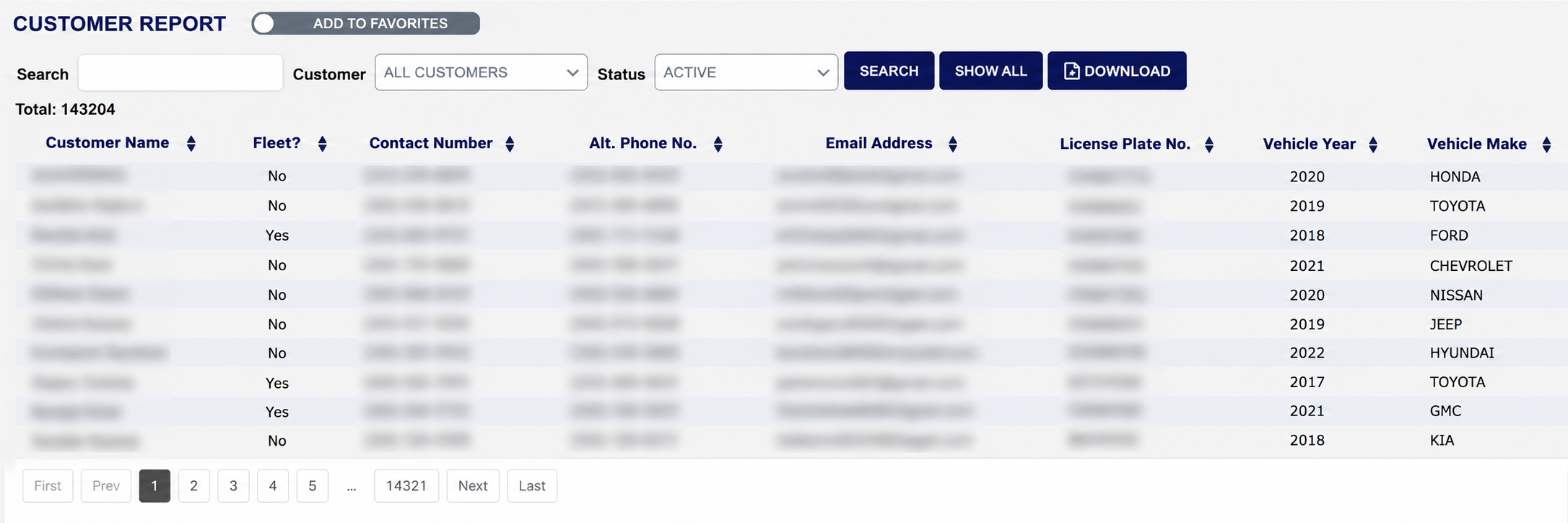
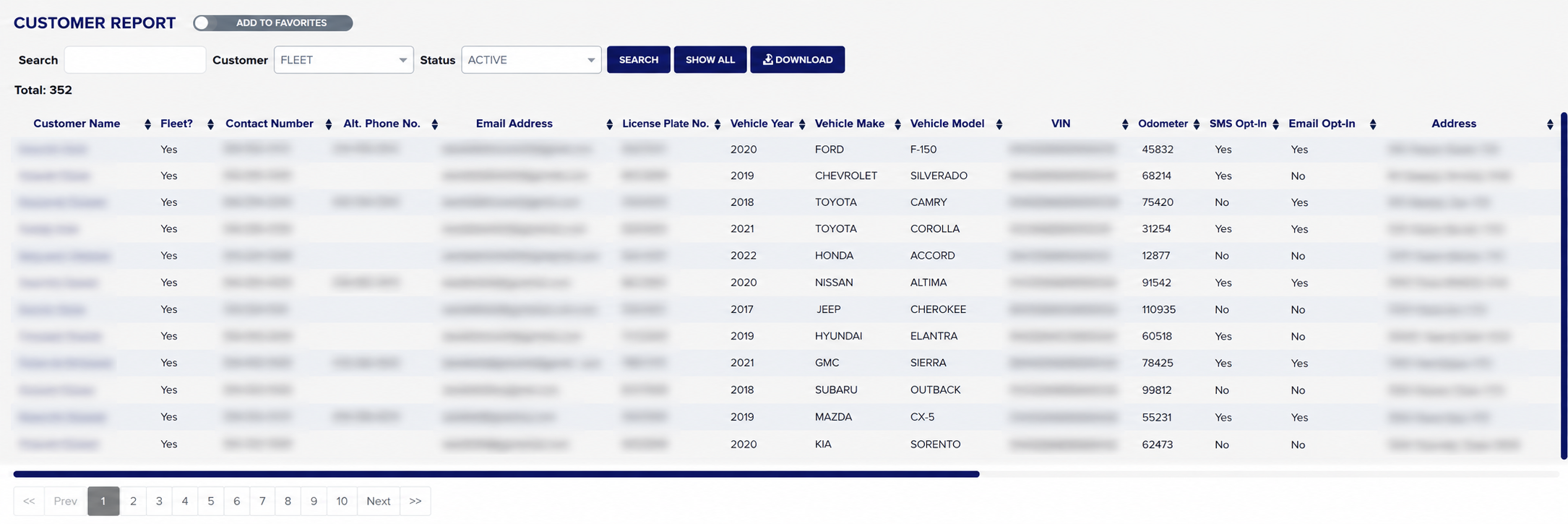
Filter before you read. A busy store holds a very large customer list — on a mature store the unfiltered report runs to tens of thousands of lines over thousands of pages — so the Search, Customer and Status boxes are how you make it useful rather than optional extras. Total: above the table tells you how many lines the current filters returned.
The first columns describe the customer. Customer Name, then Fleet? — Yes for a fleet account and No for an ordinary one — then the Contact Number and Alt. Phone No. held for them, and their Email Address.
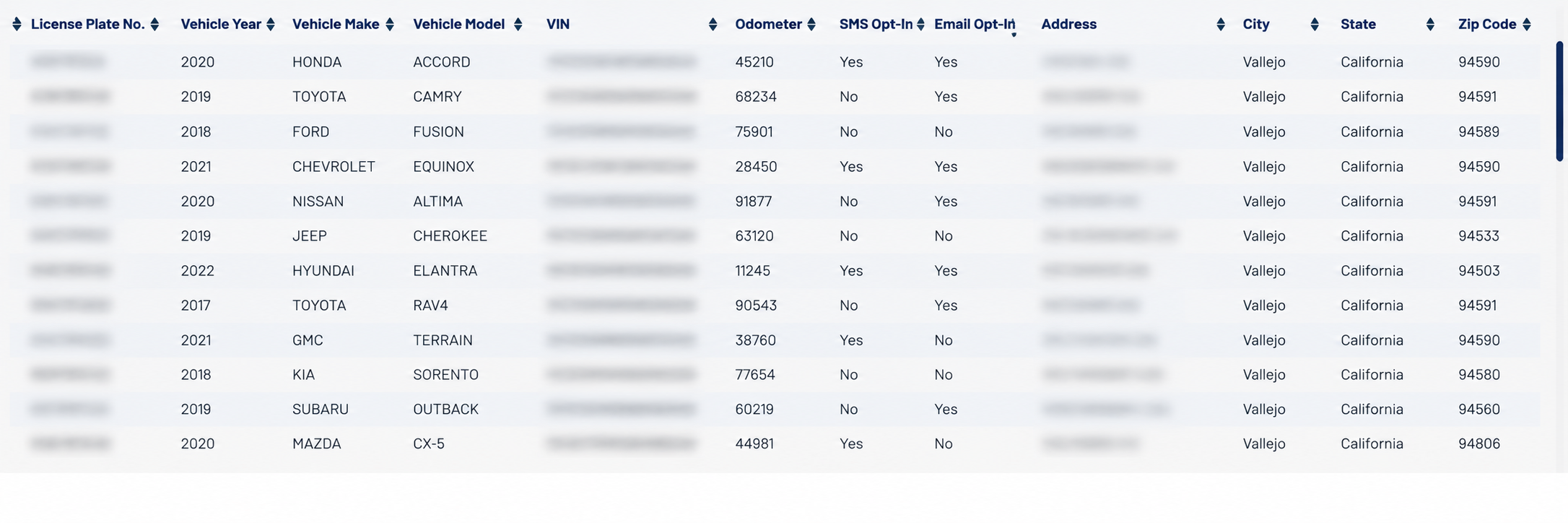
The rest of the line describes the vehicle and where the customer lives. License Plate No., Vehicle Year, Vehicle Make, Vehicle Model and VIN identify the car, and Odometer is the last reading recorded against it. SMS Opt-In and Email Opt-In show Yes or No for whether the customer has agreed to be contacted that way. Address, City, State and Zip Code finish the line. A customer with more than one vehicle appears once for each of them, so the same name and contact details repeat down the page.
The DOWNLOAD button carries a spreadsheet icon but its tooltip reads "Print"; it exports to a spreadsheet, and there is no printed version of this report.