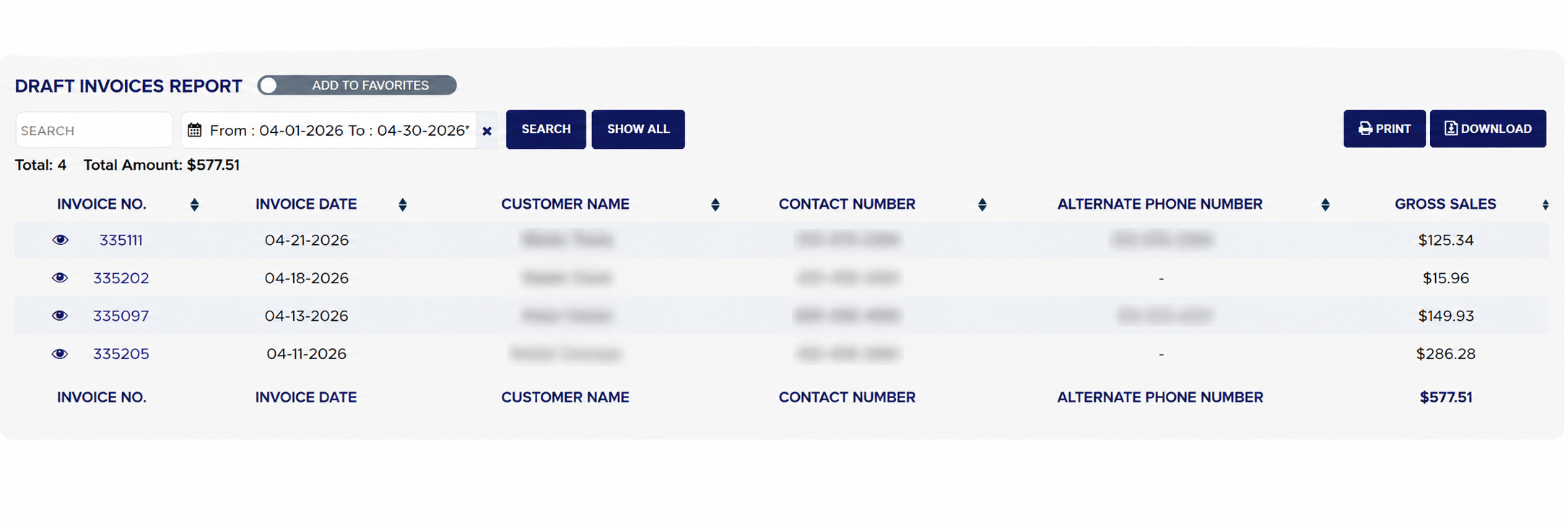
The Draft Invoices report (its heading reads DRAFT INVOICES REPORT) lists the invoices that are still drafts, one line per invoice with the date it was written, the customer, the phone numbers to reach them and the gross amount, with the count and the total value at the top. A draft is work that has been written up but not finalized, so the list is the money sitting on the counter waiting to be closed. Use it at the end of the day to see which tickets are still open, to call the customers whose cars are ready, and to catch drafts that were forgotten days ago.
From the Home Screen, click Reports → Management & Operational Reports → Draft Invoices.
Click the From : … To : … date box and pick the invoice dates to include; the report reloads as soon as a range is chosen. It opens on the current month, from the 1st to today; choose From Beginning in the picker to see every open draft whatever its date. The × clears the dates.
To find one draft, type the customer's name, phone number or invoice number into Search and click Search.
Click Show All to keep the dates and clear the search.
Read Total: for the number of drafts and Total Amount: for their combined gross amount.
Click any column heading to sort by it; click it again to reverse the order. Long lists are split into pages with page links under the table.
Click Print for a PDF copy in a new tab, or Download to export the list to a spreadsheet file; your store may ask for the report download permission password first. Both buttons appear only when the list has rows.
Draft Invoices with filters and results
How do I look at a draft without opening it for editing?
#
From the Home Screen, click Reports → Management & Operational Reports → Draft Invoices, and run it for your dates.
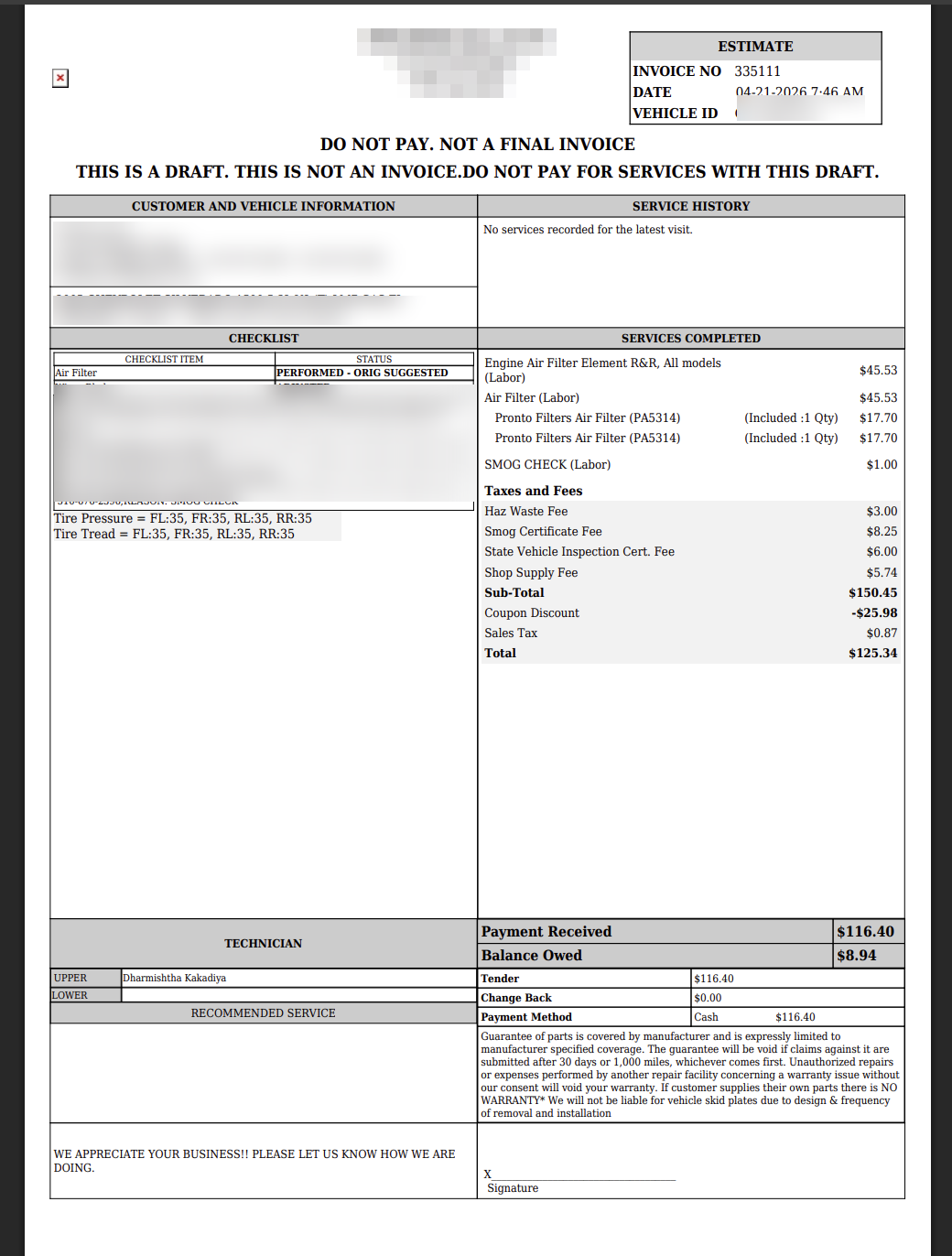
Click the eye icon in front of the INVOICE NO.. The draft opens as a PDF in a new tab, marked DO NOT PAY. NOT A FINAL INVOICE, with the customer and vehicle block, the checklist, the services so far, the totals and any payment already taken. The icon is shown to master administrators.
Close the tab to return to the list.
Draft invoice PDF opened from the View icon
About this screen
Each line shows the INVOICE NO., the INVOICE DATE, the CUSTOMER NAME, the CONTACT NUMBER and ALTERNATE PHONE NUMBER from the invoice, and the GROSS SALES, the current total of the draft. The foot row repeats the headings and sums the gross sales of the drafts on the page. Voided and deleted drafts are not listed. Clicking the invoice number opens the draft in the invoice screen so it can be finished and finalized.
The Add To Favorites switch beside the heading saves the report under Favorites on the Reports page. The number and value of open drafts also appear as # of Cars Carried Over and $ of Cars Carried Over on the Daily Management Report. Which reports you see depends on your admin group permissions.