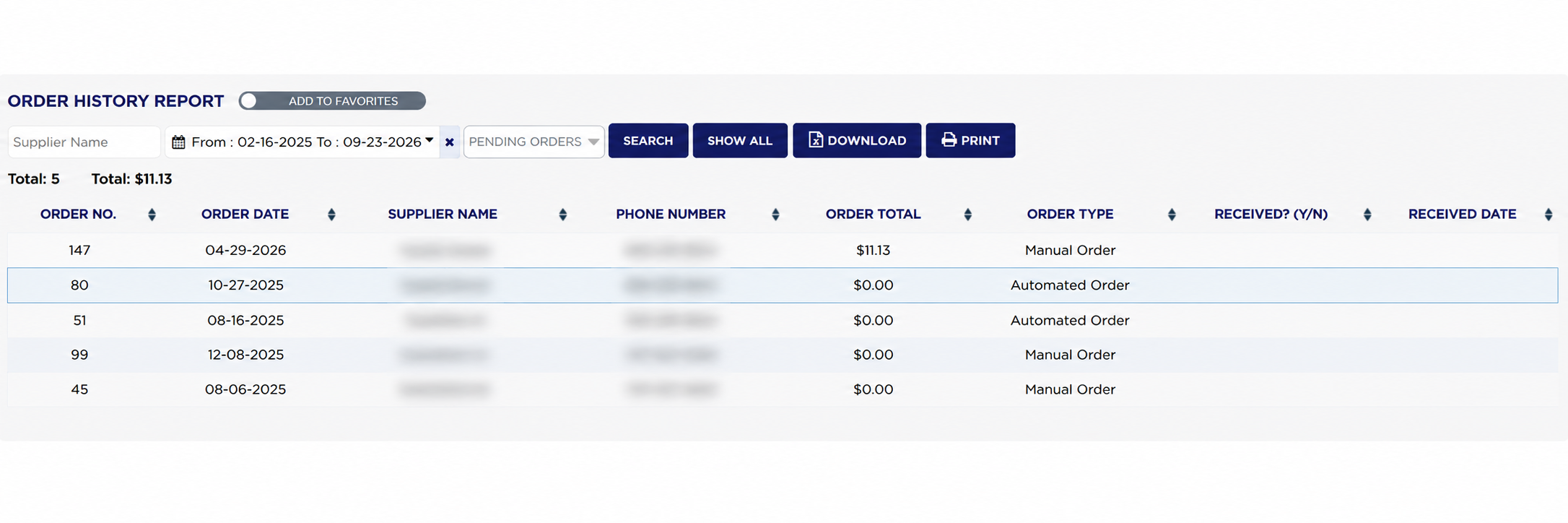
Each line shows the ORDER NO., the ORDER DATE it was raised, the SUPPLIER NAME and their PHONE NUMBER, the ORDER TOTAL the order came to, the ORDER TYPE, whether it has been received under RECEIVED? (Y/N), and the RECEIVED DATE it arrived. ORDER TYPE reads Manual Order where somebody raised the order themselves and Automated Order where ARM raised it from stock levels. Two figures sit above the table, both labelled Total:: the first is the number of orders listed, the second the money value of them. Both follow whichever filters you have set.
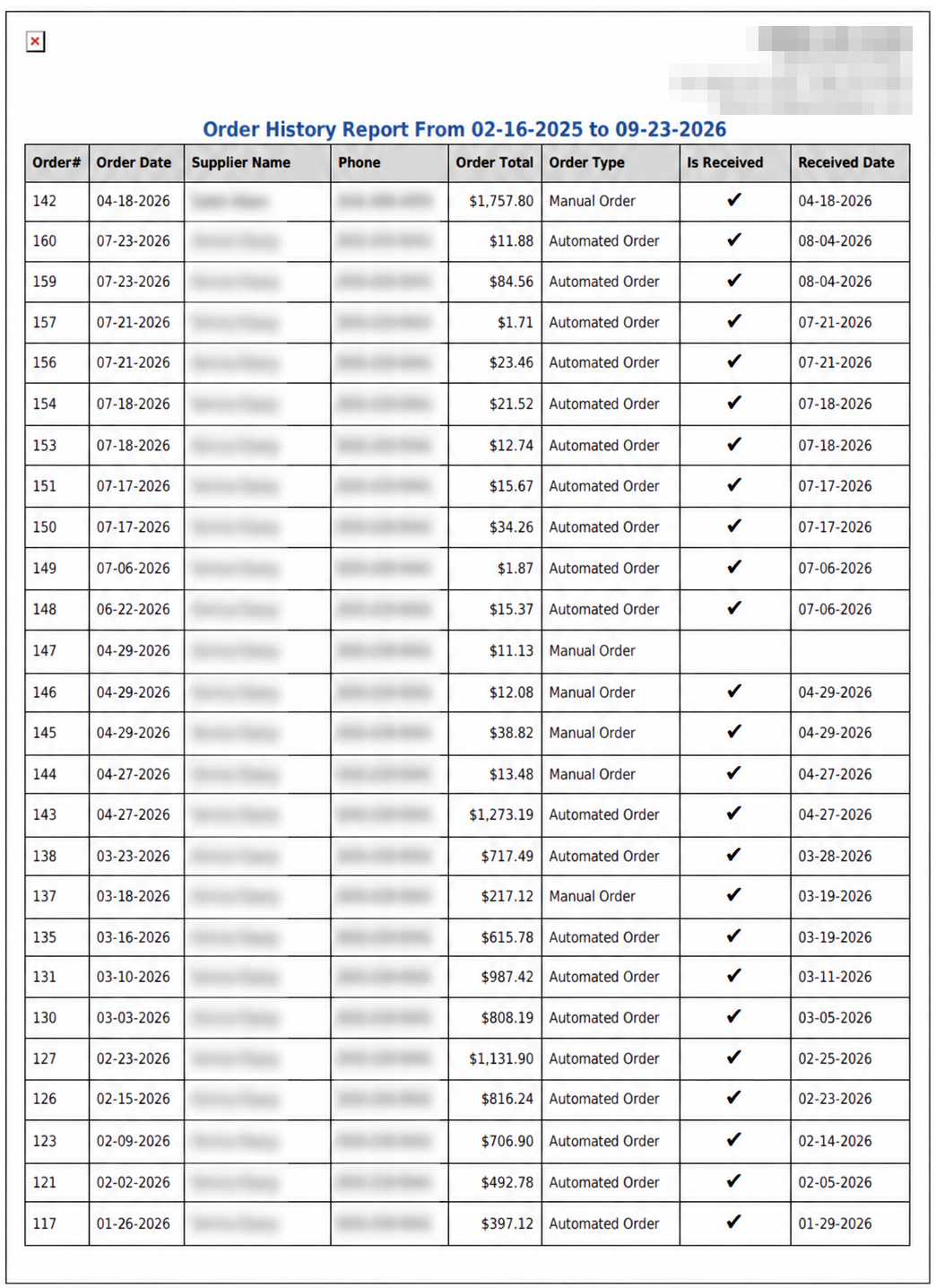
RECEIVED? (Y/N) shows a tick against an order that has been received and is left empty against one that has not, so read an empty cell as "not yet received" rather than as missing information. RECEIVED DATE is filled in on the same lines that carry a tick and is empty on the rest. The two together are the quickest way to spot an order that has been sitting outstanding.
An order that is still pending often shows an ORDER TOTAL of $0.00, because the value is settled when the delivery is received and priced. That is why the money Total: for a pending list is usually much smaller than the number of orders would suggest — it is the value already settled, not the value on its way.
The PDF uses Is Received in place of RECEIVED? (Y/N) and Phone in place of PHONE NUMBER, with the same tick against the orders that have arrived.
The ADD TO FAVORITES switch beside the report title saves a shortcut to the report under your favourites in the main Reports menu.