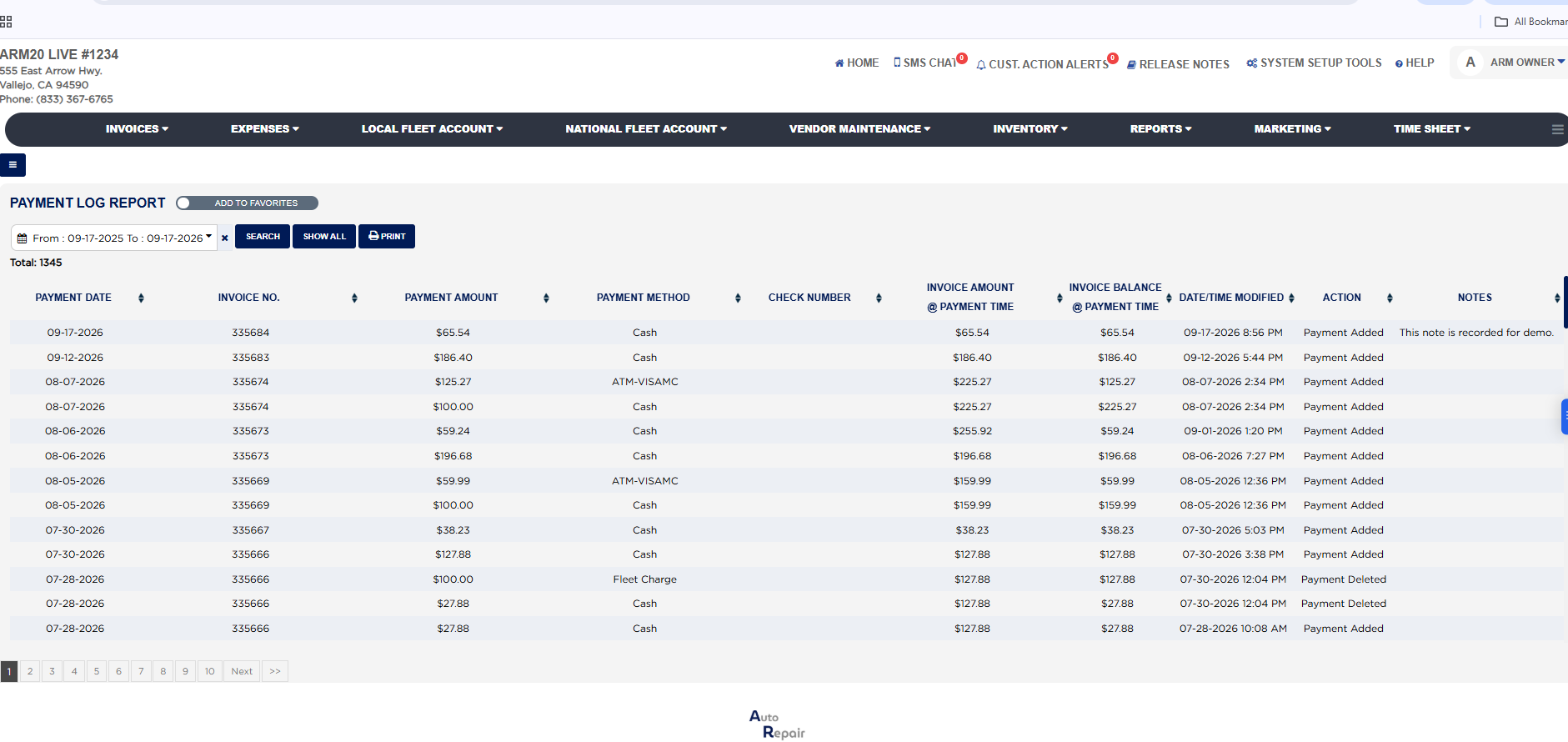
Each line is one log entry. Payment Date is the date the payment was dated on the invoice, Invoice No. is the invoice it was applied to, Payment Amount is the amount of that payment, Payment Method is the payment type used (Cash, a card type, Check, Fleet Charge and so on), and Check Number is the reference number entered with the payment, filled for checks and blank otherwise. Invoice Amount @ Payment Time is the invoice total as it stood when the payment was recorded, and Invoice Balance @ Payment Time is what was still owed on the invoice at that moment, before this payment was applied; the two together show whether the payment settled the invoice or left a balance. Date/Time Modified is the exact date and time the log entry was written, which can differ from the payment date when a payment is entered or deleted later. Action is what happened: Payment Added when the payment was recorded, Payment Updated when it was changed, and Payment Deleted when it was removed from the invoice. Notes shows the note typed with the payment, if any. A payment that was taken and later removed therefore appears twice, once as Payment Added and once as Payment Deleted, with the same invoice number and amount and a later Date/Time Modified on the deletion.
The report includes only payments on invoices that still exist; payments on deleted invoices are listed on the Deleted Invoice Report instead. The Add To Favorites switch beside the heading saves the report under Favorites on the Reports page. Which reports you see depends on your admin group permissions.