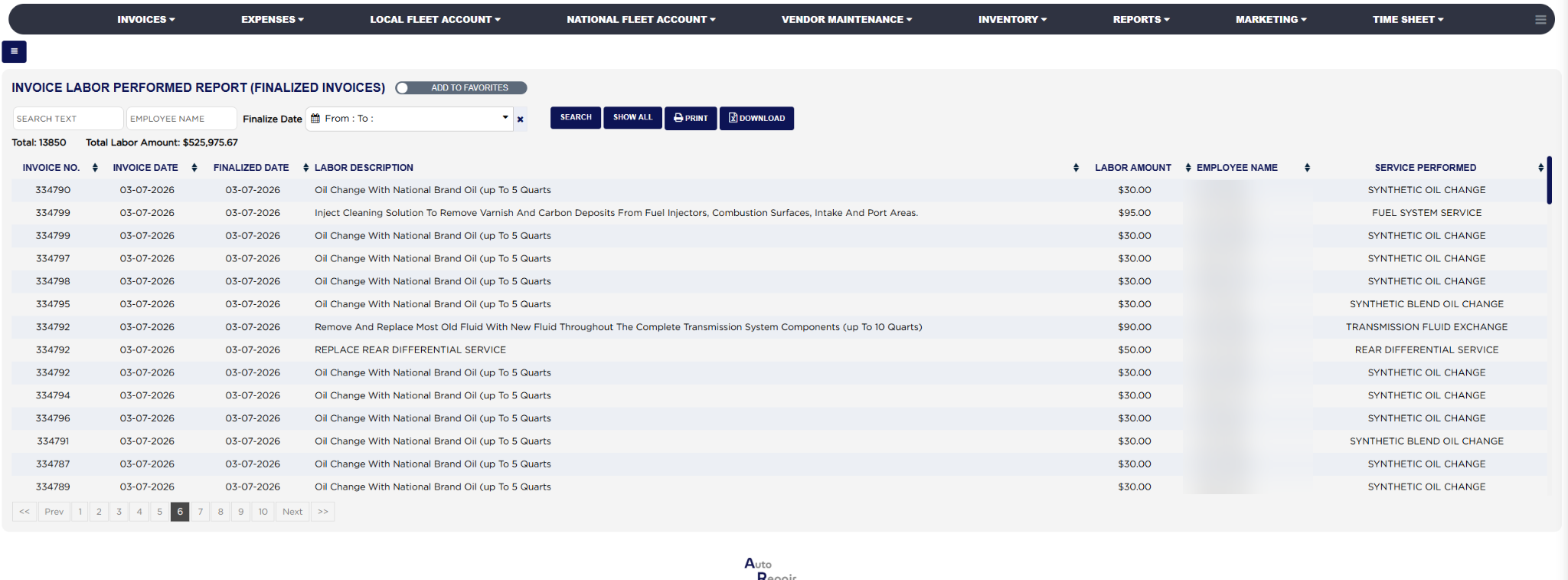
How do I run the Invoice Labor Performed Report? #
- From the Home Screen, click Reports → Management & Operational Reports → Invoice Labor Performed Report.
- Click the From : … To : … box beside Finalize Date and pick the first and last finalized date to include; the report reloads as soon as a range is chosen. With no dates it lists every finalized invoice since the store's beginning date. The × clears the dates.
- To limit the list to one technician, type the employee's first or last name into Employee Name.
- To find one labor item or package, type the start of its name, or an invoice number, into Search Text.
- Click Search to load the list, or Show All to keep the dates and clear the search and employee.
- Read Total: for the number of labor lines and Total Labor Amount: for the labor charged across the whole list.
- Click any column heading to sort by it; click it again to reverse the order. Long lists are split into pages with page links under the table.
- Click Print for a PDF copy in a new tab, or Download to export the list to a spreadsheet file; your store may ask for the report download permission password first. Both buttons appear only when the list has rows.