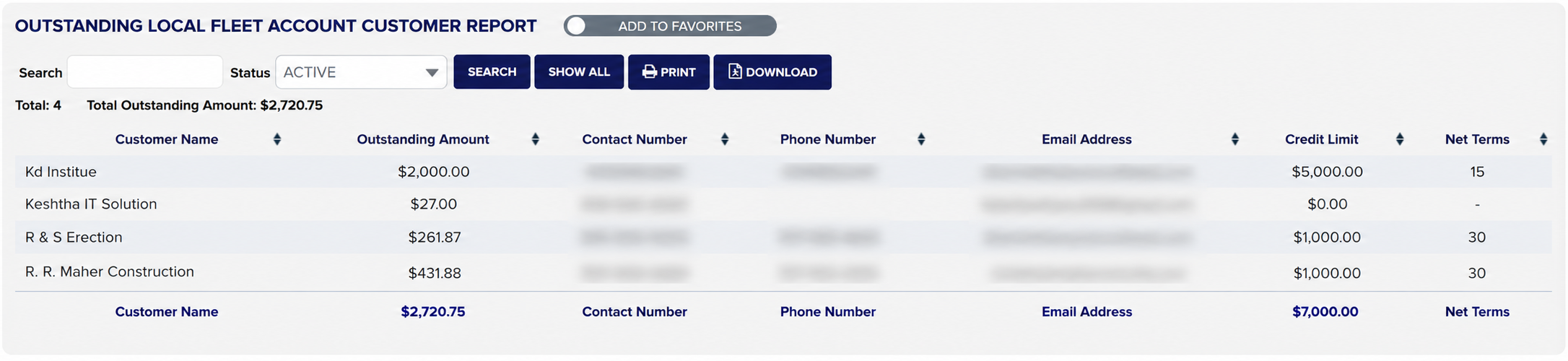
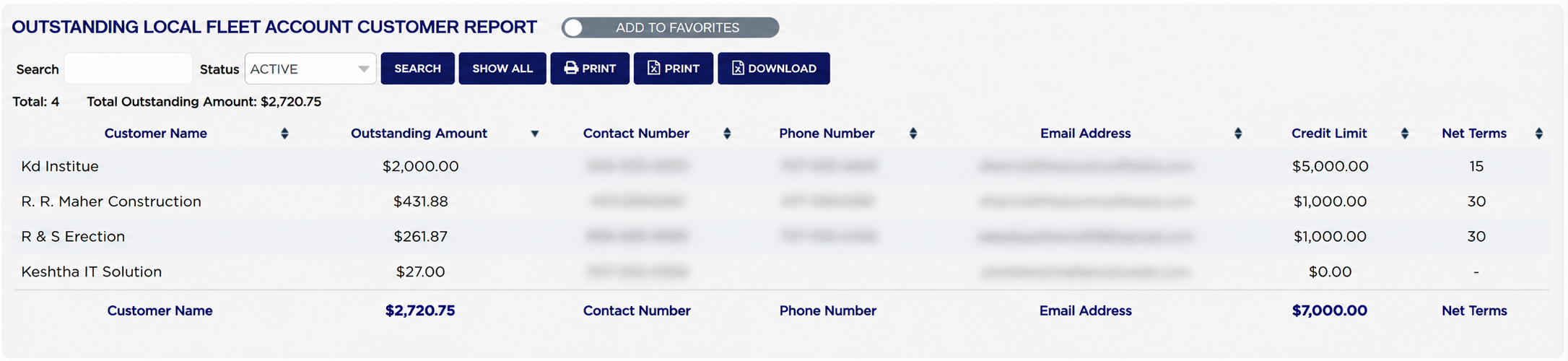
Above the table, Total: counts the accounts listed and Total Outstanding Amount adds up what they owe between them. Each line shows the Customer Name, the Outstanding Amount still on the account, the Contact Number and Phone Number to reach them on, their Email Address, the Credit Limit the account was given and its Net Terms — the number of days they have to pay, shown as - where no terms were set. The row at the foot repeats the column names and carries two totals: the outstanding amount again, and the total of the credit limits.
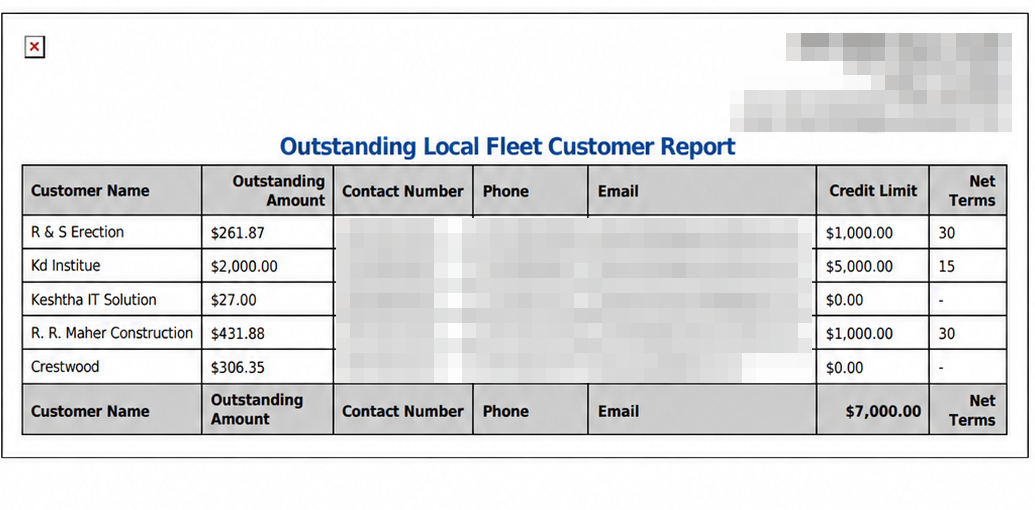
Take the figures on screen as the authoritative ones. The printed PDF works its outstanding amounts out a different way — it reads a balance stored against the customer rather than recalculating it — so an account whose stored balance is out of date can appear on the printout but not on screen, or carry a different figure. Where the two disagree, the screen is the one that has just been calculated. The PDF is also headed Outstanding Local Fleet Customer Report, and names the columns Phone and Email, and its foot row totals the credit limits but not the outstanding amounts.
For the national accounts, run Outstanding National Fleet Account Customer Report. To see how one account's balance was built up invoice by invoice, open National Fleet Account Customer Statement.