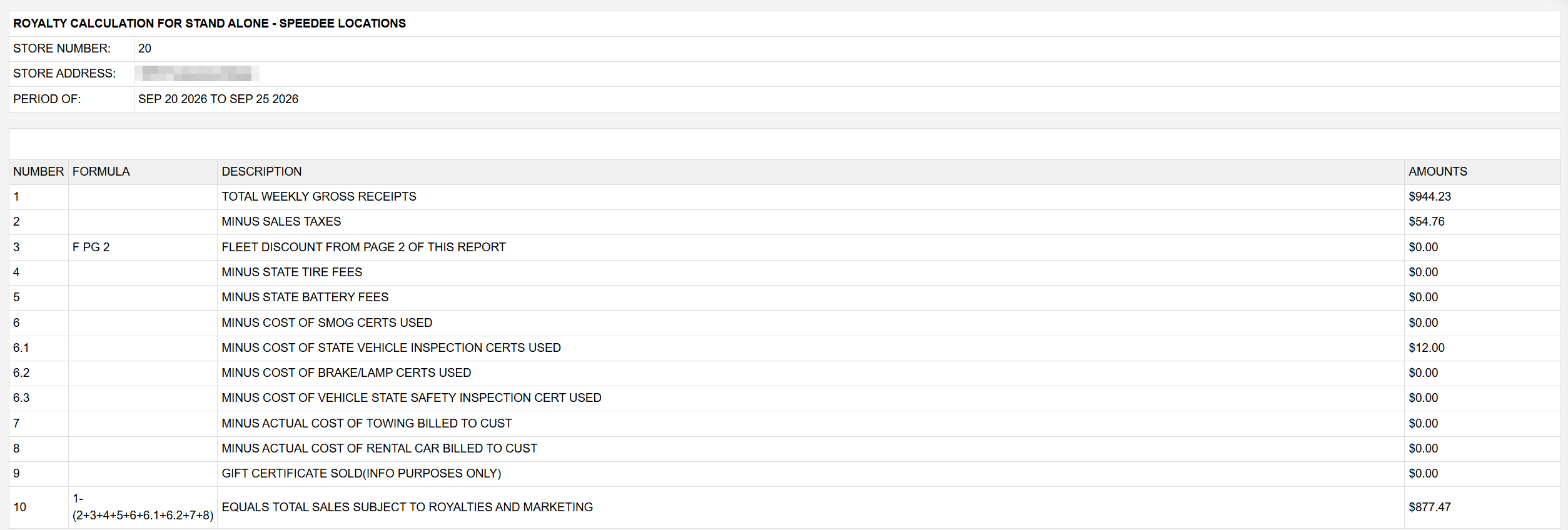
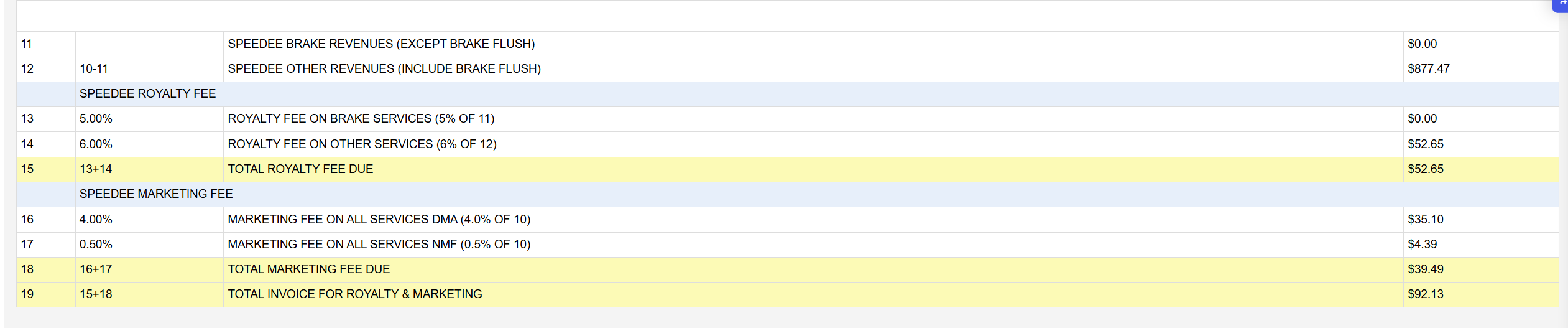
The report opens with STORE NUMBER (the store's account number), STORE ADDRESS and PERIOD OF, the dates covered. Each line then shows its NUMBER, the FORMULA used, a DESCRIPTION and the AMOUNTS. Lines 1 to 9 are taken from the week's finalized invoices: 1 TOTAL WEEKLY GROSS RECEIPTS, then the amounts that come off it, 2 sales taxes, 3 the fleet discount from page two, 4 state tire fees, 5 state battery fees, 6 smog certificates, 6.1 state vehicle inspection certificates, 6.2 brake/lamp certificates, 6.3 vehicle state safety inspection certificates, 7 towing and 8 rental cars billed to customers. Line 9, gift certificates sold, is shown for information only and is not taken off. When the week has refunds, a refund column appears beside the amounts.
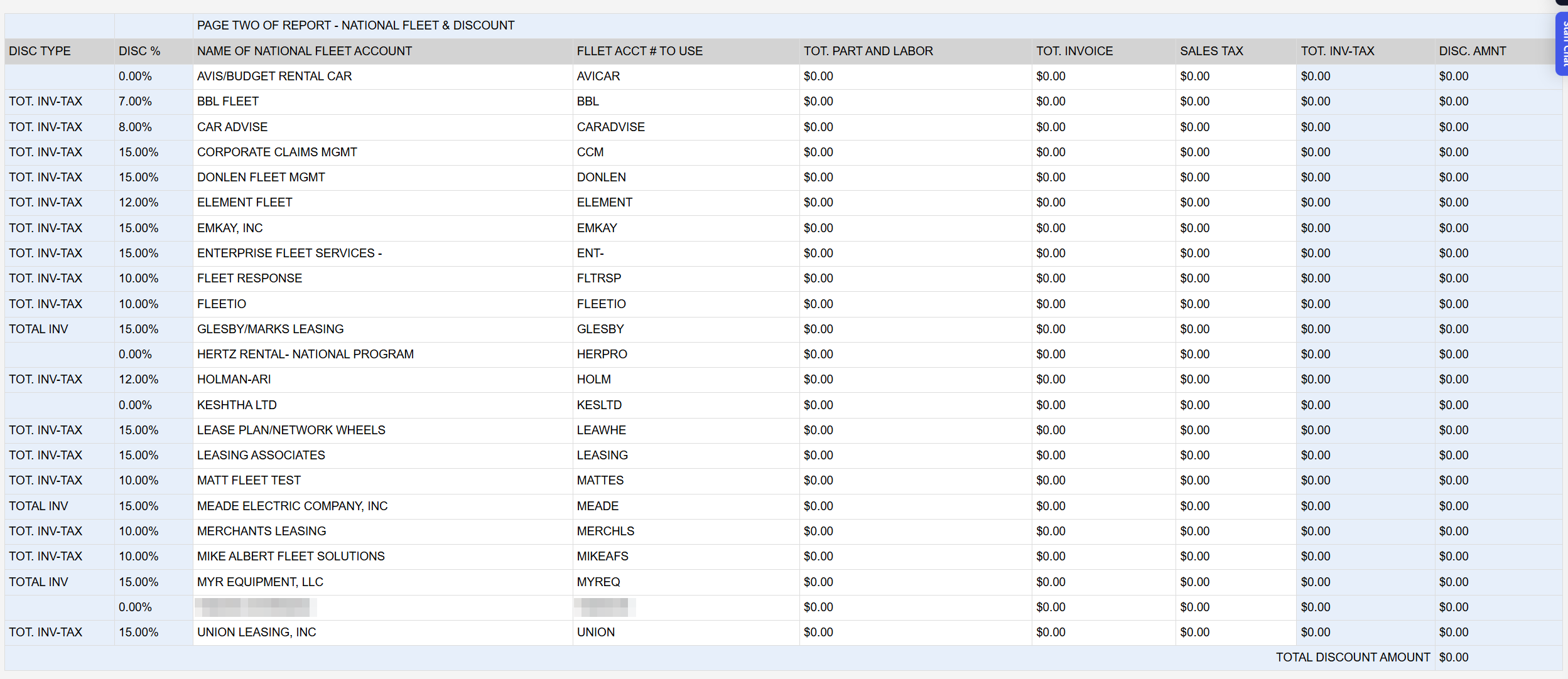
Page two, NATIONAL FLEET & DISCOUNT, lists every national fleet account with its DISC TYPE (what the discount is worked on: TOT. INV-TAX, TOTAL INV or TOTAL PART AND LABOR), its DISC %, the NAME OF NATIONAL FLEET ACCOUNT, the FLEET ACCT # TO USE, and for the week its TOT. PART AND LABOR, TOT. INVOICE, SALES TAX, TOT. INV-TAX and DISC. AMNT. TOTAL DISCOUNT AMOUNT at the foot is the figure used on line 3. The discount type and percentage come from each national fleet account's settings and cannot be changed on the report.
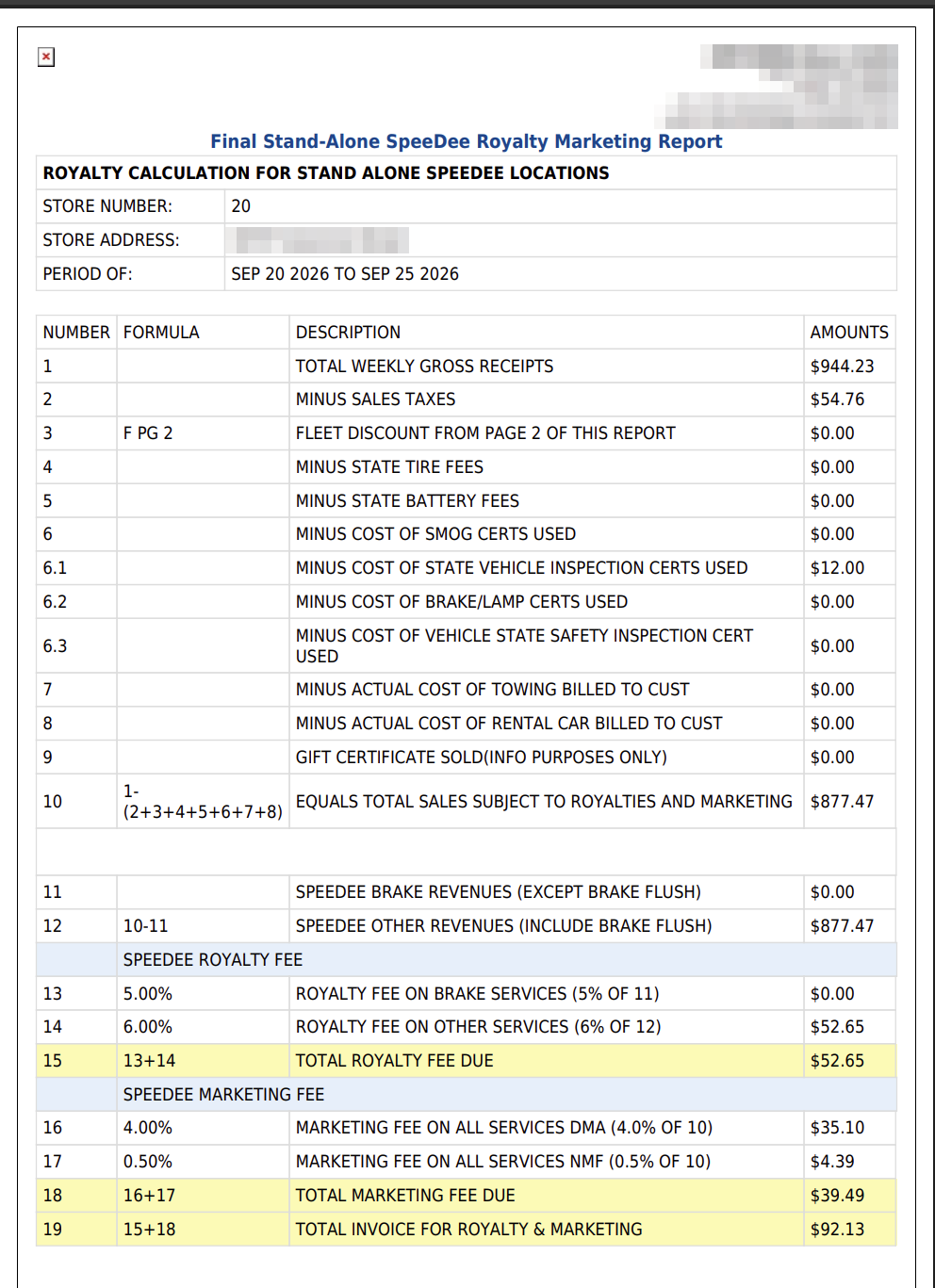
The printout is headed Final Stand-Alone SpeeDee Royalty Marketing Report and carries the same lines and amounts, with page two on the following page.
The percentages are the same for every store and cannot be changed from ARM's settings. A date earlier than the store's start date in ARM is not allowed and returns you to the home page.