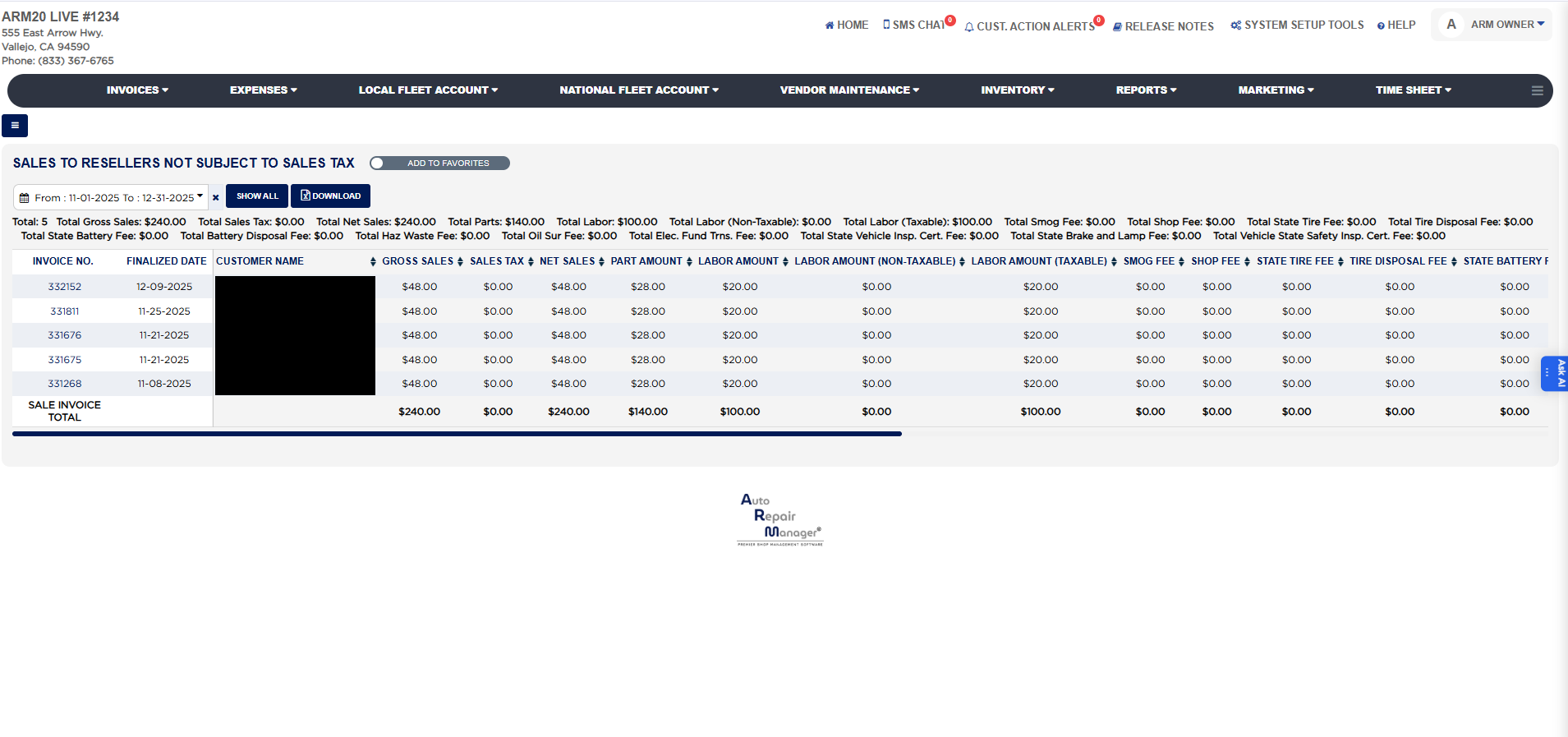
Each line shows the Invoice No. (a link that opens the invoice), the Finalized Date and the Customer Name, then Gross Sales (the invoice total), Sales Tax (the tax actually charged, $0.00 when the invoice was sold tax-free), Net Sales (the sale before tax and fees), Part Amount (parts sold after discounts) and Labor Amount (labor sold after discounts). Labor Amount (Non-Taxable) and Labor Amount (Taxable) split the labor between labor items marked non-taxable and labor items marked taxable on the invoice, which matters in states that tax labor. The fee columns follow, each showing the amount of that fee actually charged on the invoice: Smog Fee, Shop Fee, State Tire Fee, Tire Disposal Fee, State Battery Fee, Battery Disposal Fee, Haz. Waste Fee, Oil Sur Fee, Elec. Fund Trns. Fee, State Vehicle Inspection Cert. Fee, State Brake and Lamp Test Fee and Vehicle State Safety Inspection Cert. Fee. A line highlighted in yellow marks an invoice where parts were sold without sales tax, the case the report is named for. The SALE INVOICE TOTAL row sums every money column for the invoices listed. When an invoice in the range was refunded, it is listed again in red in a second block that ends with a REFUND INVOICE TOTAL row, so the refunded amounts can be taken off.
The Add To Favorites switch beside the heading saves the report under Favorites on the Reports page. Which reports you see depends on your admin group permissions.